1
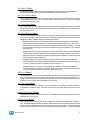
Room (1-4)
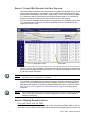
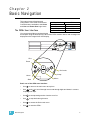
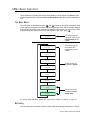
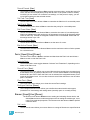
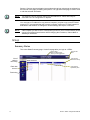
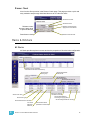
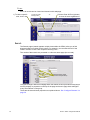
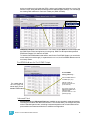
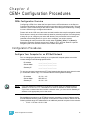
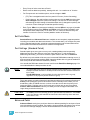
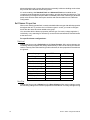
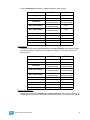
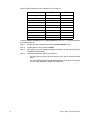
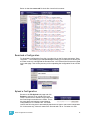
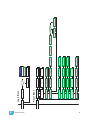
Clicking on a room in the navigation bar will bring up the display shown below. This is where
you create presets, name presets, record or snapshot presets to give them level
information or clear a preset to remove all level information from it.
Indicates
which room
you are
Creates a new preset
to be named,
recorded later.
Indicates an
inactive
preset.
Indicates which
preset is being
manipulated.
Record will only
use the level
information set at
the CEM+ in the
preset.
Indicates an
active
preset.
Snapshot will use
all level information
available to the
CEM+ in the preset.
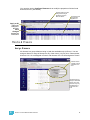
Configuration
Panic
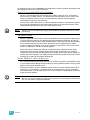
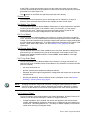
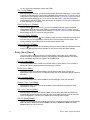
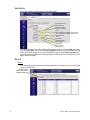
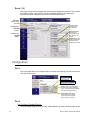
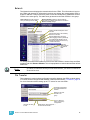
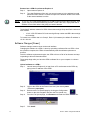
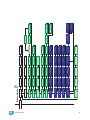
This is the page where you configure Panic for switch mode and type as well as record or
clear the Panic preset.
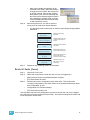
Master Level is the threshold for
dimmer levels when recording
Panic. Levels below the threshold
will not be recorded in Panic.
Force others off enables
load shedding. (If a dimmer
is not part of the recorded
Panic, they are turned off.
Patch
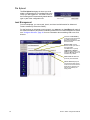
Port Settings (Standard Patch)
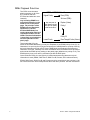
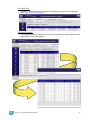
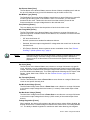
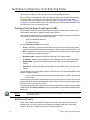
The port settings page is where you can enable/disable any of the data input ports as well
25
Sensor+ CEM+ Configuration Manual