1
Sensor+ Connect Web Browser Interface Overview
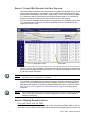
The CEM+ module contains a web server that delivers graphical web pages for you to use
during system configuration. The Sensor+ Connect Web browser interface can be used
instead of the direct buttons on the CEM+ module itself. You can use an Ethernet-capable
PC connected to the ETCNet2 network and running Windows 2000 or XP and Internet
Explorer 6 or later to browse into any of the Sensor+ racks on the network.
If you are using an Emphasis Control System running version 1.8.0 software or later, there
is a command in the WYSILink menu that automatically opens a browser window and
connects to Sensor+ racks.
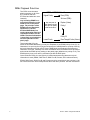
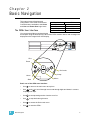
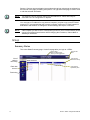
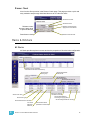
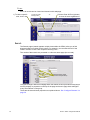
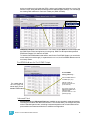
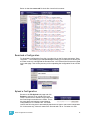
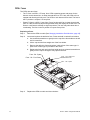
Edit Tabs
Navigation Frame
Logout
button and
user level
Edit Frame
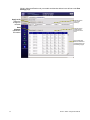
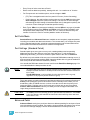
Sensor+ Connect uses a navigation layout where the various main areas are selected on
the left side of the page presenting sub-options. The right side of the page is used to view
or edit the selected information.
Note:
The Emphasis Server network settings are the default ETC values and ready for
immediate use. No configuration is required.
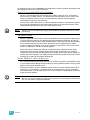
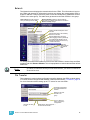
You must set an IP address for any personal computer you plan to use on an ETCNet2
network. ETC recommends that the personal computer used on an ETCNet2 network is
dedicated to that network so changes to network settings are kept to a minimum. Please
see ”Configure Your Computer for an ETCNet2 Network”, page 30 for setting up your
computer.
Note:
If the computer you wish to use is currently being used on a non-ETCNet2 network please
consult your Network Administrator before changing the IP address, Subnet Mask or
Gateway IP addresses.
Sensor+ Dimming System Features
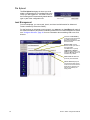
Play back Presets from the CEM+
The CEM+ module provides 128 Presets that can be recorded from EDMX, DMX, or directly
set levels. You can configure each Preset’s name, fade times and playback priority. Presets can
3
Sensor+ CEM+ Configuration Manual