1
List of Figures
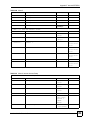
Figure 39 Tutorial Example: Firewall Rule: WAN to LAN Address Edit for Web Server ........................ 69
Figure 40 Tutorial Example: Firewall Rule: WAN to LAN Service Edit for Web Server ......................... 70
Figure 41 Tutorial Example: Firewall Rule: WAN to LAN Address Edit for Mail Server ......................... 71
Figure 42 Tutorial Example: Firewall Rule: WAN to LAN Service Edit for Mail Server .......................... 71
Figure 43 Tutorial Example: Firewall Rule: WAN to LAN Address Edit for FTP Server ......................... 72
Figure 44 Tutorial Example: Firewall Rule: WAN to LAN Service Edit for FTP Server .......................... 73
Figure 45 Tutorial Example: Firewall Rules Done .................................................................................. 73
Figure 46 Tutorial Example: NAT Address Mapping Done: Game Playing
.......................................... 74
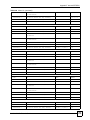
Figure 47 Tutorial Example: SIP Settings ............................................................................................... 76
Figure 48 Tutorial Example: Status ......................................................................................................... 76
Figure 49 Tutorial Example: Analog Phone ............................................................................................ 77
Figure 50 Tutorial Example: SIP Settings for an Unregistered SIP Account .......................................... 78
Figure 51 Tutorial Example: Analog Phone ............................................................................................ 79
Figure 52 Tutorial Example: Speed Dial ................................................................................................. 80
Figure 53 Password Screen ................................................................................................................... 82
Figure 54 Change Password Screen ...................................................................................................... 82
Figure 55 Replace Certificate Screen ..................................................................................................... 83
Figure 56 Wizard or Advanced Screen .................................................................................................. 83
Figure 57 Main Screen ........................................................................................................................... 84
Figure 58 Select a Mode ........................................................................................................................ 92
Figure 59 Wizard Welcome .................................................................................................................... 92
Figure 60 Auto Detection: No DSL Connection ...................................................................................... 93
Figure 61 Auto-Detection: PPPoE .......................................................................................................... 93
Figure 62 Auto Detection: Failed ............................................................................................................ 94
Figure 63 Internet Access Wizard Setup: ISP Parameters ..................................................................... 95
Figure 64 Internet Connection with PPPoE ............................................................................................ 96
Figure 65 Internet Connection with RFC 1483 ...................................................................................... 96
Figure 66 Internet Connection with ENET ENCAP ................................................................................. 97
Figure 67 Internet Connection with PPPoA ............................................................................................ 98
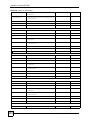
Figure 68 Connection Test Failed-1 ........................................................................................................ 99
Figure 69 Connection Test Failed-2. ....................................................................................................... 99
Figure 70 Connection Test Successful ................................................................................................. 100
Figure 71 Wireless LAN Setup Wizard 1 .............................................................................................. 100
Figure 72 Wireless LAN ........................................................................................................................ 101
Figure 73 Manually Assign a WPA key ................................................................................................. 102
Figure 74 Manually Assign a WEP key ................................................................................................ 102
Figure 75 Wireless LAN Setup 3 .......................................................................................................... 103
Figure 76 Internet Access and WLAN Wizard Setup Complete ........................................................... 104
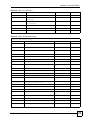
Figure 77 VoIP Phone Calls ................................................................................................................. 105
Figure 78 Select a Mode ...................................................................................................................... 106
Figure 79 Wizard: Welcome ................................................................................................................. 106
Figure 80 VoIP Wizard Configuration ................................................................................................... 107
Figure 81 SIP Registration Test ............................................................................................................ 108
26
P-2602HWUDL-D User’s Guide