1
Chapter 29 Tools
1
Do not interrupt the file transfer process as this may PERMANENTLY
DAMAGE your device.
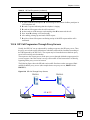
FTP is the preferred method for uploading the firmware and configuration. To use this feature,
your computer must have an FTP client. The following sections give examples of how to
upload the firmware and the configuration files.
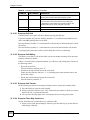
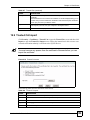
29.9.1 FTP File Upload Command from the DOS Prompt Example
1
2
3
4
5
6
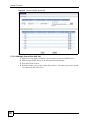
Launch the FTP client on your computer.
Enter “open”, followed by a space and the IP address of your device.
Press [ENTER] when prompted for a username.
Enter your password as requested (the default is “1234”).
Enter “bin” to set transfer mode to binary.
Use “put” to transfer files from the computer to the device, for example, “put
firmware.bin ras” transfers the firmware on your computer (firmware.bin) to the device
and renames it “ras”. Similarly, “put config.rom rom-0” transfers the configuration file
on your computer (config.rom) to the device and renames it “rom-0”. Likewise “get
rom-0 config.rom” transfers the configuration file on the device to your computer and
renames it “config.rom.” See earlier in this chapter for more information on filename
conventions.
7 Enter “quit” to exit the ftp prompt.
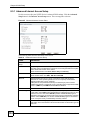
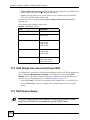
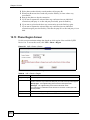
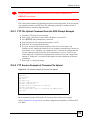
29.9.2 FTP Session Example of Firmware File Upload
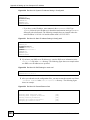
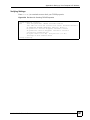
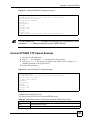
Figure 316 FTP Session Example of Firmware File Upload
331 Enter PASS command
Password:
230 Logged in
ftp> bin
200 Type I OK
ftp> put firmware.bin ras
200 Port command okay
150 Opening data connection for STOR ras
226 File received OK
ftp: 1103936 bytes sent in 1.10Seconds 297.89Kbytes/sec.
ftp> quit
More commands (found in GUI-based FTP clients) are listed earlier in this chapter.
Refer to Section 29.3 on page 410 to read about configurations that disallow TFTP and FTP
over WAN.
P-2602HWUDL-D User’s Guide
419