1
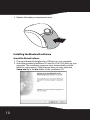
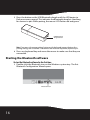
5 Press the button on the USB Bluetooth dongle until the LED begins to
flash once every second. This indicates the Bluetooth dongle is searching
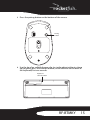
for devices to pair. While pairing, the mouse LED flashes red and green.
USB Bluetooth
dongle button
Note: If you press the mouse pairing button or the keyboard connect button, the
pairing settings are cancelled. To reconnect the mouse or keyboard, repeat Step 5.
6 Press any keyboard key and move the mouse to make sure that they are
connected.
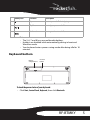
Starting the Bluetooth software
To start the Bluetooth software for the first time:
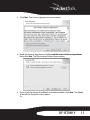
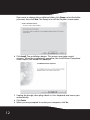
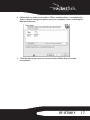
1 Double-click the Bluetooth icon on the Windows system tray. The first
Bluetooth Configuration Wizard opens.
Bluetooth icon
16