1
2.3.5 Checking “abers” and “gaelic” processes
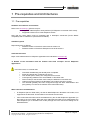
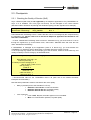
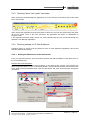
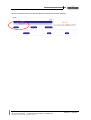
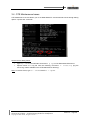
When closing the IP Web Softphone application, be sure to use the Close button and not the Close
box of the browser:
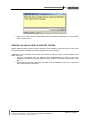
When closing the application through the browser’s Close box, the VoIP processes abers and gaelic
will not be closed. Thus, at the next connection, the application will remain in “Initialisation in
progress” state.
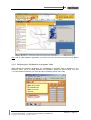
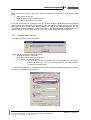
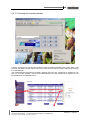
If the application has been badly closed, you must manually stop the VoIP processes through the
Windows Task Manager application.
2.3.6 Checking settings for IP Web Softphone
Following checks or actions must be performed if the IP Web Softphone application cannot start
after the authentication phase:
2.3.6.1 Adding the Web server in the Intranet list
From your favourite browser, open the Internet options and add the address of the Web server in
the Local Intranet area.
Example with Internet Explorer:
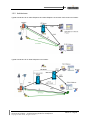
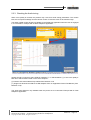
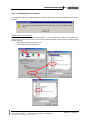
Go to the Tools menu and select Internet Options. In the Security tab, click the Local intranet icon
and then the Sites button. In the Local intranet window, click the Advanced button and enter the URL
of the Web server as illustrated below. Click the Add button and close all the windows through the
OK buttons.
OmniTouch UC R3.0 – Troubleshooting Guide for IP Softphone
Copyright © 2005 Alcatel, All rights reserved
Edition 3 – Page 19