1
Succeed Training
Using Macromedia Contribute 3
The Contribute Workspace
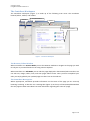
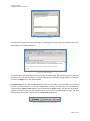
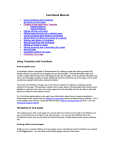
The Contribute workspace (Figure 1) is made up of the following main areas: The Contribute
browser/editor, toolbar, and sidebar:
Side Bar
Drop Down Menus
Toolbar
Browser/Editor Window
Figure 1 - Contribute Workspace
The Browser/Editor Window
When Contribute is in Browse Mode you use the Browser window to navigate to the page you wish
to edit just as you would browse a site using Internet Explorer.
When Contribute is in Edit Mode you can edit the page displayed in the Browser/Editor window. You
can edit text, images, tables, links, and even pages within frames. Once you have completed your
edits you simply publish your updated page to make it live on the web site.
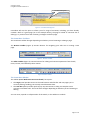
The Contribute Message Bar
Where appropriate, Contribute provides information on the status of the page you are currently
browsing or editing. It does this via a message bar (Figure 2) at the top of the Browse/Edit Window
that only appears when Contribute has some information regarding the status of a page.
Page 3 of 37