1
5.14 Frequently asked questions
Q: What are the ideal camera settings and accessories?
A: Ideal settings: manual exposure, manual focus, white balance
set to a fixed value. Accessories: additional spirit level in the
viewfinder shoe for levelling, fast CF storage card
(especially for “speed” mode), fixed white balance.
Q: I have a VR Drive “full” but the vertical motor does not respond. What can I do?
A: Please check if the cables are correctly plugged and if the vertical motor is activated in the
software (settings/general/”has y motor: yes”).
Q: How can I connect the radio release unit?
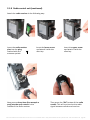
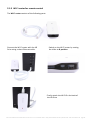
A: Insert the radio release unit into the radio socket on the VR Drive.
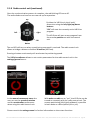
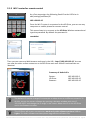
Activate the radio release signal in the VR Drive software (settings/general/radio on).
Q: The performance of the VR Drive battery is less than expected. What is the problem?
A: When the radio release unit is connected and the function “remote radio” is set to “on”,
the radio receiver will continously consume battery even if the VR Drive is turned off. To save
energy, turn “remote radio” to “off”.
Q: Every time the VR Drive is switched on all parameters are lost (date, time ...). What is
the problem?
A: This means the internal support battery of the VR Drive is empty. This can happen When
the radio release unit is connected and the function “remote radio” is set to “on” for a long
period. It is then necessary to open the VR Drive using the 4 front screws and replace the
support battery. This is a standard 3V round and flat battery with the following reference:
CR2032 (3V). It can be easily identified when opening the VR Drive.
Q: How do I find the nodal point? Is there a database for nodal points for my camera/lens?
A: There is a simple procedure to set the nodal point for every camera/lens combination.
Please follow the instructions in section 5.1. Due to the virtually unlimited combination
possibilities of cameras, lenses, focal lengths and focusing distances, it is not possible to
provide a database of nodal points.
Instruction Manual Roundshot VR Drive version 2.13 – December 2014 – © by Seitz Phototechnik AG / Switzerland www.roundshot.com page 133