1
15
Chapter 3: Controlling the Chart and Using the Default Soft Keys
Chapter 3: Controlling the Chart and
Using the Default Soft Keys
3.1 Introduction
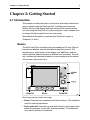
This chapter explains how to perform some basic chart operations
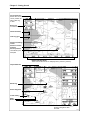
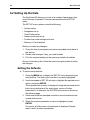
using the trackpad, RANGE key, and the default soft keys. The default
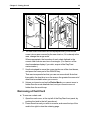
soft key display is shown below.
D3352-2
Note: If you have set up your system so that the soft keys are not
displayed all the time (Help Level 0), press any soft key to display the
labels.
This chapter covers the following topics:
• Controlling the chart, including panning the chart (moving the area of
the chart displayed on the screen), changing the range scale,
centering the chart and displaying information about objects
• Using the GO TO key to navigate towards a selected point
• Setting up and using on-screen routes
• Measuring distances using the RULER key
Further basic functions, including track histories and placing marks and
events, are described in Chapter 4. More advanced operation, involving
the stored lists, is described in Chapter 5, including retrieving stored
routes and making new routes using stored waypoints.
Safety
The RayChart makes it very easy to mark a waypoint and track towards
it. However, you should always check first that the route is safe. If you
are using the RayChart in combination with a SeaTalk autopilot, the
autopilot will prompt for confirmation before it steers the vessel towards
the waypoint.
If you have entered your route using a small-scale chart, zoom in to a
larger scale to check for hazards, such as small shoals, that may not be
shown on the smaller scale.