1
Concept of operation
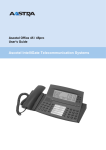
You can program your new handset to meet your own requirements. Besides mobility, it
offers you every telephony function you could wish for. The menu technique and the
clever Foxkeys see to that. To make full use of the extended-feature functions, please refer
to the chapter "How to program your telephone" and the special programming instructions. Note: The number of characters used for individual menu items depends on the
software and the PBX type (applies to all the operating instructions).
General rules of operation
There are two types of menus:
– Everyday operating menus for telephony functions.
– Programming menus for setting your telephone to meet your requirements.
Display in idle state
In the idle state the display features a number of symbols, the quality indicator, the date and time as well as a personal standby text
(e.g. name, department, tel. no., etc.). (The display immediately
switches to "Discreet" or to "Enqui" "Micro" if a call comes in or
during a call.)
—> —> —>
Press the M-key (briefly once or several times) to proceed to the
menu option you desire.
————————> A "Long click" of the M-key (at least 2 seconds) takes you to the
programming mode.
Idle state
Call up the desired menu using the M-key
10.Apr
11:55
M
Press M-key once
10.Apr
ABC
11:55
Redial
M
Press M-key a second time
10.Apr
Div.
11:55
Discr
M
Press M-key a third time
10.Apr 11:55
Pick_up Page
M
Press M-key a fourth time
10.Apr 11:55
Msg.
Announ
M
Press M-key a fifth time
10.Apr 11:55
Programming
1) Office 130pro only
20317845en_ba_a0
3
English
————————> A "Long click" of the Foxkey under "¥" changes the search direction to "ß".