1
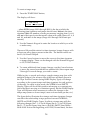
The BRC can control as many as 16 ADATs for up to 128 tracks. The
track select section of the BRC provides access to 32 tracks at any time.
Four buttons let you switch between TRACK 1–32, TRACK 33–64,
TRACK 65–96 and TRACK 97–128. The button that has its LED lit will
indicate which group of tracks is currently selected, as will the LEDs
centered in the track select area, above. If you find yourself using the
TRACK 97–128 button often, consider yourself a lucky person.
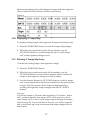
The BRC and ADATs do much of the recording/monitoring
switchwork for you. Generally, tracks monitor what’s on tape until
you put them into recording ready, at which point they will monitor
the inputs, so you can hear what is about to be recorded. The ALL
INPUT button lets you monitor the inputs of all channels, regardless
of record status. AUTO INPUT lets you monitor the tape on tracks
that are in record ready, until you go into record at which time you
will be monitoring the inputs. ALL CLEAR takes all tracks out of
record ready, while the ALL SAFE button will temporarily disengage
all tracks from record ready so you can instantly put the same tracks
back into record ready later. You can also program up to 4 groups of
record-enabled tracks for instant recall.
For more information on recording and track monitor controls, see
section 3.2.
1.2C Autolocation
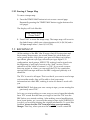
Besides locating to zero, you can store 20 different locate points per
song, which can also be used by other functions including Loop,
Auto-Punch and Tape Offsets. Each locate point can be named, and
the BRC even gives you a list of typical names to choose from (like
“Intro”, “Verse A1”, “Chorus 2”, etc.). You can fine-tune the position
of each locate point with the accuracy of a single sample step. Each set
of locate points may be saved with each ADAT tape.
For more information on Autolocation and Song controls, see
sections 4.1 and 4.6.
1.2D Punching
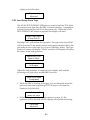
In addition to ADAT’s seamless punching ability, the BRC provides
you with many more advanced features to help you get your tracks
down in record time, including: Auto-Punch, Loop, Pre-Roll, PostRoll, and a variable Record Crossfade time to allow a smooth
transition of original audio to new audio. Auto-Group Record lets
you continuously loop between two locate points and will
automatically record each take to a different track, or set of tracks.
5