1
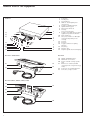
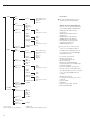
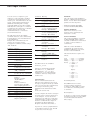
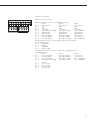
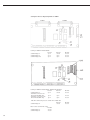
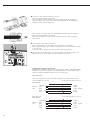
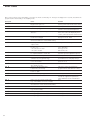
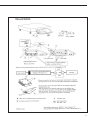
Combics 3 enables connection of
a second weighing platform, either
to the COM1 port or to the UniCOM
universal port.
The standard COM1 port is operated
in the RS-232 mode. The second
weighing platform can be operated
in any of the following modes:
– SBI
– xBPI-232 (factory setting)
– ADC-232
–
–
–
–
–
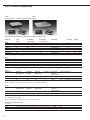
The standard COM2 port and the
optional UniCOM universal interface
can be operated in either the RS-232
or RS-485 mode. The second weighing
platform can be operated in any of
the following modes:
SBI (RS-232 mode)
IS-232 (RS-232 mode)
ADC-232 (RS-232 mode)
IS485 (RS-485 mode, xBPI mode;
factory setting)
ADC-485 (RS-485 mode)
The standard COM1 and COM2 ports or
the optional universal UniCOM interface
can be used as a printer interface.
–
–
–
–
–
For operation as a COM port, you can
adapt data records to the following
operating modes:
SBI (factory setting)
xBPI-232
xBPI-485
M8 binary (COM1 port only)
SMA
In the SBI communication mode,
you can control a display unit and
a connected weighing platform by
sending ESC commands from a PC
to the communications port (COM1
or UniCOM). For details, see the
section entitled “Data Input Format”
in this chapter.
Generating SBI Data Output
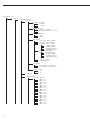
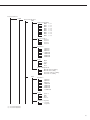
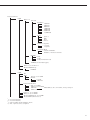
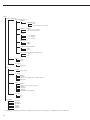
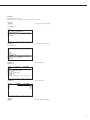
In the Setup menu, under “Data
Communications: SBI: Data output”,
you can define which data is output
when an output command is received:
– The displayed value, with or without
stability check
– Automatic output of the displayed
value, either with or without stability
check, or automatically at defined
intervals
– Output of a printout as configured
in the Setup program, under
“Device parameters: Printout: Printer 1
(or 2)” (see next page).
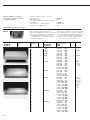
You can define the printout content by
specifying which blocks of information
are to be included. Please refer to the
section entitled “Configuring Printouts”
in this chapter for detailed instructions
and sample printouts.
If you do not activate and configure a
user-definable data record, the printout
simply contains the current value
displayed on the indicator (weight with
unit, calculated value, numeric or
alphabetic ID).
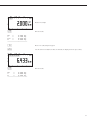
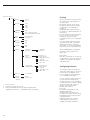
The settings are configured under “Data
Communications: SBI: Data output”:
Here you can define whether data is
output on request or automatically,
at stability or without stability check;
and configure a user-defined printout.
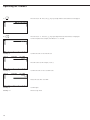
If you select time-dependent automatic
printout, you need to define the print
interval (in display updates) as well.
Generally, data is output only after
the weighing instrument has stabilized.
If you wish to enable output without
a stability check, configure the “Data
communications” settings accordingly
(under SBI: Data output)
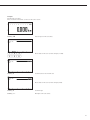
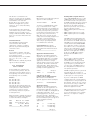
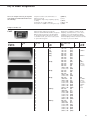
Line Format
Each line of a printout can contain up
to 20 characters. The first 6 characters,
called the “data header”, identify
the subsequent value. Under “Data
communications: SBI: Line format”
you can disable header printing, in
which case a printed line can contain
up to 14 characters (factory setting:
“For other apps. 22 characters”).
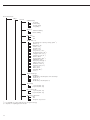
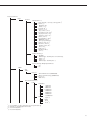
For more details, refer to the “Operating
Menu Overview” in the chapter entitled
“Configuring the Combics”.
49