1
Connecting Cables to Interfaces
Cables should be connected by a certified technician who has received specialized
training from Sartorius.
! Make sure to disconnect the equipment from power before connecting cables.
! Installation work that affects the IP67 protection rating must be performed with extreme
care.
! Any installation work that does not conform to the instructions in this manual results
in forfeiture of all claims under the manufacturer’s warranty.
! Always make sure the equipment is disconnected from power before performing any
installation, maintenance or repair work.
! An IP67-protected cable gland for connecting a weighing platform is installed on
the indicator at the factory. The other openings in the housing are sealed with protective
caps. Please use extreme caution when performing any work on the equipment that
affects this cable gland.
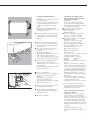
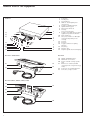
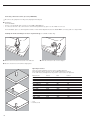
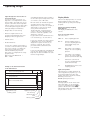
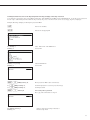
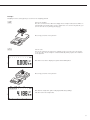
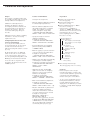
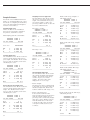
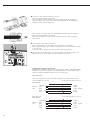
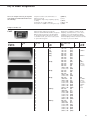
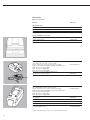
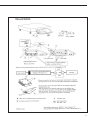
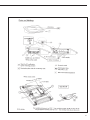
§ Remove the four screws as indicated in the illustration and then remove the front panel
from the indicator.
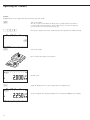
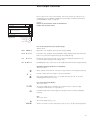
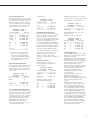
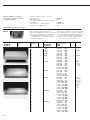
§ Connect the cable from the peripheral device to the indicator.
! The cable is prepared at the factory for installation in the Combics indicator.
The cable gland is installed at the factory.
! Please use extreme caution when performing any work on the equipment that affects this
cable gland. Use a torque wrench and tighten the cable gland to 5 Nm.
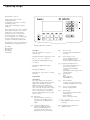
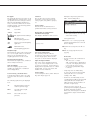
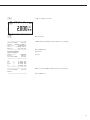
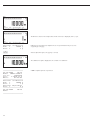
§ Connect the cable as follows:
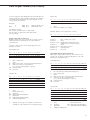
– Remove the protectice caps from the bore holes. If there is a cable connected to terminals
for both COM1 (LV1) and COM2 (LV2 and LV3), use the bore hole in the middle of the
housing.
– Guide the cable with the cable gland through the bore hole
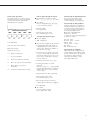
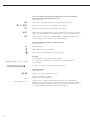
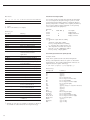
– Install the cable gland in accordance with the clamp is in contact with the shielding,
because the cable is grounded by the shield applicable regulations.
– Make sure the clamp is in contact with the shielding, because the cable is grounded by
the shield applicable regulations.
61