1
iBLIK RS Manual.qxd
21/6/08
19:48
Page 6
English
Setting the Time and Date
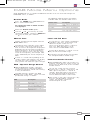
The time and date can be set in one of two ways, either manually from the Time Setup
menu, or automatically by selecting Auto update from the Time Setup Menu as follows:
Manually
Time
To set the time manually, first press the
MENU key.
Using the
and
cursor keys, scroll to
“System setup” and press the SELECT or
key.
Using the
and
cursor keys, scroll to
“Time setup” and press the SELECT or
key.
Choosing “Set clock” will allow you to
manually set the time.
Use the
and
cursor keys to set the
hours then press the SELECT or
key.
Use the
and
cursor keys to set the
minutes then press the SELECT or
key.
Date
To set the date manually, first press the
MENU key.
Using the
and
cursor keys, scroll to
“System setup” and press the SELECT or
key.
Using the
and
cursor keys, scroll to
“Time setup” and press the SELECT or
key.
Choosing “Set date” will allow you to
manually set the date.
Use the
and
cursor keys to set the
day then press the SELECT or
key.
Use the
and
cursor keys to set the
month then press the SELECT or
key.
Use the
and
cursor keys to set the
year then press the SELECT or
key.
Automatically
To set the time and date automatically,
first press the MENU key.
Using the
and
cursor keys, scroll to
“System setup” and press the SELECT or
key.
Using the
and
cursor keys, scroll to
“Time setup” and press the SELECT or
key.
Using the
and
cursor keys, scroll to
“Auto update” and press the select or
key. There are now two types of Auto
update available to select, “update from
NET” and “update from DAB.
Using the
and
cursor keys, select the
type of Auto update you wish to use.
Pressing SELECT or
will confirm your
selection.
6
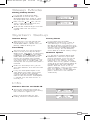
Auto update from DAB
If you have selected “Set from DAB”, the
radio will automatically set the date and
time the next time you listen to a DAB
station. The local time and date will be set
and there is no need to adjust the clock
for Daylight Saving.
Auto update from NET
If you have selected “Set from NET”, the
radio will automatically set the date and
time the next time you listen to an
internet radio station. The time will be set
to GMT, depending on your location you
may now need to adjust the Timezone.
The Timezone is set from within the “Time
setup” menu. Using the
and
cursor
keys, scroll to “Set timezone” and press
the SELECT or
key.
Using the
and
cursor keys, choose
the GMT offset required for your location.
Press the SELECT or
key to confirm
your selection.
During daylight saving months, you can
Set DST to On. This option is found in the
“Time setup Menu”.
Using the
and
cursor keys, scroll to
“DST” and press the SELECT or
key.
Using the
and
cursor keys, choose
“ON” or “OFF”, then press the SELECT or
key to confirm your choice.
Please note, once you have set the GMT offset
and DST, your selection will be reapplied after a
power cut meaning the correct time will be set
automatically.