1
iBLIK RS Manual.qxd
21/6/08
19:48
Page 8
English
Using Internet Radio Features
The internet radio mode allows you to choose from a number of services, including listening
to live radio or Podcasts. There are five options on the internet radio menu as follows:
My Favourites:
Used to navigate to your favourite stations. This list is compiled using
your PC/Mac via the internet radio portal. See page 9 for details.
Stations:
Find stations by location, genre, most popular, new station or by
alphabetical search.
Podcast:
Find Podcasts or ‘Listen-Again’ services by location, genre or search.
My Added Stations: Shows stations which you have personally added to iBLIK
RadioStation’s list through the vTuner internet radio portal.
See page 9 for details.
Help:
Find your Access Code here, see page 9.
Choosing A Station
To select a station, enter ‘Internet Radio
Mode’ from the Main Menu or by pressing
the MODE key until ‘Internet Radio Mode’ is
displayed on iBLIK’s LCD display.
Using the
and
cursor keys, scroll to
the ‘Stations’ option and press SELECT or
the
key.
You now have the option of selecting a
station by location (country), genre,
alphabetical search, most popular
stations or new stations. Using the
and
cursor keys, scroll through the list and
press SELECT or the
key to choose your
search criteria.
Choosing location will give you an
alphabetical list of continents/regions and
then a list of countries. Use the
and
cursor keys, scroll through the list and
press SELECT or the
key to choose your
country. You will then be given the option of
choosing a genre, to further refine your
search.
After selecting your search criteria, you will
be presented with a list of stations that
meet your requirements. Simply select a
station from the list to begin listening.
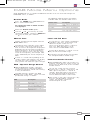
Internet Radio
Mode
My Favourites
>Stations
Location
>Genre
Location
>Genre
Finland
>France
BBC Radio 1
>BBc 1Xtra
BBC Radio 1
Playing
Choosing A Podcast
Podcasts (also referred to as ‘Listen Again’)
are selected in the same way as a regular
station.
8
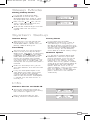
Select ‘Podcast’ from the ‘Internet Radio’
menu, you can search for a station by
location, genre or a combination of both.
>Podcast
My Added Stations
The main difference is that when you have
selected a station, you will then be
presented with a list of ‘shows’ or Podcasts
available from that station.
>Podcast
My Added Stations
Select your choice by using the
and
cursor keys, scroll through the list and
press SELECT or the
key to make your
selection.
>BBC 6 Music
BBC Radio 7