1
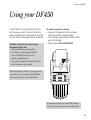
Using your DF450
To send a fax
You have a choice of ways to dial a fax number:
Normal dialling
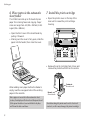
• Load document
• Dial the number you want. (Press the § ©
buttons to move the cursor to change
any number you press by mistake.)
• Press the START button.
• After the last page has been sent, the display
shows TX COMPLETED and you hear a beep.
If your fax stops for any reason, you will hear a
three-second beep and the ERROR light comes
on. Press the STOP button remove any
remaining paper and begin the process again.
If pre-selected, an error report will be
automatically printed (see page 26).
One-touch dialling
• Load document
• Press the one-touch button you want (1-10),
display shows the name and number stored.
• Your fax is sent automatically.
• After the last page has been sent, the display
shows TX COMPLETED and you hear a beep.
To redial the last number
Quick dialling
• Load document
• Press the QUICKDIAL button.
• Using the keypad, dial the two digit short
code (01 - 32) you want; the display shows
the name and number you have stored in
the memory.
• Your fax is sent automatically.
• After the last page has been sent, display
shows TX COMPLETED for a few seconds.
To stop a fax you are sending
To see the numbers and names stored in the
Quickdial memory, press the QUICKDIAL button
then the § © buttons to scroll backward and
forward through the list.
15
If the number you are calling is engaged or the
connection is not made, your DF450 will
automatically redial the number every two
minutes up to three times.
Your DF450 will redial a fax number for you.
• Press the REDIAL button; the display shows
last number dialled.
• Press the REDIAL button again; number is
dialled.
If you choose, you can stop a fax during
transmission.
• Press the STOP button once to halt the
transmission and once again to eject a
page currently being scanned.
• Press the STOP button again to return
the machine to standby.
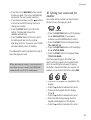
Sending small text or pages with pictures.
If you are sending small print, illustrations or
photographs, you can alter the RESOLUTION and
CONTRAST settings to ensure the clearest possible
transmission. See Additional Features, page 25.