1
CONVENIENT PRINTING FUNCTIONS
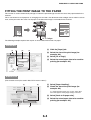
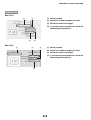
SAVING AND USING PRINT FILES
(Retention/Document Filing)
This function is used to store a print job as a file on the
machine's hard drive, allowing the job to be printed from
the operation panel when needed. The location for
storing a file can be selected to prevent the file from
being mixed together with files of other users.
When printing from a computer, a password (5-digit
number) can be set to maintain the secrecy of
information in a stored file.
When a password is set, the password must be entered
to print a stored file from the machine.
HDD
NOTE
The document filing function can only be used on the MX-M350N/450N, or on a model with the network expansion kit (with hard
drive) installed. If the network expansion kit (with hard drive) is not installed, the retention function can be used to hold print jobs in
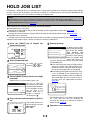
the machine's hold job list. To print a job that is held in the machine, see "HOLD JOB LIST" (page 7-2).
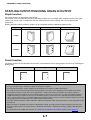
Hold Only
This setting is used to hold a print job on the machine's hard drive without printing it.
Hold After Print
This setting is used to hold a print job on the machine's hard drive after it is printed.
Sample Print
When a print job is sent to the machine, only the first set of copies is printed. After checking the contents of the first set
of copies, you can print the remaining sets from the operation panel of the machine. This prevents the occurrence of
excessive misprints.
To print files stored on the machine's hard drive, see the "DOCUMENT FILING FUNCTION" in the operation manual (for
general information and copier operation).
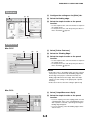
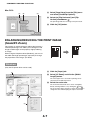
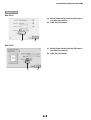
Windows
(1)
(2)
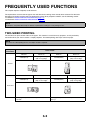
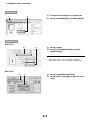
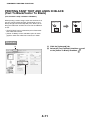
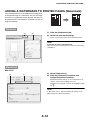
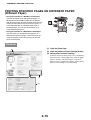
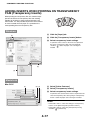
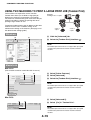
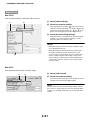
(1) Click the [Job Handling] tab.
(2) Select the retention setting.
Click the [Retention] checkbox
. Select the retention
method in "Retention". To enter a password (5-digit
number), click the [Password] checkbox
.
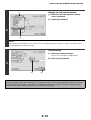
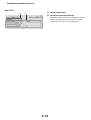
(3) Select document filing settings.
Select the folder for storing the file in "Document Filing
Settings". If you selected [Custom Folder], click the
[Stored to] button to select the folder.
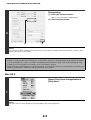
NOTES
• When [Quick File] is selected, "Retention" will be set to
[Hold After Print] only.
(3)
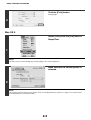
• When [Quick File] is selected, the password entered in
"Retention Settings" is cleared and cannot be used.
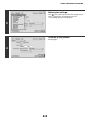
• To store a file in a custom folder, the custom folder must
first be created using "Document Filing Control" in the
system settings. If a password has been established for a
custom folder, enter the "Folder Password" in the folder
selection screen.
4-20