1
Content
Safety Precautions ...................................................................................................5
Package Contents ....................................................................................................6
Optional Accessories ............................................................................................................... 6
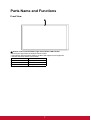
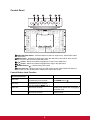
Parts Name and Functions ......................................................................................7
Front View ................................................................................................................................ 7
Control Panel ........................................................................................................................... 8
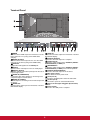
Terminal Panel ......................................................................................................................... 9
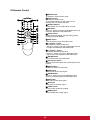
Wireless Remote Control ......................................................................................................... 10
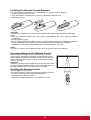
Installing the Remote Control Batteries.................................................................................... 11
Operating Range for the Remote Control ................................................................................ 11
Handling the Remote Control ................................................................................................... 11
Setup Procedure ......................................................................................................12
How to Mount and Attach Options to the LCD Monitor ........................................13
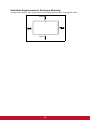
Ventilation Requirements for Enclosure Mounting ................................................................... 14
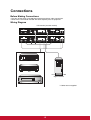
Connections .............................................................................................................15
Before Making Connections: .................................................................................................... 15
Wiring Diagram ........................................................................................................................ 15
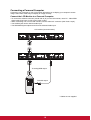
Connecting a Personal Computer ............................................................................................ 16
Connecting with Digital Interface Equipment ........................................................................... 17
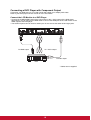
Connecting a DVD Player with Component Output ................................................................. 18
Connecting a VCR with Composite (CVBS) and S-Video outputs ........................................... 19
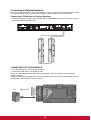
Connecting to External Speakers............................................................................................. 20
Basic Operation........................................................................................................25
Power ON and OFF Modes...................................................................................................... 25
Power Indicator ........................................................................................................................ 25
Using Power Management ....................................................................................................... 25
Selecting a Video Source ......................................................................................................... 26
Picture Mode ............................................................................................................................ 26
OSD (On-Screen-Display) Controls ........................................................................27
Picture ...................................................................................................................................... 28
Sound ....................................................................................................................................... 30
Option....................................................................................................................................... 31
Setting ...................................................................................................................................... 33
For Long Life Use of Public Display ......................................................................................... 37
Controlling the LCD monitor via RS-232C Remote Control .................................38
Appendix: Installing Stands ....................................................................................39
Troubleshooting.......................................................................................................40
Specifications...........................................................................................................41
Product Specifications.............................................................................................................. 41
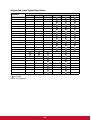
Supported Input Signal Resolution........................................................................................... 42
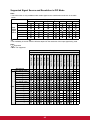
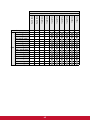
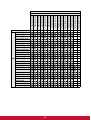
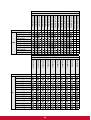
Supported Signal Source and Resolution in PIP Mode............................................................ 43
Customer Support....................................................................................................51
Limited Warranty......................................................................................................53
Mexico Limited Warranty.........................................................................................54