1
How to Form Commands
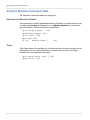
String Commands
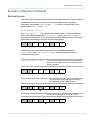
String commands send strings of characters to the tile.
String commands can also retrieve information from the tile. For instance,
ST A1 BUILD.DATE? [CR]
returns the build date of the firmware:
ST A1 BUILD.DATE= "JUN 15 2009 08:48:24"
Addresses in Commands
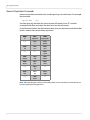
All commands must be addressed. Each tile has a two-character ID that is unique to
it. The first character is A-P and the second character is 1-4. The first character is
called the Group ID, and the second one is the Unit ID. The Group ID is the Quad
Input Manager Module address and the Unit ID is the processor on that module.
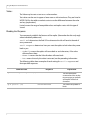
• Commands can be addressed to individual tiles: A1, B2, C3, D4. When this form
of address is used, the tile will respond to the host computer.
Note: Whenever a command is sent to an individual ID, wait for the response before
sending a second command.
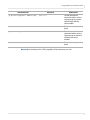
• Commands can be addressed to all tiles: **
• Commands can be addressed to a group of tiles: *4 (all tiles with 4 as the Unit ID),
A* (all tiles with A as the Group ID).
Command Structure
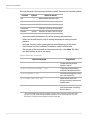
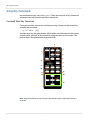
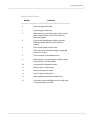
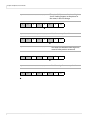
All commands start with two letters:
OP or op for operations commands (but not Op or oP)
KY or ky for key commands (but not Ky or kY)
ST or st for string commands (but not St or sT)
The next two characters are the address.
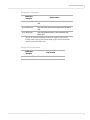
The next section of the command is the operation, the remote key, or the string, the
main part of the command telling the tile what to do.
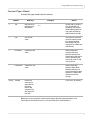
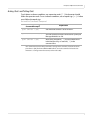
A few commands have a ‘target.’ For example, to adjust white balance, you must state
which color to change: red, green, blue, or all. Or to determine whether a memory
slot is empty, you must target the memory slot number. The target is always in
(parentheses).
RS232 Control
5