1
Mulberry Telephone, Internet, and TV Services
DSL MODEM 2
Your Mintel DSL modem is a Comtrend 5621T series modem/router.
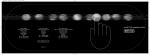
The lights across the front of the modem are as follows:
LAN: This is the status or activity light. It will flash as network traffic comes
through modem.
The numbers 1, 2, 3, and 4 refer to the ports you are plugged into.
USB: This option is not used with Mintel Internet
ADSL: This is the DSL link light. This shows the connection between the
modem and Mintel when it is solid green.
Internet: This light illuminates solid when the modem is internet ready
Alarm: Some older modems will have an alarm light. This illuminates when
there is no ADSL link.
The four Ethernet ports on the back, E1-E4, can be used to share the DSL
connection or split between video and DSL ports. It is marked on the modem
by Mulberry Telephone. The internet port is always port 1 unless otherwise
noted.
If at anytime the modem does not look as it should, please refer to the
troubleshooting portion of this guide to further assist you.
****DO NOT RESET DSL MODEM UNLESS SPECIFIED
BY MINTEL INTERNET****
29