1
Using Your Mulberry Telephone
ADB Remote Control #1
The Remote Control
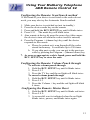
The Mulberry TV ADB remote control is capable
of controlling the STB, and basic functions of the TV, and
if connected, a DVD or VCR. The remote needs two
working AAA batteries to function properly.
To replace the batteries
Locate the cover panel on the back of
the remote.
Gently slide the back cover of the
remote to remove it.
Install the new batteries as indicated
on the remote.
Remote Functions
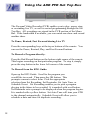
The mode is selected by pressing the STB
, TV
,
mode-select button at the top of the
or DVD/VCR
remote. When pressed, the STB, TV, or DVD mode-select
buttons illuminate for a second to indicate that the mode has
been set.
When any function button on the remote is pressed, the TV or
STB button will light to indicate that a command is being
transmitted in that mode.
If a button has no valid function in that mode, neither the STB,
TV or DVD mode buttons will light.
7