1
PowerMaster-10 Installer Guide
TABLE OF CONTENTS
1. INTRODUCTION .......................................................4
2. SPECIFICATIONS.....................................................4
2.1 Functional.......................................................4
2.2 Wireless ..........................................................5
2.3 Electrical .........................................................5
2.4 Communication..............................................5
2.5 Physical Properties .......................................6
3. INSTALLATION.........................................................6
3.1 Supplying Power to the Unit.........................6
3.1.1 Inserting Backup Battery .........................6
3.1.2 Connecting Power to Panel.....................7
3.1.3 Telephone Wiring......................................7
3.2 System Planning & Programming................8
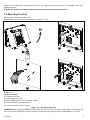
3.3 Mounting the Unit ..........................................9
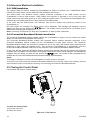
3.4 Extension Modules Installation..................10
3.4.1 GSM Installation.........................................10
3.4.2
PowerLink
Broadband
Module
Installation .........................................................10
3.5 Closing the Control Panel...........................10
4. PROGRAMMING.....................................................11
4.1 General Guidance ........................................11
4.2 Entering the Installer Menu ........................11
4.2.1 Programming User Settings ..................11
4.3 Navigation.....................................................12
4.4 Permissions and User Codes.....................12
4.4.1 Setting a New Installer Code.................12
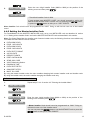
4.4.2 Setting the Master Installer Code .........13
4.4.3 Setting User Codes ................................14
4.4.4 Enabling User Permit for Installer
Access................................................................14
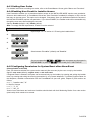
4.4.5 Configuring Permissions for System
Reset after Alarm Event ..................................14
4.4.6 Configuring a Duress Code...................15
4.5 Zones / Devices............................................16
4.5.1 General Guidance ..................................16
D-302756
4.5.2 Adding a Wireless Device..................... 16
4.5.3 Adding Wired Zones .............................. 20
4.5.4 Deleting a Device................................... 21
4.5.5 Modifying a Device ................................ 22
4.5.6 Replacing a Device................................ 23
4.5.7 Defining Defaults.................................... 24
4.6 Siren Configuration .................................... 25
4.6.1 Configuring the Length of Time the Bell
is allowed to Function...................................... 25
4.6.2 Enabling the Internal Siren ................... 25
4.6.3 Configuring the Period of Strobe Light
Activation .......................................................... 26
4.6.4 Enabling Siren Activation upon
Telephone Line Failure ................................... 26
4.7 Event Reporting Configuration ................. 27
4.7.1 General.................................................... 27
4.7.2 Setup Report Communicators.............. 27
4.7.3 Configuring Event Reporting to
Monitoring Station............................................ 30
4.7.4 Configuring Event Reporting to Users. 39
4.8 Security System Configuration ................. 42
4.8.1 Enable Cross Zoning............................. 42
4.8.2 Configuring Swinger Stop ..................... 43
4.8.3 Enable Monitoring of Activity at Home 43
4.8.4 Configuring Alarm Cancel Period ........ 44
4.8.5 Configuring Power Failure Threshold
Period ................................................................ 44
4.8.6 Configuring Abort Time ......................... 45
4.8.7 Configuring a Confirmed Alarm............ 46
4.8.8 Enable Alarm upon Detection of
Jammed or Missing Device ............................ 46
4.8.9 Configuring the Jamming Detection .... 47
4.8.10 Configuring Whether a Missing Device
Causes the System to Become "NOT READY"
............................................................................ 47
4.8.11 Configuring the Time Period by which a
Device is considered Missing......................... 48
4.9 Arming/Disarming Options And Exit/Entry
Delay ............................................................... 49
4.9.1 Configuring Exit Modes ......................... 49
4.9.2 Configuring Entry Delays Duration ...... 49
4.9.3 Configuring Exit Delay Duration........... 50
4.9.4 Enabling Quick Arm............................... 50
4.9.5 Configuring Bypassing Zones .............. 51
4.9.6 Configuring Panic Alarm Activation ..... 52
1