1
TABLE OF CONTENTS
1. Introduction
2. Features
3. Compatible devices
4. Delivery scope
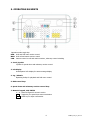
5. Operating elements
6. Keyboard connections
7. Installation
7.1. General RS-485 bus installation
7.2. Connection of EPTZ 500 / 1000 / 3000 / 3500
7.3. Connection of EverFocus ED 2200/2250, Samsung El. SCC-641/643/6405
7.4. Connection of devices with Pelco-D/-P compatible protocol
7.5. Connection of EDSR / EDR series’ digital video recorders
7.6. Connection of several keyboards
7.7 Initial operation
8. Menu settings
8.1. Menu structure
8.2. RS-485 interface setup
8.3. Device settings
8.3.1. Camera settings
8.3.2. Monitor settings– call / matrix monitor settings
8.3.3. DVR settings – settings of connected digital video recorders
8.3.4. List / delete camera
8.3.5. List / delete monitor
8.3.6. List / delete DVR
8.3.7. Non-listed devices
8.4. Keyboard settings
8.4.1. Sub keyboard setting
8.4.2. Menu password
8.4.3. Lock password
8.4.4. Buzzer ON/OFF
8.4.5. Joystick calibration
8.4.6. Keypad test
8.4.7. Jog & Shuttle test
8.4.8. Load default setting
8.4.9. Firmware update
9. Operation
9.1. Digital video recorder operation
9.1.1. DVR selection
9.1.2. DVR main functions
9.1.3. Main monitor operation (MAIN) in DVR mode
9.1.4. Call and matrix monitor operation in CAM-MON mode
9.2. Speed dome / telemetry receiver operation / setup
9.2.1. EverFocus EPTZ series
9.2.1.1. OSD menu EPTZ
9.2.1.2. Presets
9.2.1.3. Home position
9.2.1.4. Autopan
3
5
5
5
5
6
7
8
8
10
10
11
12
14
14
15
15
16
16
16
17
18
18
19
19
20
20
20
20
21
21
21
21
22
22
22
23
23
23
24
25
25
26
27
28
29
29
29
EKB500_ma_en_rev1.04