1
2.
Start-up of the terminal – Important information
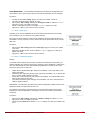
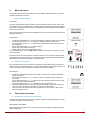
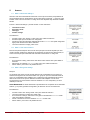
Before starting up your terminal, make sure that a pre-charged battery has been correctly
inserted into the battery compartment (on the back of your terminal).
•
•
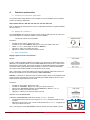
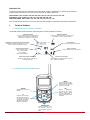
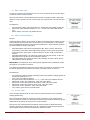
To switch on the device, press the On/Off key and keep pressing it until it starts up, and
then release the key.
To switch off the device, press the On/Off key and keep pressing it until it is turned off.
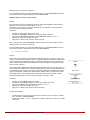
Note 1: When you switch on the device, the keypad is automatically locked.
To unlock the keypad, press the “OK” key until the locking key disappears.
Note 2: All the parameters, including the volume setting, are retained and remain the same
when you turn off the device or when the battery is removed from it.
2.1 Using the Vokkero system – Basic implementation
Principle:
To set up a conference, all you have to do is:
•
•
•
Assign a different number to each device taking part in the conference.
Define the radio channel which will be used for communications.
Pair up the devices in conference mode (encryption procedure).
2.2 Assign a number to a system
To set up a conference, firstly you should identify all the devices that will take part in it and
assign them a number (role). A conference can be set up involving 2 to 6 devices, which will
be identified by a number ranging from 01 to 06.
Note 1: One of the devices absolutely must bear the number 01.
Note 2: Do not assign the same number to several devices because that would prevent the
conference from running smoothly.
Procedure :
•
•
•
•
•
•
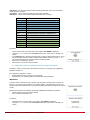
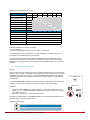
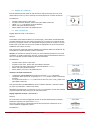
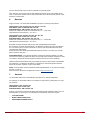
Unlock the keypad
On the home screen, press the “Menu” key until you reach the User MENU (the configuration menu will be displayed).
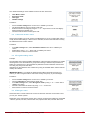
Using the “+” or “-” keys, access the Role sub-menu (role setting). Press “OK” to validate your choice.
Select the identification number for the device by using the “+” or “-” keys.
Press “OK” to validate your choice.
Press “Menu” to return to the home screen.
2.3 FHSS tables / Channel setting
IMPORTANT: Before using the device, please observe the legal provisions in force in your
country.
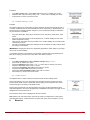
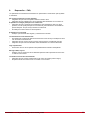
In these 915 MHz FHSS versions, Vokkero is transmitting in frequency hopping mode.
You can set the terminal Vokkero on 4 or 5 different tables of channels, depending on the
configuration of your module.
There are different groups of frequencies table available depending on when the system
will be used :
207906A-V1.1-UG_VOKKERO_EVOLUTION3_FHSS
8