1
Configuring TCP/IP Services
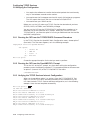
3.3 Running TCPIP$CONFIG
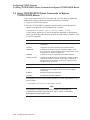
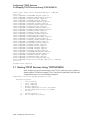
software and want to bypass the menus, you can add one or more command
parameters when you run TCPIP$CONFIG. For information about the command
parameters, see Section 3.4.
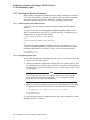
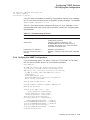
3.3.4 Configuring the Core Environment
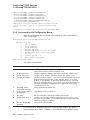
To display the Core Environment Configuration menu, choose option 1 (Core
environment) from the Main Configuration menu. If you chose option A from the
Main Configuration menu to configure all the TCP/IP Services components, the
Core Environment Configuration menu is displayed first. The sample output in
the following sections show the progression of the procedure when you choose
option A.
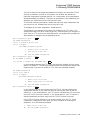
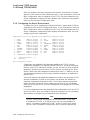
You are required to configure the Domain, Interfaces, and Routing components;
BIND Resolver and Time Zone are optional.
Note
Use the Interfaces menu (option 2) to set up an interface under control
of the DHCP client. If you mark a DHCP client interface as primary,
you might not need to set up the other Core Environment components.
Ask your network manager whether these components are configured by
DHCP. For more information, see the DHCP client documentation.
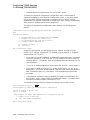
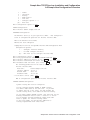
Compaq TCP/IP Services for OpenVMS Core Environment Configuration Menu
Configuration options:
1
2
3
4
5
-
Domain
Interfaces
Routing
BIND Resolver
Time Zone
A - Configure options 1 - 5
[E] - Exit menu
Enter configuration option: A
Return
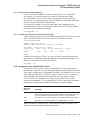
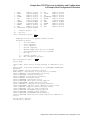
The following sections include sample output for the core environment
components. The samples reflect a TCP/IP Services product configuration for
a system on which other TCP/IP Services configurations are in place. The output
varies for a new TCP/IP Services installation (see Appendix A).
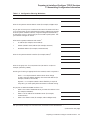
Enter your responses to the menu questions using the information from your
configuration planning worksheet (Section 1.3).
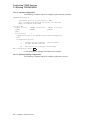
3.3.4.1 Domain Configuration
The following is sample output for configuring the domain:
DOMAIN Configuration
Enter Internet domain [budget.acme.com]: widgets.com
Return
Configuring TCP/IP Services 3–5