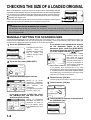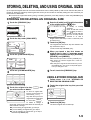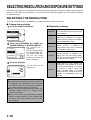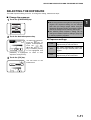
1
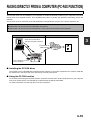
LOADING A DOCUMENT
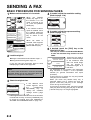
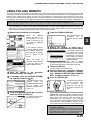
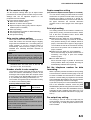
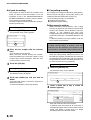
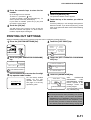
A document can be loaded in the automatic document feeder or on the document glass. Use the automatic document
feeder when faxing a large number of sheet originals. Use the document glass to fax originals that cannot be scanned
using the automatic document feeder such as thick or thin sheet originals or bound originals such as books.
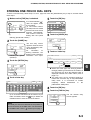
USING THE AUTOMATIC DOCUMENT FEEDER
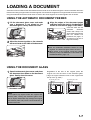
the document glass cover and make
1 Lift
sure a document is not placed on the
the edges of the document pages
3 Align
and then insert the stack in the document
document glass. Gently close the cover.
feeder so that the first page is face down.
Insert the stack into the
automatic
document
feeder until it stops. The
stack should not be higher
than the indicator line
(maximum 50 pages, or
30 pages for 8-1/2"x14" or
larger documents).
the document guides on the automatic
2 Adjust
document feeder to the width of the document.
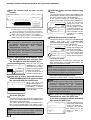
NOTES
Use the automatic document feeder for long
originals. The document glass cannot be used.
When faxing a long original, touch the [LONG
SIZE] key in step 3 of "MANUALLY SETTING THE
SCANNING SIZE" (page 1-8).
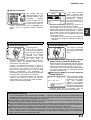
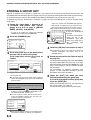
USING THE DOCUMENT GLASS
the document glass cover, and place
1 Open
the document face down on the document
glass. Gently close the cover.
Regardless of the size of the original, place the
original in the far left corner of the document glass.
(Align the upper left-hand corner of the original with
the tip of the
mark.)
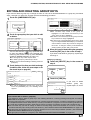
Document glass scale
mark
Document glass scale
mark
Original size detector
A5
B5
A4
B5R
A4R
B4
A3
NOTE
Do not place any objects under the original size
detector plate. Closing the document glass cover
with an object underneath may damage the original
size detector plate and prevent correct detection of
the document size.
1-7
1