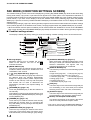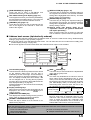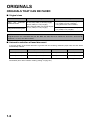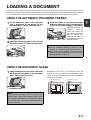
1
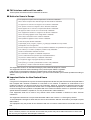
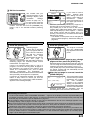
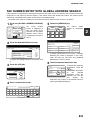
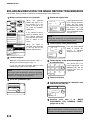
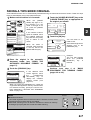
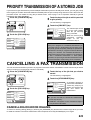
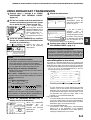
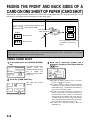
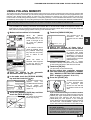
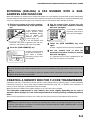
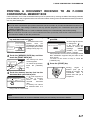
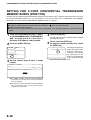
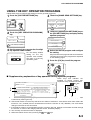
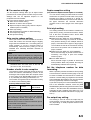
FAXING THE FRONT AND BACK SIDES OF A CARD ON ONE SHEET OF PAPER (CARD SHOT)
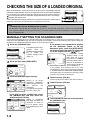
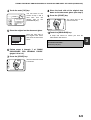
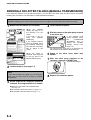
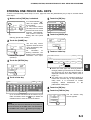
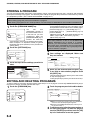
4 Touch the outer [OK] key.
OK
CANCEL
OK
SIZE RESET
You will return to the
screen of step 1 and a
card shot icon will
appear next to the
[EXPOSURE] key.
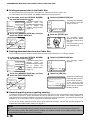
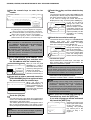
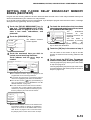
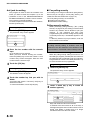
the back side of the original face
8 Place
down on the document glass. (see step 5)
9 Press the [START] key.
The back side of the
card is scanned.
FIT TO
SEND PAGE
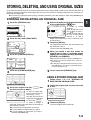
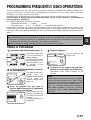
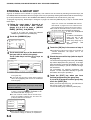
5 Place the original on the document glass.
Place the front side of
the original face down
and close the document
cover.
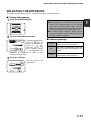
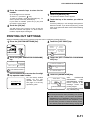
10 Touch the [READ-END] key.
A beep will sound to inform you that the
transmission was stored.
3
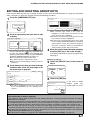
NOTE
To cancel card shot...
Press the [CA] key.
steps
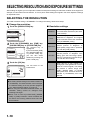
6 Follow
PROCEDURE
4 through 7 of "BASIC
FOR SENDING FAXES"
(pages 2-2 to 2-3 ).
7 Press the [START] key.
The front side of the card
is scanned.
3-9