1
QSG-PN2050-3000.book Seite 38 Montag, 23. Oktober 2006 3:09 15
38
GPS and TMC
TMC Status and Quality
(only for TMC cradle)
Using TMC offers you an additional
function to allow you to dynamically
avoid traffic jam. During navigation the
system regularly accesses the latest TMC
traffic information in the background;
provided that this information is available in the part of the country you are in.
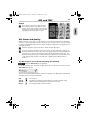
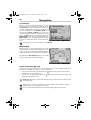
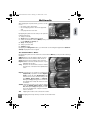
TMC reception information can be made visible in the status bar.
Tap Settings and tap TMC to switch TMC reception On or Off.
Traffic information is depending on several
conditions e.g. TMC is switched On, the traffic information is known and send by the provider, the information can be received.
When you set TMC On and there is no reception, a red checkmark is shown. When you receive TMC, the name of the provider is shown green in the status bar. If TMC is switched Off,
no provider is shown and a narrow line is visible.
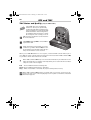
When TMC is switched On and you receive traffic information, the status bar also visualises the delay time. For example caused by traffic jam or road works. This is indicated by the colour of the hourglass:
Red
There is TMC information and delay time
Green There is TMC information but no delay time
Grey TMC is not available or switched off (only for traffic product version)
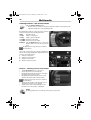
When TMC is switched On and there is a traffic jam on your route, a pop up icon appears in the left corner on the map display screen. Tap this icon and a list of detailed
information appears.