1
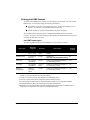
Preparing to install Intel HMP 1.1____________________________
1.
Start the TeleVantage Server PC and log on as a user with administrator privileges to
the Windows Server on that PC.
2.
If you are using a non-English version of Windows, create the directory C:\Program
Files, if it does not already exist. Doing so prevents Intel Dialogic error messages
during the installation.
3.
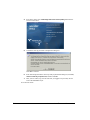
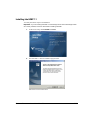
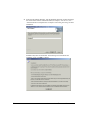
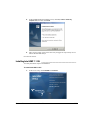
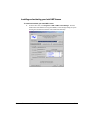
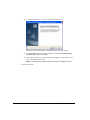
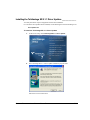
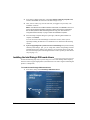
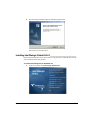
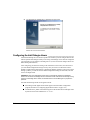
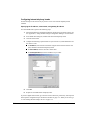
Insert the TeleVantage Intel HMP CD. If the Driver Setup does not start automatically,
run autorun.exe from the root directory on the Intel HMP CD. Note that this manual
does not describe all Driver Setup screens in detail.
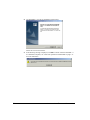
Note: If the message “Corrupt installation detected” appears after you insert the CD or
run autorun.exe, log on as a local administrator, and then reinsert the CD.
Important: Do not remove the Intel HMP CD from the CD drive until you are instructed
to do so. If you remove the CD before or during a system restart, the installation may
not complete successfully.
If you are installing Intel HMP on a TeleVantage Server where TeleVantage and Intel Dialogic
boards are currently installed, go to the next section. If you are installing a TeleVantage system
for the first time, go to “Installing Intel HMP 1.1” on page 5-5.
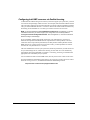
Uninstalling your current Intel Dialogic drivers
You must perform this step if you are installing Intel HMP 1.1 on a TeleVantage Server where
TeleVantage and Intel Dialogic boards are currently installed.
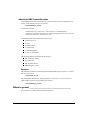
To uninstall your current drivers
1.
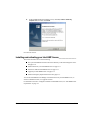
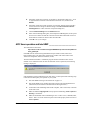
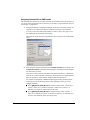
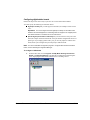
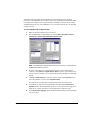
In the TeleVantage Administrator, choose Tools > Shut down Server. Click Stop
TeleVantage Server and Intel Dialogic Drivers, and then click OK.
2.
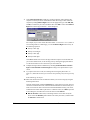
Exit or stop all TeleVantage Services and applications running on the TeleVantage
Server PC including the TeleVantage Conference Manager Service and other
Add-ons. (You do not need to stop Microsoft SQL Server Services.)
3.
Back up your complete TeleVantage system, including your TeleVantage database
and voice files.
Note: The upgrade to TeleVantage 7.5 with Intel HMP is one-way, and can not be
uninstalled, so to recover your TeleVantage system, you will need to restore the entire
PC image to the same TeleVantage build that you were running before upgrading. For
instructions on backing up your database and voice files, see Chapter 12 in
Administering TeleVantage.
CHAPTER 5. INSTALLING INTEL HOST MEDIA PROCESSING
5-3