1
Orange Photo Messaging
Orange Photo Messaging
■
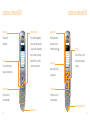
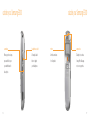
Timer: you can select the delay time. When you press
■
the capture key, the phone takes the picture after the
■
side of the phone.
■
Settings: this option allows you to change the settings
for taking a picture. This option is synchronised with
■
Photo size: sets the image size to one of VGA
Manual: to switch the camera flash on or off, you
■
Automatic: when you press the shutter or the camera
key on the right side of the phone, the phone uses the
Mobile (128x120). The selected image size displays on
camera flash automatically.
browse your photo albums
name of the picture.
■
Help: this option shows you the functions of the
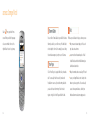
To view your albums:
navigation pad and the volume keys in the capture mode.
1 Press Menu, scroll to messages and select My albums.
have a look at the photos you have taken
have to press the 0 key in the capture mode.
(640x 480), QVGA (320x240), QQVGA (160 x120) and
This feature allows you to store your pictures as a
photo album.
To view your photos:
2 Select one of the albums. It shows the pictures saved
in the album.
1 Press Menu, scroll to messages and Select My photos.
the capture screen.
2 Scroll through using the navigation pad.
Photo quality: Allows you to select the image quality
3 View the selected picture as an enlargement.
from Superfine, Fine, Normal and Economy. The
4 Press Multi to go back to the multiple view mode, or
option you select appears on the top of the display.
86
Flash light: allows you to set the camera flash to
Default name: allows you to change the default prefix
activate automatically or not.
■
the Settings Menu.
■
■
you press the shutter or the camera key on the right
specified time. When you exit the camera mode or
select Off in the Timer menu, the timer is off.
Shutter sound: allows you to select a sound when
press Options.
87