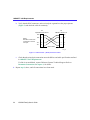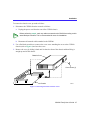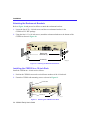
1
CSX200 FAMILY USER’S GUIDE 2012-01 Notice Cabletron Systems reserves the right to make changes in specifications and other information contained in this document without prior notice. The reader should in all cases consult Cabletron Systems to determine whether any such changes have been made. The hardware, firmware, or software described in this manual is subject to change without notice. IN NO EVENT SHALL CABLETRON SYSTEMS BE LIABLE FOR ANY INCIDENTAL, INDIRECT, SPECIAL, OR CONSEQUENTIAL DAMAGES WHATSOEVER (INCLUDING BUT NOT LIMITED TO LOST PROFITS) ARISING OUT OF OR RELATED TO THIS MANUAL OR THE INFORMATION CONTAINED IN IT, EVEN IF CABLETRON SYSTEMS HAS BEEN ADVISED OF, KNOWN, OR SHOULD HAVE KNOWN, THE POSSIBILITY OF SUCH DAMAGES. Copyright 1997 by Cabletron Systems, Inc., P.O. Box 5005, Rochester, NH 03866-5005 All Rights Reserved Printed in the United States of America Part Number: 9032012-02 September 1997 Cabletron Systems, LANVIEW, QuickSET, and SPECTRUM are registered trademarks, and QuickSTART, CSX200, CSX201, CSX202, CSX203, and CyberSWITCH are trademarks of Cabletron Systems, Inc. All other product names mentioned in this manual may be trademarks or registered trademarks of their respective companies. FCC Notice This device complies with Part 15 of the FCC rules. Operation is subject to the following two conditions: (1) this device may not cause harmful interference, and (2) this device must accept any interference received, including interference that may cause undesired operation. NOTE: This equipment has been tested and found to comply with the limits for a Class A digital device, pursuant to Part 15 of the FCC rules. These limits are designed to provide reasonable protection against harmful interference when the equipment is operated in a commercial environment. This equipment uses, generates, and can radiate radio frequency energy and if not installed in accordance with the operator’s manual, may cause harmful interference to radio communications. Operation of this equipment in a residential area is likely to cause interference in which case the user will be required to correct the interference at his own expense. WARNING: Changes or modifications made to this device which are not expressly approved by the party responsible for compliance could void the user’s authority to operate the equipment. DOC Notice This digital apparatus does not exceed the Class A limits for radio noise emissions from digital apparatus set out in the Radio Interference Regulations of the Canadian Department of Communications. Le présent appareil numérique n’émet pas de bruits radioélectriques dépassant les limites applicables aux appareils numériques de la class A prescrites dans le Règlement sur le brouillage radioélectrique édicté par le ministère des Communications du Canada. CSX200 Family User’s Guide i Notice VCCI Notice This is a Class A product based on the standard of the Voluntary Control Council for Interference by Information Technology Equipment (VCCI). If this equipment is used in a domestic environment, radio disturbance may arise. When such trouble occurs, the user may be required to take corrective actions. Cabletron Systems, Inc. Program License Agreement IMPORTANT: Before utilizing this product, carefully read this License Agreement. This document is an agreement between you, the end user, and Cabletron Systems, Inc. (“Cabletron”) that sets forth your rights and obligations with respect to the Cabletron software program (the “Program”) contained in this package. The Program may be contained in firmware, chips or other media. BY UTILIZING THE ENCLOSED PRODUCT, YOU ARE AGREEING TO BECOME BOUND BY THE TERMS OF THIS AGREEMENT, WHICH INCLUDES THE LICENSE AND THE LIMITATION OF WARRANTY AND DISCLAIMER OF LIABILITY. IF YOU DO NOT AGREE TO THE TERMS OF THIS AGREEMENT, PROMPTLY RETURN THE UNUSED PRODUCT TO THE PLACE OF PURCHASE FOR A FULL REFUND. Cabletron Software Program License 1. LICENSE. You have the right to use only the one (1) copy of the Program provided in this package subject to the terms and conditions of this License Agreement. You may not copy, reproduce or transmit any part of the Program except as permitted by the Copyright Act of the United States or as authorized in writing by Cabletron. 2. OTHER RESTRICTIONS. You may not reverse engineer, decompile, or disassemble the Program. 3. APPLICABLE LAW. This License Agreement shall be interpreted and governed under the laws and in the state and federal courts of New Hampshire. You accept the personal jurisdiction and venue of the New Hampshire courts. ii CSX200 Family User’s Guide Notice Exclusion of Warranty and Disclaimer of Liability 1. EXCLUSION OF WARRANTY. Except as may be specifically provided by Cabletron in writing, Cabletron makes no warranty, expressed or implied, concerning the Program (including its documentation and media). CABLETRON DISCLAIMS ALL WARRANTIES, OTHER THAN THOSE SUPPLIED TO YOU BY CABLETRON IN WRITING, EITHER EXPRESSED OR IMPLIED, INCLUDING BUT NOT LIMITED TO IMPLIED WARRANTIES OF MERCHANTABILITY AND FITNESS FOR A PARTICULAR PURPOSE, WITH RESPECT TO THE PROGRAM, THE ACCOMPANYING WRITTEN MATERIALS, AND ANY ACCOMPANYING HARDWARE. 2. NO LIABILITY FOR CONSEQUENTIAL DAMAGES. IN NO EVENT SHALL CABLETRON OR ITS SUPPLIERS BE LIABLE FOR ANY DAMAGES WHATSOEVER (INCLUDING, WITHOUT LIMITATION, DAMAGES FOR LOSS OF BUSINESS, PROFITS, BUSINESS INTERRUPTION, LOSS OF BUSINESS INFORMATION, SPECIAL, INCIDENTAL, CONSEQUENTIAL, OR RELIANCE DAMAGES, OR OTHER LOSS) ARISING OUT OF THE USE OR INABILITY TO USE THIS CABLETRON PRODUCT, EVEN IF CABLETRON HAS BEEN ADVISED OF THE POSSIBILITY OF SUCH DAMAGES. BECAUSE SOME STATES DO NOT ALLOW THE EXCLUSION OR LIMITATION OF LIABILITY FOR CONSEQUENTIAL OR INCIDENTAL DAMAGES, OR ON THE DURATION OR LIMITATION OF IMPLIED WARRANTIES, IN SOME INSTANCES THE ABOVE LIMITATIONS AND EXCLUSIONS MAY NOT APPLY TO YOU. United States Government Restricted Rights The enclosed product (a) was developed solely at private expense; (b) contains “restricted computer software” submitted with restricted rights in accordance with Section 52227-19 (a) through (d) of the Commercial Computer Software - Restricted Rights Clause and its successors, and (c) in all respects is proprietary data belonging to Cabletron and/or its suppliers. For Department of Defense units, the product is licensed with “Restricted Rights” as defined in the DoD Supplement to the Federal Acquisition Regulations, Section 52.227-7013 (c) (1) (ii) and its successors, and use, duplication, disclosure by the Government is subject to restrictions as set forth in subparagraph (c) (1) (ii) of the Rights in Technical Data and Computer Software clause at 252.227-7013. Cabletron Systems, Inc., 35 Industrial Way, Rochester, New Hampshire 03867-0505. CSX200 Family User’s Guide iii Notice DECLARATION OF CONFORMITY Application of Council Directive(s): Manufacturer’s Name: Manufacturer’s Address: European Representative Name: European Representative Address: Conformance to Directive(s)/Product Standards: Equipment Type/Environment: 89/336/EEC 73/23/EEC 91/263/EEC Cabletron Systems, Inc. 35 Industrial Way PO Box 5005 Rochester, NH 03867 Mr. J. Solari Cabletron Systems Limited Nexus House, Newbury Business Park London Road, Newbury Berkshire RG13 2PZ, England EC Directive 89/336/EEC EC Directive 73/23/EEC EC Directive 91/263/EEC EN 55022 EN 50082-1 EN 60950 Networking Equipment, for use in a Commercial or Light Industrial Environment. We the undersigned, hereby declare, under our sole responsibility, that the equipment packaged with this notice conforms to the above directives. Manufacturer Legal Representative in Europe Mr. Ronald Fotino ___________________________________ Full Name Mr. J. Solari ___________________________________ Full Name Principal Compliance Engineer ___________________________________ Title Managing Director - E.M.E.A. ___________________________________ Title Rochester, NH, USA ___________________________________ Location Newbury, Berkshire, England ___________________________________ Location iv CSX200 Family User’s Guide Contents CHAPTER 1 INTRODUCTION Related Documentation .................................................................................. 1 How to Use This Guide ................................................................................... 1 Document Conventions................................................................................... 3 Getting Help .................................................................................................... 4 CHAPTER 2 ABOUT THE CSX200 CSX200 Hardware .......................................................................................... 5 WAN Connection ...................................................................................... 5 Ethernet LAN Connection......................................................................... 7 Remote Management Capabilities .................................................................. 8 Optional Features ........................................................................................... 8 CSX200 Firmware Support ............................................................................. 8 IEEE 802.3 Ethernet................................................................................. 9 WAN Protocols ......................................................................................... 9 Firmware Data Compression.................................................................. 10 HDLC...................................................................................................... 10 DHCP and NAT ...................................................................................... 10 Point-to-Point Protocol (PPP) ................................................................. 11 PAP and CHAP Security ........................................................................ 11 LQM........................................................................................................ 12 HDSL ...................................................................................................... 12 Bridging and Routing .............................................................................. 13 Bridging and Routing Protocol Filtering .................................................. 15 System Passwords ................................................................................. 16 Simple Network Management Protocol (SNMP) .................................... 16 Software and Firmware Upgrades.......................................................... 20 CSX200 Family User’s Guide v Contents CHAPTER 3 10BASE-T LAN REQUIREMENTS Network Requirements.................................................................................. 21 10BASE-T Twisted Pair Network............................................................ 21 Port Descriptions........................................................................................... 22 10BASE-T LAN Configuration....................................................................... 22 Connecting UTP Cables to Ports 1 Through 12 ..................................... 23 CHAPTER 4 INSTALLATION Unpacking the CSX200................................................................................. 25 Guidelines for Installations ............................................................................ 25 Installing Interface Modules .......................................................................... 26 Removing the CSX200 Cover ................................................................ 26 Installing the WAN Port Interface Module (WPIM) ................................. 28 CSX200-COMP/ENCR Installation ............................................................... 29 Installing the CSX200.................................................................................... 31 Tabletop and Shelf Installations ............................................................. 31 CSX200 Rackmount Installation ................................................................... 32 Attaching the Strain-Relief Bracket......................................................... 33 Attaching the Rackmount Brackets ........................................................ 34 Installing the CSX200 in a 19-Inch Rack ................................................ 34 Connecting the CSX200 to the Power Source .............................................. 35 CHAPTER 5 CSX200 CONFIGURATION WITH QuickSET Ethernet Configuration .................................................................................. 40 Ethernet Configuration Window .............................................................. 40 Wide Area Configuration ............................................................................... 44 Wide Area T1 Configuration Window ..................................................... 45 Wide Area E1 Configuration Window ..................................................... 48 Wide Area DI Configuration Window ...................................................... 50 Wide Area Synchronous Configuration Window..................................... 53 Wide Area DDS Configuration Window .................................................. 56 Wide Area HDSL Configuration Window ................................................ 58 Wide Area Frame Relay Time Slot Configuration Window ..................... 60 Wide Area PPP Time Slot Configuration Window .................................. 61 Wide Area HDSL Time Slot Configuration Window ................................ 63 vi CSX200 Family User’s Guide Contents Bridging and Routing Configuration .............................................................. 64 Bridging and Routing Configuration Window .......................................... 64 Bridging and Routing (WAN Frame Type) Configuration Window.......... 70 Routing Configuration Window ............................................................... 72 IP Routing Configuration ........................................................................ 73 IPX Routing Configuration ...................................................................... 73 Advanced Routing Configuration Window .............................................. 76 QuickSET Pull-Down Menus......................................................................... 82 File Menu ................................................................................................ 82 Firmware Upgrade Menu ........................................................................ 84 Advanced Configuration Menu ............................................................... 86 Compression & Congestion Window ...................................................... 87 CHAPTER 6 GENERAL CONFIGURATION USING LOCAL MANAGEMENT Chapter Organization .................................................................................... 89 Local Management Overview........................................................................ 90 Management Agent ................................................................................ 90 Local vs. Remote Management .............................................................. 90 Local Management Screen Elements..................................................... 91 Local Management Keyboard Conventions............................................ 93 Navigating Within Local Management Screens ...................................... 94 Establishing a TELNET Connection ....................................................... 94 Hierarchy and Organization of Local Management Screens .................. 95 Selecting Local Management Menu Screen Items ................................. 95 Exiting Local Management Screens ....................................................... 95 Exiting the Local Management Session ................................................. 96 Accessing Local Management ...................................................................... 97 Using the Menu Screens ........................................................................ 97 Main Menu Screen ................................................................................. 98 Setup Menu Screen ................................................................................ 99 CSX200 Family User’s Guide vii Contents System Level Screen .................................................................................. 101 Setting the System Date ....................................................................... 103 Setting the System Time ...................................................................... 103 Setting the Host IP Address ................................................................. 104 Setting the Default Gateway ................................................................. 104 Setting the Subnet Mask ...................................................................... 105 Setting the Default Interface ................................................................. 105 SNMP Community Names Screen.............................................................. 106 Community Name Access Policy.......................................................... 106 Setting SNMP Community Names ....................................................... 107 SNMP Traps Screen ................................................................................... 108 Trap Table Screen Fields ..................................................................... 108 Setting the SNMP Trap Destination...................................................... 109 Flash Download Screen .............................................................................. 110 Selecting a Flash Download Method .................................................... 111 Bridge Setup Screen ................................................................................... 113 Bridge Setup Screen Fields .................................................................. 114 Selecting a Spanning Tree Protocol ..................................................... 114 Selecting the Bridge Port Administrative Status ................................... 114 Selecting the Bridge Port Pair Administrative Status............................ 115 Router Setup Screen................................................................................... 116 Router Setup Fields .............................................................................. 116 IP Configuration Screen .............................................................................. 117 IP Configuration Screen Fields ............................................................. 117 IP General Config Screen..................................................................... 118 IP General Configuration Status Fields ................................................ 118 IP General Configuration Fields ........................................................... 119 Enabling the RIP Routing Protocol on a Port ....................................... 124 viii CSX200 Family User’s Guide Contents IPX Configuration Screen............................................................................ 126 IPX Configuration Fields ....................................................................... 126 IPX General Configuration Screen ....................................................... 127 IPX General Configuration Status Fields .............................................. 127 IPX General Configuration Fields ......................................................... 128 IPX Routing over Frame Relay ............................................................. 131 Enabling the IPX SAP Routing Protocol on a Port ............................... 131 Enabling RIP on a Port ......................................................................... 133 CHAPTER 7 WAN CONFIGURATION USING LOCAL MANAGEMENT Chapter Organization .................................................................................. 135 T1 Physical Configuration ........................................................................... 136 WAN Physical Configuration Screen Fields ......................................... 136 T1 Interface Configuration........................................................................... 140 T1 WAN Interface Configuration Screen Fields.................................... 140 Full T1 Configuration Using PPP .......................................................... 142 Fractional T1 Configuration Using PPP ................................................ 145 Frame Relay Configuration................................................................... 148 Synchronous Physical Configuration .......................................................... 151 WAN Physical Configuration Screen Fields ......................................... 152 Synchronous Interface Configuration.......................................................... 153 WAN Interface Configuration Screen Fields ......................................... 154 PPP Configuration ................................................................................ 156 Frame Relay Configuration................................................................... 158 DDS Physical Configuration........................................................................ 160 WAN Physical Configuration Screen Fields ......................................... 160 DDS Interface Configuration ....................................................................... 162 WAN Interface Configuration Screen Fields ......................................... 163 DDS Configuration................................................................................ 165 HDSL Physical Configuration...................................................................... 168 WAN Physical Configuration Screen Fields ......................................... 169 HDSL Interface Configuration ..................................................................... 170 WAN Interface Configuration Screen Fields ......................................... 170 CSX200 Family User’s Guide ix Contents CHAPTER 8 MIB NAVIGATOR Chapter Organization .................................................................................. 173 MIB Navigator Screen ................................................................................. 174 Managing Device MIBs......................................................................... 174 MIB Navigator Command Set Overview ..................................................... 175 Conventions for MIB Navigator Commands ......................................... 176 Navigation Commands................................................................................ 177 Other Commands........................................................................................ 187 Special Commands ..................................................................................... 199 CHAPTER 9 x TROUBLESHOOTING Troubleshooting CSX200 Hardware ........................................................... 204 Power (PWR) LED is OFF .................................................................... 204 Processor (CPU) LED is OFF............................................................... 204 Processor (CPU) LED is RED .............................................................. 204 Troubleshooting the LAN ............................................................................ 204 Collision (CLN) LED is RED ................................................................. 204 Link (LNK) LED is OFF ......................................................................... 204 Troubleshooting the WAN ........................................................................... 205 Link (LNK) LED is OFF ......................................................................... 205 Link (LNK) LED is RED ........................................................................ 205 Link (LNK) LED is AMBER ................................................................... 205 Status 1 (STS1) LED is OFF ................................................................ 205 Status 1 (STS1) LED is RED ................................................................ 206 Status 1 (STS1) LED is AMBER........................................................... 207 Status 1 (STS1) LED is GREEN........................................................... 207 Status 2 (STS2) LED is OFF ................................................................ 208 Status 2 (STS 2) LED is RED WPIM-HDSL Installed in CSX200......... 208 Status 2 (STS2) LED is AMBER........................................................... 209 Status 2 (STS2) LED is GREEN........................................................... 209 Test (TST) LED is AMBER (blinking) ................................................... 210 Investigating Software Configuration Problems .......................................... 210 Connection to Device Fails During Software Configuration.................. 210 User Cannot Communicate with Remote Network Station ................... 210 CSX200 Family User’s Guide Contents APPENDIX A WPIM CABLE SPECIFICATIONS WPIM-T1 ..................................................................................................... 213 WPIM-SY .................................................................................................... 215 EIA-449................................................................................................. 216 V.35 ...................................................................................................... 217 EIA-232................................................................................................. 219 X.21 ...................................................................................................... 220 EIA-530, EIA-530 ALT A, EIA-530 A, and EIA-530 A ALT A................ 221 WPIM-DDS.................................................................................................. 223 WPIM-E1..................................................................................................... 224 WPIM-DI...................................................................................................... 226 WPIM-HDSL................................................................................................ 227 APPENDIX B SPECIFICATIONS AND STANDARDS COMPLIANCE CSX200 Regulatory Compliance ................................................................ 230 Individual WPIM Regulatory Compliance.................................................... 230 WPIM-TI ............................................................................................... 230 WPIM-SY .............................................................................................. 231 WPIM-DDS ........................................................................................... 231 WPIM-E1 .............................................................................................. 232 WPIM-DI ............................................................................................... 232 WPIM-HDSL ......................................................................................... 232 APPENDIX C FCC PART 68 - USER’S INFORMATION FOR CSX200 APPENDIX D GLOSSARY INDEX CSX200 Family User’s Guide xi Contents xii CSX200 Family User’s Guide 1 Introduction Welcome to the Cabletron Systems CSX200 Family User’s Guide. This guide provides basic configuration information, hardware specifications and troubleshooting tips for the CSX200 family of products that includes the CSX200, CSX201, CSX202, and CSX203. This guide also provides background information about 10BASE-T Ethernet Local Area Networks (LANs) and guidelines for routing and bridging over Wide Area Networks (WANs). NOTE The CSX200, and CSX201, CSX202, and CSX203 have identical features and functions with the exeception of their WPIM interface. The CSX201, CSX202, and CSX203 are referred to as the CSX200, unless otherwise specified in this guide. Related Documentation Use the READ ME FIRST! document included with the CSX200 to set up your computer before starting configuration. Use the Cabletron Systems QuickSTART Guide (the CD insert of the QuickSET CD case) to install the CSX200. Use the appropriate Cabletron Systems WPIM Local Management Guide to connect your CSX200 to a WAN using a TELNET connection. How to Use This Guide This guide along with the READ ME FIRST! document and the CSX200 QuickSTART Guide provide the necessary information to install and configure the CSX200. Read all of these documents before installing the CSX200. This guide is organized as follows: Chapter 1, Introduction, details document conventions and provides getting help information. Chapter 2, About the CSX200, describes the hardware components and software protocols and features. CSX200 Family User’s Guide 1 Introduction Chapter 3, 10BASE-T LAN Requirements, describes the basic cabling requirements for an Ethernet Local Area Network (LAN). Chapter 4, Installation, provides detailed installation instructions for attaching the CSX200 to a network. Chapter 5, CSX200 Configuration with QuickSET, provides instructions on connecting the CSX200 to a Wide Area Network (WAN) using Cabletron Systems QuickSET management utility. Chapter 6, General Configuration Using Local Management, provides instructions for configuring the CSX200 through a TELNET connection. Chapter 7, WAN Configuration Using Local Management, provides instructions for connecting the CSX200 to a Wide Area Network (WAN) using Local Management through a Telnet connection. Chapter 8, MIB Navigator, explains how to use the MIB Navigator utility. Chapter 9, Troubleshooting, provides detailed troubleshooting tips using the LANVIEW LEDs on the CSX200. Appendix A, WPIM Cable Specifications, provides part number and connector information for WPIMs. Appendix B, Specifications and Standards Compliance, contains hardware specifications and safety and compliance standards for the CSX200. Chapter C, FCC Part 68 - User’s Information for CSX200, provides instructions required to comply with FCC Rules, Part 68. Appendix D, Glossary, defines commonly used terms. 2 CSX200 Family User’s Guide Introduction Document Conventions The following conventions are used throughout this guide: NOTE Note symbol. Calls the reader’s attention to any item of information that may be of special importance. Tip symbol. Conveys helpful hints concerning procedures or actions. TIP Caution symbol. Contains information essential to avoid damage to the equipment. ! CAUTION Warning symbol. Warns against an action that could result in the presence of an electrical shock hazard. Warning symbol. Warns against an action that could result in personal injury or death. WARNING CSX200 Family User’s Guide 3 Introduction Getting Help If you need additional support related to this device, or if you have any questions, comments, or suggestions concerning this manual, contact the Cabletron Systems Global Call Center: Phone (603) 332-9400 Internet mail [email protected] FTP Login Password ctron.com (134.141.197.25) anonymous your email address Modem setting (603) 335-3358 8N1: 8 data bits, No parity, 1 stop bit BBS For additional information about Cabletron Systems or our products, visit our World Wide Web site: http://www.cabletron.com/ For technical support, select Service and Support. Before calling the Cabletron Systems Global Call Center, have the following information ready: • Your Cabletron Systems service contract number • A description of the failure • A description of any action(s) already taken to resolve the problem (e.g., changing mode switches, rebooting the unit, etc.) • The serial and revision numbers of all involved Cabletron Systems products in the network • A description of your network environment (layout, cable type, etc.) • Network load and frame size at the time of trouble (if known) • The device history (i.e., have you returned the device before, is this a recurring problem, etc.) • Any previous Return Material Authorization (RMA) numbers 4 CSX200 Family User’s Guide 2 About the CSX200 The CSX200 (Figure 1) is an access device that provides Ethernet Local Area Network (LAN) connectivity via twelve RJ45 ports for the small office and offers high-speed Wide Area Network (WAN) access to a remote site, such as the Internet or an enterprise network. The CSX200 supports IEEE 802.1d transparent bridging, IP and IPX routing, and Dynamic Host Configuration Protocol (DHCP, Network Address Translation (NAT) routing between Ethernet LANs across a WAN. STS 1 STS 2 Figure 1 The CSX200 CSX200 Hardware NOTE The CSX201 is pre-installed with a WPIM-T1, the CSX202 is pre-installed with a WPIM-SY, and the CSX203 is pre-installed with a WPIM-DDS. This section details CSX200 hardware capabilities. WAN Connection The CSX200 supports Point-to-Point Protocol (PPP) including: Link Control Protocol (LCP), BNCP, IPCP, IPXCP, LQM, Multilink Protocol (MP) and CHAP and PAP, and Frame Relay protocols through one of the following WAN port interface modules (WPIMs): • The WPIM-T1 provides a T1 interface through a front panel RJ45 port and includes a built-in Channel Service Unit/Digital Service Unit (CSU/DSU) for direct connection to a T1 line. The WPIM-T1 provides both Full T1 or Fractional T1 using 56 or 64 Kbps Time Slots, with a total throughput of up to 1.544 Mbps. CSX200 Family User’s Guide 5 About the CSX200 • The WPIM-SY provides a synchronous serial connection of up to 2.048 Mbps to external communications equipment (e.g., a multiplexer or CSU/DSU). The WPIM-Sync uses a subminiature 26-pin connector that supports the electrical signal interfaces listed below. Appendix A, provides complete part number and cable pin assignment information on the following electrical signal interfaces: • EIA-RS449 • V.35 • EIA-RS232D • X.21 • EIA-RS530 • EIA-530A • RS530 ALT A • RS530A ALT A • The WPIM-DDS provides a 56 Kbps or 64 Kbps Digital Data Service (DDS) connection. The WPIM-DDS supports remote CSU diagnostic or 64 Kbps clear channel loopback and non-latching remote DSU diagnostic loopback. • The WPIM-E1 provides an E1 interface through a front panel RJ45 port and includes a built-in CSU/DSU for direct connection to an E1 line. The WPIM-E1 provides both Full E1 or Fractional E1 using 56 or 64 Kbps Time Slots with a total throughput of up to 2.048 Mbps. • The WPIM-DI provides a T1 interface through a front panel RJ45 port and includes a built-in CSU/DSU for direct connection to a T1 line. The WPIM-DI provides both Full T1 or Fractional T1 using 56 or 64 Kbps Time Slots and also provides a second Drop-and-Insert interface, which allows more than one device, such as a PBX, to share a single T1 connection. • The WPIM-HDSL provides a connection for users in a campus environment, or have access to local subscriber loops, who want to send their data over their existing telephone lines, that may run between floors, buildings, or other physical structures, at rates of up to 1.544 Mbps. HDSL supports line lengths of up to 3, 657 meters (12,000 feet) over 24 American Wire Gauge (AWG) Unshielded Twisted Pair (UTP) cabling. 6 CSX200 Family User’s Guide About the CSX200 Ethernet LAN Connection The CSX200 provides 10 Mbps Ethernet/IEEE 802.3 support through twelve (11 if Call Backup is enabled) 8-pin RJ45 10BASE-T ports on the front of the unit (see Figure 1). Repeater Functionality — The CSX200 fully conforms to the IEEE 802.3 Repeater, AUI, and 10BASE-T specifications, and provides the flexibility to connect networks using IEEE 802.3, Ethernet Version 1 or Version 2 equipment. The CSX200 transmits retimed data packets, regenerates the preamble, extends fragments, and arbitrates collisions. The CSX200 automatically partitions problem segments, and reconnects repaired segments to the network. This feature minimizes the impact on network operation resulting from a problem on one segment by isolating the problem segment. Only devices on the problem segment are affected. When the problem is solved, the CSX200 automatically reconnects the isolated segment to the network. Polarity Detection and Correction — Each twisted pair port on the CSX200 incorporates a Polarity Detection and Correction feature that allows the CSX200 to pass data regardless of the polarity of the twisted pair segment’s receive link. Cabletron does not recommend operating in this condition. When this condition is detected, remove the segment from the network and wire it correctly to reduce the potential for problems if equipment changes are made. Flash EEPROMs — The CSX200 uses a Flash Electrically Erasable Programmable Read-Only Memory (EEPROM) that allows the downloading of new and updated firmware in conjunction with Cabletron Systems QuickSET or any device utilizing BootP or TFTP protocols. LANVIEW LEDs — Cabletron Systems LANVIEW Status Monitoring and Diagnostics System is a troubleshooting tool that helps in diagnosing power failures, collisions, cable faults, and link problems. The LANVIEW LEDs are conveniently located on the CSX200 front panel. RESET Button — Resetting the hub with the front panel RESET button reboots the CSX200 and initializes the processor. The RESET button is also used with the mode switches to clear NVRAM. CSX200 Family User’s Guide 7 About the CSX200 Remote Management Capabilities Manage the CSX200 remotely with any SNMP network management system including the following: • Cabletron Systems SPECTRUM for Open Systems • Cabletron Systems Remote SPECTRUM Portable Management Applications (SPMAs) • Cabletron Systems QuickSET • Cabletron Systems SPECTRUM Element Manager (SPEL) • Third party SNMP compliant Network Management Packages Optional Features Rack Mounting Capabilities — The CSX200 can be installed in a 19-inch rack with an accessory package that includes the rackmount brackets, a strain-relief bracket for cable management, and mounting screws. The part number for the accessory package is CSX200-ACCY-KIT. See Chapter 4, Installation for complete rack mounting instructions. Hardware Data Compression Module (CSX200-COMP/ENCR) — The same industry standard STAC Electronics Stacker LZS Compression algorithm supported by CSX200 software is made available by an optional hardware data compression module that accelerates data compression for the CSX200 over PPP and Frame Relay. Depending on the packet type and size, hardware data compression provides a minimum of 2:1 data compression, giving 3 Mbps throughput on a T-1 WPIM interface. To use the hardware data compression module, compatible equipment (such as the CSX200, CSX400, and HSIM-W6 or other vendors’ equipment which conforms to the applicable standards), must be in use at both ends of the WAN link. When the hardware data compression module is installed on the board, it automatically assumes the compression task from software. There is no configuration necessary to prioritize hardware over software compression. CSX200 Firmware Support The CSX200 firmware supports IEEE 802.1d bridging, and IP and IPX routing,. Wide Area Networking includes Point-to-Point Protocol (PPP), and Frame Relay. Remote access is via Full or Fractional T1, E1, Synchronous, Digital Data Service, or HDSL connections. This device supports industry-standard protocols, security features, compression algorithms and network management tools to ensure interoperability with equipment from other vendors. 8 CSX200 Family User’s Guide About the CSX200 IEEE 802.3 Ethernet The CSX200 provides a standard 802.3 Media Access Control (MAC) layer for Ethernet communications. All bridging and routing protocols are supported across the Ethernet link. WAN Protocols This device supports the following WAN protocols over the WAN port: • Point-to-Point Compression Control Protocol (CCP) as defined by RFC 1962 • Dynamic Host Configuration Protocol (DHCP) as defined by RFC 1541 • Network Address Translation (NAT) routing as defined by RFC 1631 • Point-to-Point Protocol (LCP) as defined by RFC 1661 • Point-to-Point Protocol (BNCP) as defined by RFC 1638 • Point-to-Point Protocol (IPCP) as defined by RFC 1332 • Point-to-Point Protocol (IPXCP) as defined by RFC 1552 • Password Authentication Protocol (PAP) and Challenge Handshake Authentication Protocol (CHAP) under PPP as defined by RFC 1994 • Point-to-Point Protocol Line Quality Monitoring (LQM) as defined by RFC 1333 • Point-to-Point Protocol Multilink Protocol (MP) as defined by RFC 1717 • Frame Relay Link Management Interface (LMI) as defined by ANSI T1.617 Annex D and ITU Q.933 Annex A • Frame Relay Data Encapsulation as defined by RFC 1490 • Frame Relay Data Compression Protocol (DCP) as defined by FRF.9 PPP is a data link layer industry standard WAN protocol for transferring multi-protocol data traffic over point-to-point connections. With this protocol, options such as security, data compression, and network protocols can be negotiated over the connection. Data compression allows Frame Relay to negotiate compression over Frame Relay permanent virtual circuits (PVCs). Frame Relay is a packet-switching data communications protocol that statistically multiplexes many data conversations over a single transmission link. CSX200 Family User’s Guide 9 About the CSX200 Firmware Data Compression The STAC Electronics Stacker LZS Compression algorithm provides a minimum of 2:1 firmware data compression for the CSX200 over PPP and Frame Relay. Firmware data compression is supported in software on each WAN interface for line speeds of up to 256 Kbps. per WPIM, which is equivalent to four DS0 channels. To use data compression, compatible equipment, (such as the CSX200, CSX400, and HSIM-W6 or other vendors’ equipment which conforms to the applicable standards), must be in use at both ends of the WAN link. This firmware method of data compression is used as the default, if the hardware compression module is not installed. HDLC Cabletron Systems has provided the High-level Data Link Control (HDLC) protocol which is used in conjunction with the WPIM-HDSL to conserve a user’s WAN bandwidth between two Cabletron Systems products, over a point-to-point connection. Cabletron Systems products such as the CSX200, HSIM-W6, and CSX400 must be in use on both ends of the WAN link for these functions to work. The HDLC (RAW) protocol reduces the amount of overhead information that needs to be contained within each data packet to direct it to its destination. This decreased packet overhead provides the HDSL functions with more bandwidth to transfer user data. DHCP and NAT The Dynamic Host Configuration Protocol (DHCP) and Network Address Translation (NAT) method eliminates the expense of purchasing limited public IP addresses for each client on a local network, and the need to re-configure a client if it is moved to a different network. The CSX200 acts as a DHCP server that allows individual clients (PCs, network equipment) to take turns using a range of private IP addresses (often referred to as local IP addresses), and provides optional secondary setup features for these clients on a per-port basis. The CSX200 distributes these addresses dynamically assigning a local IP address to an individual client from a range of 253 available addresses in its table on a first-come-first-served basis. This local IP address is then “leased” for a predetermined amount of time, which is configured for the particular port. Each Ethernet port provides DHCP services for one Class C subnet and secondary setup features for individual clients that support the use of a default gateway, domain name and WINs server. On the Wide Area Network (WAN) side, the Network Address Translation (NAT) routing method is used to enable clients assigned with local IP addresses to use the public IP address(es) of the CSX200 WAN interface(s) to access the WAN. 10 CSX200 Family User’s Guide About the CSX200 NOTE A private or “local” network is referred to as a sub network that is using private or “local” IP addresses. An “outside” network refers to a Wide Area Network (WAN) commonly known as an Internet, an Intranet is an “Internet” in use on a facility or campus where registered public IP addresses are required. The NAT method allows several DHCP clients on a sub network to connect to WAN clients by allowing the DHCP clients to share a single public IP address. When the CSX200 uses NAT, the NAT method modifies the IP headers and addresses, and the selected fields in upper layer protocol headers. This is done to replace the hidden local IP addresses from the sub network with one or more public InterNic assigned IP addresses that can be sent over the outside network on the CSX400 WAN interfaces. Once the CSX200 is assigned at least one public IP address, over 250 IP clients can share this address simultaneously using NAT. This public IP address is assigned statically by the Internet Service Provider (ISP). Point-to-Point Protocol (PPP) PPP is a data link layer industry standard WAN protocol for transferring multi-protocol data traffic over point-to-point connections. It is suitable for both high-speed synchronous ports as well as lower speed asynchronous dial-up ports. With this protocol, options such as security and network protocols can be negotiated over the connection. The STAC Electronics Stacker LZS Compression Protocol is supported over PPP providing up to 4:1 data compression. PAP and CHAP Security The CSX200 supports the Password Authentication Protocol (PAP) and Challenge Handshake Authentication Protocol (CHAP) under PPP. PAP provides verification of passwords between devices using a 2-way handshake. One device (peer) sends the system name and password to the other device (authenticator). Then the authenticator checks the peer’s password against the configured remote peer’s password and returns acknowledgment. CHAP is more secure than PAP as unencrypted passwords are not sent across the network. CHAP uses a 3-way handshake and supports full or half-duplex operation. CSX200 Family User’s Guide 11 About the CSX200 In half-duplex operation, the authenticator device challenges the peer device by generating a CHAP challenge, and the challenge contains an MD5 algorithm with a random number that has your encrypted password and system name. The peer device then applies a one-way hash algorithm to the random number and returns this encrypted information along with the system name in the CHAP response. The authenticator then runs the same algorithm and compares the result with the expected value. This authentication method depends upon a password or secret, known only to both ends locally. Full-duplex operation places an additional step to half-duplex operation that mirrors the operation discussed above for a peer to validate the authenticator. The peer device challenges the authenticator by generating a CHAP challenge, and the authenticator returns a CHAP response. The peer device challenges the authenticator device by generating a CHAP challenge, and the challenge contains an MD5 algorithm with a random number that has your encrypted password and system name. The authenticator device then applies a one-way hash algorithm to the random number and returns this encrypted information along with the system name in the CHAP response. The peer device then runs the same algorithm and compares the result with the expected value. This authentication method depends upon a password or secret, known only to both ends locally. LQM Link Quality Monitoring (LQM) is a link control mechanism used with PPP to determine when and how often a link is dropping data in units of packets and octets. Link Quality Monitoring accomplishes this by providing Link-Quality-Reports to determine if the quality of the link is adequate for operation. Link Quality Monitoring provides separate measurements for both incoming and outgoing packets that are communicated to both ends of the link. The PPP LQM mechanism carefully defines the Link-Quality-Report packet formats, and specifies reference points for all data transmission and reception measurements. The LQM implementation maintains successfully received packet and octet counts, and periodically transmits this information to its peer using Link-Quality-Report packets. HDSL High-bit rate Digital Subscriber Line (HDSL) technology uses existing copper twisted pair cables designed for conventional analog voice transmission from a telephone carrier servicing area as low-cost alternative to the quality and speed of fiber optic cables, and provides high-speed full-duplex digital transmission links of up to 1.544 Mbps. The WPIM-HDSL is easy to install in your network over existing telephone lines, and it is a portable investment if a business, or individual user plans to relocate. 12 CSX200 Family User’s Guide About the CSX200 HDSL is a direct connection technology that allows connections to be made for distances of up to 12,000 feet over 24 American Wire Gauge (AWG) unconditioned Twisted Pair wire. To obtain the Full T1 line Rate of 1.544 Mbps, two wire pairs are necessary (four wires). If one pair of wires is used (two wires), then data rates of 772 Kbps are supported, which is equivalent to one-half of a T1 line. Bridging and Routing Bridging — Bridging connects two or more separate networks together. The bridge examines a portion of each network frame called the header. This header contains control information for the frame. The bridge compares the destination address of the frame to a table of source addresses (bridges dynamically learn the physical location of devices by logging the source addresses of each frame and the bridge port the frame was received on in the source address table). In transparent bridging, the decision to forward the frame is based on this comparison. If the address indicates that the sending station and the destination station are on the same side of the bridge, the frame is not forwarded across the bridge. If the addresses do not indicate that, the bridge forwards the broadcast frame across the bridge to the other network(s). Bridging allows frames to be sent to all destinations regardless of the network protocols used. It also allows protocols that cannot be routed (such as NETBIOS) to be forwarded, and optimizes internetwork capacity by localizing traffic on LAN segments. A bridge extends the physical reach of networks beyond the limits of each LAN segment. Filters can be used to increase network security in bridged networks, and restrict message forwarding by using user-built address tables (non-transparent bridging). Routing — Routing provides a way to transfer user data from source to destination over different LAN and WAN links using one or more network protocol formats. Routing relies on routing address tables to determine the best path for each packet. Routing tables can be seeded (i.e., addresses for remote destinations are placed in the table along with network address masks and a metric for path latency). Routing tables are also built dynamically (i.e., the location of remote stations, hosts and networks are updated through inter-router protocols). Routing helps to increase network capacity by localizing traffic on LAN segments and broadcasts that would result from bridged traffic. It also provides security by isolating traffic on segmented LANs. Routing extends the world-wide reach of networks. CSX200 Family User’s Guide 13 About the CSX200 CSX200 Bridging and Routing — The CSX200 can operate as a bridge, a router, or both. The CSX200 operates as a router for network protocols that are supported when routing is enabled and operates as a bridge when bridging is enabled. When both bridging and routing are enabled, routing takes precedence over bridging; i.e., the CSX200 uses the protocol address information of the packet to route the packet to the correct destination. However, if the protocol is not supported, the CSX200 operates as a bridge and uses the MAC address information to send the packet. Operation of the CSX200 is influenced by routing and bridging controls and filters set during CSX200 configuration. General IP routing, and routing or bridging from specific remote routers are controls set during the configuration process. IEEE 802.1d Bridging — The CSX200 supports the IEEE 802.1d standard for LAN to LAN bridging. Bridging is provided over PPP and Frame Relay as well as adjacent LAN ports. The bridging software uses transparent bridging. When the CSX200 is configured as a bridge, the unit bridges data packets to the destination, regardless of the network protocols used. The CSX200 uses the Spanning Tree Algorithm to provide bridging redundancy while preventing data loops and duplicate data. This is a self-learning bridge, i.e., the bridge builds and updates an address table with each MAC source address and associated information when the packets are received. IP Routing — IP routing support provides the ability to process TCP/IP frames at the network layer for routing. IP routing support includes the Routing Information Protocol (RIP) that allows the exchange of routing information on a TCP/IP network. The CSX200 receives and broadcasts RIP messages to adjacent routers and workstations. IPX Routing — Internet Packet Exchange (IPX) routing support provides the ability to process Novell proprietary frames at the network layer for routing. IPX routing support includes both Routing Information Protocol (RIP) and Service Advertising Protocol (SAP) that allows the exchange of routing information on a Novell NetWare network. The SAP provides routers and servers containing SAP agents with a means of exchanging internetwork service information. 14 CSX200 Family User’s Guide About the CSX200 Bridging and Routing Protocol Filtering Filtering is used to allow efficient usage of network resources and provide security for your network and hosts. IP Internet Firewall — The CSX200 supports IP Internet Firewall filtering to prevent unauthorized access to your system and network resources from the Internet or a corporate Intranet. Security can be configured to permit or deny IP traffic. The security is established by configuring IP access filters, which are based on source IP address, source mask, destination IP address, destination mask, protocol type, and application port identifiers for both Transmission Control Protocol (TCP) and User Datagram Protocol (UDP) protocols. These IP access filters allow individual IP source and destination pair filtering as well as IP address ranges and wild carding to match any IP address. These Firewall filters can be defined to allow inbound only, outbound only, or bi-directional IP communication up to the UDP and TCP application port level. Firewall access filters provide a lot of flexibility to establish a powerful IP security barrier. The CSX200 supports the IP Access Control (from the ctip-mib) Internet Firewall Filter. Bridge Filtering — Bridge filtering allows a network administrator to control the flow of packets across the CSX200. Bridge filtering can be used to “deny” or “allow” packets based on a “matched pattern” using a specified position and hexadecimal content within the packet. This enables restricting or forwarding of messages based on address, protocol, or data content. Common uses include preventing access to remote networks, controlling unauthorized access to the local network, and limiting unnecessary traffic. The CSX200 supports the following Bridge Filters: • dot1dStatic Filters (IETF RFC1493) • Ethernet Special Filtering Database (from the ctbridge-mib) CSX200 Family User’s Guide 15 About the CSX200 System Passwords System passwords allow you to control access to the CSX200 by establishing three passwords. Each password provides varying levels of access to the CSX200. The default password for each access level is pre-set to public. If you do not wish to establish a password, press ENTER, the default password is automatically selected. The following definitions explain each of the three levels of access: read-only — This access level allows reading of device parameters not including system passwords. read-write — This access level allows editing of some device configuration parameters not including changing system passwords. super-user — This access level allows full management privileges. At this level you must access the CSX200 to run QuickSET. Simple Network Management Protocol (SNMP) The CSX200 provides SNMP agent support for the following: standard and Enterprise Specific Management Information Bases (MIBs), and support for standard and Enterprise Specific SNMP Traps. SNMP is also used internally for configuration of the CSX200. The active SNMP agent within the CSX200 accepts SNMP requests for status, statistics and configuration updates. Communication with the SNMP agent occurs over the LAN or WAN connection. Any management application using SNMP over UDP/IP has access to the local SNMP agent. 16 CSX200 Family User’s Guide About the CSX200 SNMP MIB Support SNMP MIBs are databases of objects used for managing and determining the status and configuration of an SNMP compliant device. The following SNMP MIBs are supported by the CSX200: • MIB IIRFC1213 • RMON MIBRFC1271 • DS1 and E1 MIBRFC1406(Digital Signal Level 1 [T1/E1 interface types]) • IETF Bridge MIBRFC1493 • IP Forwarding MIB RFC1354 • PPP LCP MIBRFC1471(Point-to-Point Protocol, Link Control Protocol) • PPP IPCP MIBRFC1473(IP Control Protocol) • PPP BNCP MIBRFC1474(Bridge Network Control Protocol) • IPXCP MIBRFC1552 • Frame Relay DTE MIBRFC1490 • Security MIBRFC1472(CCP, PAP, and CHAP) • RS-232 MIBRFC1317 • LQM MIBRFC1989 • PPP MP MIBRFC1990 Cabletron Enterprise MIBs Cabletron Enterprise MIBs include the following: CTWAN-MIB, CTMIB2-EXT-MIB, CTDOWNLOAD-MIB, CTBRIDGE-MIB, RREV-4-MIB, CTROUTER-MIB, CTFAULT-MIB, CTIP-MIB, CHASSIS-MIB, CTNETDIAG-MIB, IP-MIB, IPX-MIB, CTDEFAULT-MIB, CTNAT-MIB.TXT, and CTDHCP-MIB.TXT. CSX200 Family User’s Guide 17 About the CSX200 SNMP Trap Support SNMP Traps are notifications of network events sent by an SNMP compliant device to an SNMP management station. The following SNMP Traps are supported by the CSX200: IETF Standard Traps: • Warm Start Trap Type Code #1RFC1214 • Bridge New Root TrapType Code #1RFC1493 • Bridge Topology Change TrapType Code #2RFC1493 Cabletron Enterprise Traps: • Port Segmented TrapType Code #257(0x101)rrev4-mib • Port Operational TrapType Code #258(0x102)rrev4-mib • Port Link Up TrapType Code #259(0x103)rrev4-mib • Port Link Down TrapType Code #260(0x106)rrev4-mib • Environmental Temperature Hot TrapType Code #282(0x11A)rrev4-mib • Environmental Temperature Normal TrapType Code #284(0x11C)rrev4-mib • IP Event Log Change TrapType Code #1280(0x500)ctip-mib The following is a list of IP Events that are logged and create the IP Event Log Change Trap. 18 • IP Routing has been disabled on interface # • IP Routing has been enabled on interface # • IP Forwarding has been enabled on interface # • IP MTU size has been changed on interface # • IP Framing Type has been changed on interface # • IP has detected Link UP on interface # • IP has detected Link DOWN on interface # • IP Primary address has been changed on interface # • IP Secondary address has been changed on interface # CSX200 Family User’s Guide About the CSX200 • IP Access Control Lists have been enabled on interface # • IP Access Control Lists have been disabled on interface # • IP has detected Port UP (WAN devices only) • IP has detected Port DOWN (WAN devices only) • IP Proxy ARP has been disabled on interface # • IP Proxy ARP has been enabled on interface # • IP RIP has been enabled on interface # • IP RIP has been disabled on interface # • IPX Event Log Change Trap Type Code #1281(0x501) ctipx-mib The following is a list of IPX Events that are logged and create the IPX Event Log Change Trap. • IPX Routing has been disabled on interface # • IPX Routing has been enabled on interface # • IPX Forwarding has been enabled on interface # • IPX MTU size has been changed on interface # • IPX Framing Type has been changed on interface # • IPX has detected Link UP on interface # • IPX has detected Link DOWN on interface # • IPX Primary address has been changed on interface # • IPX Access Control Lists have been enabled on interface # • IPX Access Control Lists have been disabled on interface # • IPX has detected Port UP (WAN devices only) • IPX has detected Port DOWN (WAN devices only) • IPX RIP has been enabled on interface # • IPX RIP has been disabled on interface # • IPX SAP has been enabled on interface # • IPX SAP has been disabled on interface # CSX200 Family User’s Guide 19 About the CSX200 Software and Firmware Upgrades Software and Firmware upgrades can be performed remotely through the Windows-based QuickSET utility application. Refer to Chapter 5, for QuickSET instructions. QuickSET allows you to retrieve or upgrade the firmware, software, and configuration files from its Firmware Upgrade menu by selecting the TFTP/BootP Services window to access a TFTP (Trivial File Transfer Protocol) server. 20 CSX200 Family User’s Guide 3 10BASE-T LAN Requirements This chapter contains general networking guidelines for setting up a 10BASE-T Local Area Network using ports 1 through 12 on the CSX200. Review the requirements and specifications outlined in this chapter before attempting to install the CSX200. Network Requirements Take care in planning and preparing the cabling and connections for your network. The quality of the connections, the length of cables, and other conditions of the installation play critical roles in determining the reliability of your network. 10BASE-T Twisted Pair Network When connecting a 10BASE-T twisted pair segment to any of the CSX200 ports (Interfaces 1 through 12), ensure the network meets the following requirements: Length — The IEEE 802.3 standard for 10BASE-T requires that 10BASE-T devices transmit over a 100 meter (328 foot) link on 22–24 AWG Unshielded Twisted Pair (UTP) wire. However, cable quality largely determines maximum link length. Lengths of up to 200 meters may be achieved if high quality, low attenuation cable is used. Cable delay limits the maximum link length to 200 meters. NOTE Losses introduced by connections at punch-down blocks and other equipment reduce total segment length. For each connector or patch panel in the link, subtract 12 meters from the total length of the cable. Impedance — Cabletron Systems 10BASE-T twisted pair products use twisted pair cable with 75 to 165 ohms impedance. UTP cable typically has an impedance from 85 to 110 ohms. Shielded twisted pair cable, such as IBM Type 1 cable with an impedance of 150 ohms may also be used. CSX200 Family User’s Guide 21 10BASE-T LAN Requirements Temperature — Multi-pair PVC 24 AWG telephone cable typically has an attenuation of approximately 8–10 dB/100 m at 20°C (68°F). The attenuation of PVC insulated cable varies with temperature. At temperatures greater than 40°C (104°F), use plenum-rated cable to ensure that attenuation remains within specification. Port Descriptions Table 1 defines the pinout for the Ethernet twisted pair ports 1 through 12. Table 1 Ethernet Twisted Pair Ports (1-12) Pin Number Signal Name 1 Twisted Pair Transmit + 2 Twisted Pair Transmit - 3 Twisted Pair Receive + 4 Ground 5 Ground 6 Twisted Pair Receive - 7 Ground 8 Ground 10BASE-T LAN Configuration This section contains the procedures for connecting a UTP segment from the 10BASE-T network or other devices to the CSX200. Ports 1 through 12 on the CSX200 have RJ45 connectors for UTP connections. 22 CSX200 Family User’s Guide 10BASE-T LAN Requirements Connecting UTP Cables to Ports 1 Through 12 Before connecting a segment to the CSX200, check each end of the segment to verify wire crossover. ! CAUTION To establish a link, you must have an odd number of crossovers (preferably one) between 10BASE-T devices of the same type (i.e., from repeater to repeater or transceiver to transceiver). Connect a twisted pair segment to the CSX200 as follows: 1. Ensure that the device at the other end of the segment is connected to the segment and is powered ON. 2. Refer to Figure 2. Connect the twisted pair segment to the CSX200 by inserting the RJ45 connector on the twisted pair segment into the desired RJ45 port (ports 1 through 12). 2012_11 Figure 2 CSX200 Twisted Pair Connection 3. Verify that a Link exists by checking that the receive port (RCV) LED is on (flashing green or amber or on solid green). If the RCV LED is off, perform the following steps until it is on: a. Check that the 10BASE-T device at the other end of the twisted pair segment is ON and connected to the segment. CSX200 Family User’s Guide 23 10BASE-T LAN Requirements b. Verify that the RJ45 connectors on the twisted pair segment have the proper pinouts (Figure 3) and check the cable for continuity. TO CyberSWITCH RJ45 Port NOTE: RX+/RX– and TX+/TX– must share a common color pair. TO 10BASE-T Device Port RX+ 1 1 RX+ RX– 2 2 RX– TX+ 3 3 TX+ TX– 6 6 TX– RJ45 to RJ45 2012_13 Figure 3 Cable Pinouts - (RJ45) Crossover Cable c. Check that the twisted pair connection meets the dB loss and cable specifications outlined in 10BASE-T LAN Requirements. If a link is not established, contact Cabletron Systems Technical Support. Refer to Document Conventions in Chapter 1, for details. 4. Repeat step 2, above, until all connections have been made. 24 CSX200 Family User’s Guide 4 Installation This chapter outlines the procedure for attaching the CSX200 to the network. Ensure that the network meets the guidelines and requirements outlined in Chapter 3, 10BASE-T LAN Requirements, before installing the CSX200. Unpacking the CSX200 Unpack the CSX200 as follows: 1. Remove the shipping material from the box and carefully remove the CSX200. 2. Visually inspect the CSX200. If there are any signs of damage, contact Cabletron Systems (see the Getting Help section) immediately. 3. Read the CSX200 Release Notes included in the shipping box. Guidelines for Installations 3 Only qualified personnel should perform installation procedures. Installation sites must be within reach of the network cabling and meet the requirements listed below: • A properly grounded power receptacle must be within seven feet of the location. • In a shelf installation, the shelf must be able to support 13.6 kg (30 lb) of static weight for each device on the shelf. • Maintain a temperature of between 5°C (41°F) and 40°C (104°F) at the installation site with fluctuations of less than 10°C (50°F) per hour. • Maintain a two-inch clearance for each side and the back of the device for adequate ventilation. CSX200 Family User’s Guide 25 Installation Installing Interface Modules Depending on your specific application, install Cableton Systems WAN Port Interface Modules (WPIMs) and the CSX-COMP/ENCR modules into the CSX200 before proceeding with the installation of your CSX200. Refer to the Installing the WAN Port Interface Module (WPIM) and CSX200-COMP/ENCR Installation sections within this chapter for installation instructions. ! CAUTION The WPIM, CSX200-COMP/ENCR, and the CSX200 are sensitive to static discharges. Use a grounding strap and observe all static precautions during installation. Failure to do so could result in damage to the WPIM, CSX200-COMP/ ENCR and the CSX200. The CSX200 must have a WPIM installed before you can begin configuring the device. NOTE Removing the CSX200 Cover This section describes how to remove the CSX200 chassis cover. The cover must be removed to install a WAN Port Interface Module. ! CAUTION DO NOT REMOVE THE COVER FROM THE CSX200 WHILE POWER IS APPLIED TO THE UNIT. DO NOT POWER UP THE DEVICE AGAIN UNTIL THE COVER AND SCREWS ARE IN PLACE. DECKEL VON DAS CSX200 NICHT ABZIEHEN UNTER SPANNUNG. CSX200 NICHEINSCHALTEN SO LANG DER DECKEL UND SCHRAUBEN NICHT EINGEBAUT SIND. NO DEBE DE REMOVER LA TAPA DURENTE QUE ESTE CONELTADO A LA CORRIENTE. NO ENCHUFE A LA CORRIENTE HASTA QUE LA TAPA Y LOS TORNILLOS ESTEN EN SU LUGAR. 26 CSX200 Family User’s Guide Installation To remove the chassis cover, proceed as follows: 1. Disconnect the CSX200 from the network as follows: a. Unplug the power cord from the rear of the CSX200 chassis. TIP Before performing step b, mark any cables connected to the CSX200 according to their associated port numbers. This is recommended for ease of reinstallation. b. Disconnect all network cables attached to the CSX200. 2. Use a flat-blade screwdriver to remove the cover screw attaching the cover to the CSX200 chassis (refer to Figure 4) and save the screw. 3. Remove the cover by sliding it back until it clears the front of the chassis and then lifting it straight up and off the chassis. Chassis Cover Cover Screw (1) Chassis 979-01 Figure 4 Removing the Plastic Chassis Cover CSX200 Family User’s Guide 27 Installation Installing the WAN Port Interface Module (WPIM) ! Before performing installation procedures, ensure that the requirements outlined in the section, Tabletop and Shelf Installations, on page 31, are met. CAUTION To install a WPIM into the CSX200, refer to Figure 5 and complete the following steps: WPIM Screws WPIM Connector WPIM WPIM Connector Pins Standoffs Figure 5 Installing WPIMs ! When removing an existing WPIM, make sure to pull the module straight out to avoid damaging the connector. CAUTION 28 CSX200 Family User’s Guide Installation 1. Attach the disposable grounding strap to your wrist (refer to the instructions outlined on the disposable grounding strap package). 2. Remove the CSX200 cover (refer to Removing the CSX200 Cover for instructions). 3. Remove the blank faceplate from the appropriate WAN slot. 4. Orient the WPIM as shown in Figure 5. 5. Carefully insert the WPIM connector into the WPIM connector pins on the CSX200. 6. Press down firmly on the WPIM until the pins slide all the way into the connector. Ensure that the WPIM seats flush on the standoffs. 7. Secure the WPIM to the three standoffs using the screws. 8. Replace the CSX200 cover. CSX200-COMP/ENCR Installation This section contains instructions on how to install the CSX200-COMP/ENCR into the CSX200 chassis. To help eliminate any potential problems during or after installation, read and understand the following steps: 1. Attach one end of the antistatic wrist strap to your wrist and the other end to an approved electrical ground. 2. Unpack the CSX200-COMP/ENCR by carefully removing it from the shipping box and then from the protective plastic bag. Do not cut the bag as the device could be damaged. If there are any signs of damage, contact the Cabletron Systems Global Call Center. See the Getting Help section of this document. ! The CSX200-COMP/ENCR comes with a pre-attached metal cage. Do not remove this cage. CAUTION 3. Power down the CSX200 before installing the CSX200-COMP/ENCR. 4. Remove the chassis cover of the CSX200 to install the CSX200-COMP/ENCR (refer to Removing the CSX200 Cover, on page 26). CSX200 Family User’s Guide 29 Installation NOTE Ensure that the CSX200-COMP/ENCR is aligned such that its connector pins correctly align with the D-Type connector on the chassis. 5. Locate the D-Type connector and the standoffs on the chassis (refer to Figure 6). 6. The D-Type connector pins of the CSX200-COMP/ENCR only fit one way onto the CSX200 D-Type connector. Lower the CSX200-COMP/ENCR onto the standoffs and align the connector with the connector pins. Carefully insert the connector pins of the CSX200-COMP/ ENCR into the CSX200 connector. 7. Press down firmly on the CSX200-COMP/ENCR until the pins fit all the way into the connector. 8. Secure the CSX200-COMP/ENCR with the standoff screws supplied with the CSX200-COMP/ENCR. The CSX200-COMP/ENCR installation is complete. Standoff Screws D-Type Connector Pins D-Type Connector CSX-COMP/ENCR Standoff Detail 2204N01 Figure 6 CSX200-COMP/ENCR Installation 30 CSX200 Family User’s Guide Installation Installing the CSX200 The CSX200 may be installed on a tabletop, shelf or in a 19-inch rack. Refer to Tabletop and Shelf Installations for information concerning a tabletop or shelf installation. CSX200 Rackmount Installation describes the rackmount installation. Tabletop and Shelf Installations The following two subsections provide guidelines for installation on a tabletop or shelf. ! Before performing tabletop or shelf installation procedures, ensure that the requirements outlined in the section, Guidelines for Installations, on page 25, are met. CAUTION To install the CSX200 on a tabletop or shelf, locate the CSX200 within seven feet of its power source with an unrestricted free surface area as shown in Figure 7, and complete the following steps: 1. Locate the six round rubber feet included with your CSX200. 2. Peel the paper backing off the round rubber feet, and adhere them to the bottom of the CSX200. Place one rubber foot near each of the four corners of the CSX200, and evenly space the remaining two near the center. 18 IN. 21 IN. 6 IN. 7 FT. 2012_07 Figure 7 Tabletop or Shelf Installation Continue the installation by connecting power as described in Connecting the CSX200 to the Power Source. CSX200 Family User’s Guide 31 Installation CSX200 Rackmount Installation To attach the rackmount brackets, Cabletron Systems offers an accessory kit that includes rackmount brackets, mounting screws, and a strain-relief bracket for cable management. The accessory kit is not included with the CSX200, but is purchased separately from Cabletron Systems as part number CSX200-ACCY-KIT. WARNING Before installing the CSX200 into a rack, ensure that the rack supports the device(s) without compromising the stability of the rack. Otherwise, personal injury and/or equipment damage may result. Rack mounting the CSX200 requires the following steps: • Attaching the strain-relief bracket • Attaching the rackmount brackets • Installing the CSX200 in a 19-inch rack • Connecting the CSX200 to a power source Tools Required • Phillips screwdriver Materials Required The following parts are included in the CSX200-ACCY-KIT. • Strain-relief bracket (Figure 8) • Left and right rackmount brackets (Figure 8) • 8-32 x 1/4-inch, pan-head screws (4) • 8-32 x 3/8-inch, pan-head screws (4) ! Do not use any screws other than those supplied with the CSX200-ACCY-KIT to perform the following procedures. CAUTION 32 CSX200 Family User’s Guide Installation Rackmount Brackets (2) Strain-Relief Bracket 2012_12 Figure 8 CSX200 Rackmount Hardware Attaching the Strain-Relief Bracket Attach the strain-relief bracket to the front of the CSX200 as follows: 1. Locate the strain-relief bracket and four 8-32 x 3/8-inch, pan-head screws provided in the CSX200-ACCY-KIT. 2. Using the four 8-32 x 3/8-inch, pan-head screws, attach the strain-relief bracket to the bottom of the CSX200 as shown in Figure 9. 2012_08 Figure 9 Attaching the Strain-Relief Bracket CSX200 Family User’s Guide 33 Installation Attaching the Rackmount Brackets Refer to Figure 10 and proceed as follows to attach the rackmount brackets: 1. Locate the four 8-32 x 1/4-inch screws and the two rackmount brackets in the CSX200-ACCY-KIT package. 2. Using the four 8-32 x 1/4-inch screws, attach the rackmount brackets to the bottom of the CSX200 as shown in Figure 10. Rackmount Brackets (2) Screws (4) 2012_09 Figure 10 Installing the Rackmount Brackets Installing the CSX200 in a 19-Inch Rack Install the CSX200 in a 19-inch rack as follows: 1. Position the CSX200 between the vertical frame members of the 19-inch rack. 2. Fasten the CSX200 with mounting screws as shown in Figure 11. 19-Inch Rack Screws (4) 2012_10 Figure 11 Installing the CSX200 in the Rack 34 CSX200 Family User’s Guide Installation Continue the installation by connecting power as described in Connecting the CSX200 to the Power Source. Connecting the CSX200 to the Power Source NOTE The CSX200 has a universal power supply. This allows you to connect the CSX200 to power sources of 100–125 and 200–240 Vac, 50/60 Hz. To connect the CSX200 to the power source, perform the following steps: 1. Plug the power cord into the back panel of the CSX200. 2. Plug the other end of the power cord into a grounded wall outlet. 3. Verify that the PWR LED is on, indicating that the CSX200 is receiving power. After the CSX200 runs a self test, the CPU LED blinks green indicating normal operation. If the LED remains red, the processor is faulty; contact Cabletron Systems (refer to Getting Help in Chapter 1). CSX200 Family User’s Guide 35 Installation 36 CSX200 Family User’s Guide 5 CSX200 Configuration with QuickSET This chapter provides step-by-step instructions for configuring the CSX200 using QuickSET. \ NOTE Before configuring the device, you must set up your computer based on the READ ME FIRST! documentation included with the product and installed the CSX200 based on the QuickSTART Guide located in the QuickSET CD case. The CSX200 must have a WPIM installed before you can begin configuring the device. Normally, QuickSET automatically establishes a communication link with the CSX200 being configured. However, under certain circumstances, QuickSET may not be able to locate the CSX200 automatically. In this case, the IP Address window shown in Figure 12 displays. Figure 12 IP Address Window Enter the IP address of the CSX200 in the appropriate field and the password if applicable (the default password is public). Click on the OK button and QuickSET locates the CSX200 on the network and displays the First Introductory window shown in Figure 13. NOTE The QuickSET version number shown on each window in this chapter may not be the version number of QuickSET running on your system. CSX200 Family User’s Guide 37 CSX200 Configuration with QuickSET Figure 13 First Introductory Window Click on the Next>> button to continue the CSX200 configuration, and the Second Introductory window shown in Figure 14 displays. 38 CSX200 Family User’s Guide CSX200 Configuration with QuickSET Figure 14 Second Introductory Window Click on the Next>> button and go to the Ethernet Configuration section to continue the CSX200 configuration. CSX200 Family User’s Guide 39 CSX200 Configuration with QuickSET Ethernet Configuration This section explains how to configure the CSX200 Ethernet fields using QuickSET. Ethernet Configuration Window The Ethernet configuration window, shown in Figure 15, displays after clicking on the Next>> button in the Second Introductory window. The Local Ethernet IP address and Subnet Mask fields shown on the Ethernet Configuration window are used for setting an IP address and Subnet Mask. Figure 15 Ethernet Configuration Window This section describes each of the fields on the Ethernet configuration window. 40 CSX200 Family User’s Guide CSX200 Configuration with QuickSET Local Ethernet IP Address — The Local Ethernet IP Address displays the IP address for the Ethernet interface. Place the cursor in this field and type the preferred IP address in Dotted Decimal Notation (DDN) format. The IP address must be in this field to continue. Local Ethernet Subnet Mask — The Subnet Mask takes the same form as an IP address; four groups of three decimal digits, separated by periods. Each group must be in the numerical range of 0 to 255. The first time you use QuickSET, the Subnet Mask field displays a default Subnet Mask, based on the IP address entered, when it is clicked on. If you wish to use a different Subnet Mask, enter it at this time in DDN format. Secondary IPs — The Secondary IPs window shown in Figure 16 displays after clicking on the Secondary IPs... button, and shows the list of current Secondary IP addresses. The CSX200 can support multiple IP Subnets, therefore, there can be multiple Secondary IP Addresses assigned to an Ethernet interface. To add a Secondary IP address, click on the Add IP button and enter the IP Address, and Subnet Mask in their corresponding fields. When you have finished making changes, click on the Apply Changes button. Click on the Done button when you are finished. Figure 16 Secondary IPs Window CSX200 Family User’s Guide 41 CSX200 Configuration with QuickSET System Passwords Window — The System Passwords window shown in Figure 17 displays after clicking on the Passwords.... button in the Ethernet configuration window previously shown in Figure 15. The system passwords used by QuickSET are the same as the Community Names of the device that are used in Local Management through a Telnet application. System passwords allow you to control management access by establishing three passwords. Each password controls varying levels of access to the CSX200 management. Once passwords are assigned, you must use the SuperUser system password at the User Password prompt when initiating a QuickSET session. If you are configuring the CSX200 for the first time or if no passwords are assigned, the default system password for each access level is preset to public. Figure 17 System Passwords Window 42 CSX200 Family User’s Guide CSX200 Configuration with QuickSET The following definitions explain the fields in the System Passwords window shown in Figure 17. Read Only Access — This access level allows reading of device parameters not including system passwords. Place the cursor in this field and type the new system password. Retype the system password in the Confirm Password field below the Read Only Access field. Read/Write Access — This access level allows editing of some device configuration parameters, but not including changing system passwords. Place the cursor in this field and type the new system password. Retype the system password in the Confirm Password field below the Read/ Write Access field. QuickSET (SuperUser) — This access level allows full management privileges. Place the cursor in this field and type the new system password. Retype the system password in the Confirm Password field below the QuickSET (SuperUser) field. ! CAUTION If you edit the SuperUser system password, be certain not to forget it. If you do, you cannot perform management functions without returning the device to its factory default configuration. This effectively erases any configuration work you may have done. When finished configuring the CSX200 system passwords, click on the OK button in the System Passwords window to return to the Ethernet configuration window. Once your Ethernet configuration is complete, click on the Next>> button and go to the Wide Area Configuration section. CSX200 Family User’s Guide 43 CSX200 Configuration with QuickSET Wide Area Configuration NOTE When configuring the WAN with QuickSET, the Wide Area configuration window that displays corresponds to the specific WPIM that is installed into the CSX200. Refer to the appropriate section listed below to configure your Wide Area interface on the CSX200: Wide Area T1 Configuration Window Wide Area E1 Configuration Window Wide Area DI Configuration Window Wide Area Synchronous Configuration Window Wide Area DDS Configuration Window Wide Area HDSL Configuration Window Wide Area Frame Relay Time Slot Configuration Window Wide Area PPP Time Slot Configuration Window Wide Area HDSL Time Slot Configuration Window 44 CSX200 Family User’s Guide CSX200 Configuration with QuickSET Wide Area T1 Configuration Window The Wide Area T1 configuration window shown in Figure 18 displays after clicking on the Next>> button in the Ethernet configuration window. Figure 18 Wide Area T1 Configuration Window This section explains how to configure the CSX200 Wide Area T1 interface using QuickSET. NOTE The service provider (i.e., AT&T, Sprint, MCI, NYNEX, etc.) determines the settings for the following fields. Consult the service provider for the correct settings. CSX200 Family User’s Guide 45 CSX200 Configuration with QuickSET The line configuration information shown in Table 2 must be supplied by your service provider. The CSX200 factory default settings are in bold. Table 2 Telco Configuration Information Configuration Information Required by User Configuration Information Supplied by Service Provider T1 Frame Type ESF or D4 T1 Line BuildOut 0 dB, -7.5 dB, -15 dB T1 Line Coding B8ZS or AMI T1 Loop-Back No Loop or Line Loop T1 Transmit Clock Source Loop-Timing or Local-Timing Time Slots (for Fractional T1) Time Slot (1-24) Assignments The following definitions explain the fields in the Wide Area T1 configuration window. T1 Frame Type — Displays the T1 frame type. The selections are ESF (Extended SuperFrame) and D4 (AT&T D4). The default setting for this field is ESF. T1 Line BuildOut — Displays the signal level for the physical T1 line. Set this to 0 dB unless the service provider recommends another setting. The default setting for this field is 0 dB. The following options are available for this setting: • 0 dB • -7.5 dB • -15 dB T1 Line Coding — Displays the line coding for the physical T1 line. The selections for this field are B8ZS and AMI. The default setting for this field is B8ZS. T1 Loop-Back — Network Loop-Back is a testing procedure that segments the line and allows you to isolate faults. The selection for this field are No Loop and Line Loop. In Line Loop all 24 channels are looped back to the T1 line. The CyberSWITCH must be in Loop-Timing mode to use this option. The default setting is No Loop. 46 CSX200 Family User’s Guide CSX200 Configuration with QuickSET T1 Transmit Clock Source — Displays the T1 Transmit Clock Source. The choices for this field are Loop-Timing (Extracted Line Data) and Local-Timing (Internal Clock). The default setting for this field is Loop-Timing. Protocol — Displays the active protocol for the Wide Area T1 interface. The selections for this field are either Frame Relay or Point-to-Point (PPP). The default setting for this field is PPP. Link Management Protocol — If Frame Relay is the selected protocol, this field displays Q.933 Annex A and T1.617 Annex D. The default for Frame Relay is T1.617 Annex D. This field is grayed out and not used for PPP. Once the Wide Area T1 configuration is complete, click on the Next>> button, and go to the Wide Area Frame Relay Time Slot Configuration Window or Wide Area PPP Time Slot Configuration Window section depending on which protocol you are using. CSX200 Family User’s Guide 47 CSX200 Configuration with QuickSET Wide Area E1 Configuration Window The Wide Area (E1) configuration window shown in Figure 19 displays after clicking on the Next>> button in the Ethernet configuration window. This section explains how to configure the CSX200 E1 WAN interface using QuickSET. Figure 19 E1 WAN Configuration Window NOTE 48 The service provider determines the settings for the following fields. Consult the service provider for the correct settings. CSX200 Family User’s Guide CSX200 Configuration with QuickSET The line configuration information shown in Table 3 must be supplied by your service provider. The CSX200 factory default settings are in bold type. Table 3 Telco Configuration Information Configuration Information Required by User Configuration Information Supplied by Service Provider E1 Frame Type E1 or E1-CRC E1 Line Coding HDB3 or AMI E1 Loop-Back No Loop or Line Loop E1 Transmit Clock Source Loop-Timing or Local-Timing Time Slots (for Fractional E1) Time Slot (1-32) Assignments The following definitions explain the fields in the E1 WAN configuration window. E1 Frame Type — Displays the E1 frame type. The selection toggles between E1 and E1-CRC. The default setting for this field is E1. E1 Line Coding — Displays the line coding for the physical E1 line. The selections toggle between HDB3 and AMI. The default setting for this field is HDB3. E1 Loop-Back — Network Loopback is a testing procedure that segments the line and allows you to isolate faults. Click on the radio button to select either the No Loop or Line Loop option. In Line Loop, all 32 channels are looped back to the E1 line. The CSX200 must be in Loop-Timing mode to use this option. The default setting is No Loop. E1 Transmit Clock Source — Displays the E1 Transmit Clock Source. Click on the radio button to select either the Loop-Timing (Extracted Line Data) or Local-Timing (Internal Clock) option. The default setting for this field is Loop-Timing. Protocol — Displays the active protocol for the E1 WAN port. The selections for this field are either Frame Relay or PPP. The default setting for this field is PPP. Link Management Protocol — If Frame Relay is the selected protocol, this field displays Q.933 Annex A and T1.617 Annex D. The default for Frame Relay is T1.617 Annex D. This field is grayed out and not used for PPP. CSX200 Family User’s Guide 49 CSX200 Configuration with QuickSET Once the E1 WAN configuration is complete, click on the Next>> button and go to the Wide Area Frame Relay Time Slot Configuration Window or Wide Area PPP Time Slot Configuration Window section, depending on which protocol you are using. Wide Area DI Configuration Window The Wide Area (DI) configuration window shown in Figure 20 displays after clicking on the Next>> button in the Ethernet configuration window. This section explains how to configure the CSX200 Wide Area DI interface using QuickSET. Figure 20 Wide Area DI Configuration Window 50 CSX200 Family User’s Guide CSX200 Configuration with QuickSET NOTE The service provider (i.e., AT&T, Sprint, MCI, etc.) determines the settings for the following fields. Consult the service provider for the correct settings. The line configuration information shown in Table 4 must be supplied by your service provider. The CSX200 factory default settings are in bold. Table 4 Telco Configuration Information Configuration Information Required by User Configuration Information Supplied by Service Provider T1 Frame Type ESF or D4 T1 Line BuildOut 0dB, -7.5 dB, -15 dB T1 Line Coding B8ZS or AMI T1 Loop-Back No Loop or Line Loop T1 Transmit Clock Source Loop-Timing or Local-Timing Time Slots (for Fractional T1) Time Slot (1-24) Assignments The WPIM-DI has two connectors allowing two devices to share the available Time Slots in a T1 WAN link. The Network Interface (NI) is the main connection to the WAN link while the Drop-and-Insert (DI) interface is used by other T1 equipment to share the main T1 link. The following definitions explain the fields in the DI WAN configuration window. DI Functionality — Displays the status of the Drop-and-Insert function. Click on the Enable radio button to enable the Drop-and-Insert function, that allows any Time Slots set to 0 in the Wide Area Frame Relay Time Slot and PPP configuration windows to be used by the Drop-and-Insert port interface. T1 Frame Type — Displays the DI frame type. Click on the radio button to select either the ESF or D4 option. The default setting for this field is ESF. CSX200 Family User’s Guide 51 CSX200 Configuration with QuickSET T1 Line BuildOut — Displays the signal level for the physical DI line. Set this to 0 dB unless the service provider recommends another setting. The default setting for this field is 0 dB. Click on the appropriate radio button for the following levels: • 0 (Zero) dB • -7.5 dB • -15 dB T1 Line Coding — Displays the line coding for the physical DI line. The selections toggle between B8ZS and AMI. The default setting for this field is B8ZS. T1 Loop-Back — Network Loopback is a testing procedure that segments the line and allows you to isolate faults. The selections for this field toggle between No Loop and Line Loop. In Line Loop all 24 channels are looped back to the DI line. The CyberSWITCH must be in Loop-Timing mode to use this option. The default setting is No Loop. T1 Transmit Clock Source — Displays the DI Transmit Clock Source. Click on the radio button to select either the Loop-Timing (Extracted Line Data) or Local-Timing (Internal Clock) option. The default setting for this field is Loop-Timing. Protocol — Displays the active protocol for the Wide Area DI interface. The selections for this field are either Frame Relay or Point-to-Point (PPP). The default setting for this field is PPP. Link Management Protocol — If Frame Relay is the selected protocol, this field displays Q.933 Annex A and T1.617 Annex D. The default for Frame Relay is T1.617 Annex D. This field is grayed out and not used for PPP. Once the Wide Area DI configuration is complete, click on the Next>> button, and go to the Wide Area Frame Relay Time Slot Configuration Window or the Wide Area PPP Time Slot Configuration Window section, depending on which protocol you are using. 52 CSX200 Family User’s Guide CSX200 Configuration with QuickSET Wide Area Synchronous Configuration Window The Wide Area Synchronous configuration window shown in Figure 21 displays after clicking on the Next>> button in the Ethernet configuration window. This section explains how to configure the CSX200 Wide Area Synchronous interface using QuickSET. Figure 21 Wide Area Synchronous Configuration Window NOTE The service provider (i.e., AT&T, Sprint, MCI, NYNEX, etc.) determines the settings for many of the following fields. Consult the service provider for the correct settings. CSX200 Family User’s Guide 53 CSX200 Configuration with QuickSET The line configuration information shown in Table 5 is determined by your service provider. The CSX200 factory default settings are in bold. Table 5 Telco Configuration Information Configuration Information Required by User Configuration Information Supplied by Service Provider Sync Port Type V.35, RS422, RS232 or X.21 Force CTS on or off Sync Flow Control Force DSR on or off Sync Clock Speed 64000 The following definitions explain the fields in the Synchronous WAN configuration window. Sync Port Type — Displays the Synchronous port electrical interface type. The selections for this field are V.35, RS422, RS232, and X.21. The default setting for this field is V.35. Table 6 explains the options for the Sync Port Type. Table 6 Sync Port Types 54 Sync Port Type Interface Type Cable Type Cabletron Part Number RS422 RS449 RS449 9380120 RS232 RS232 RS232 9380122 V.35 V.35 V.35 9380121 X.21 X.21 X.21 9380123 RS422 RS530 RS530 9380124 RS422 RS530A RS530A 9380126 RS422 RS530 Alt A RS530 Alt A 9380125 RS422 RS530A Alt A RS530A Alt A 9380127 CSX200 Family User’s Guide CSX200 Configuration with QuickSET Sync Clock Speed — Displays your configured receive clock speed. The default setting for this field is 64000 bits per second. The information necessary for you to set this field is normally determined by the service provider. Select the down arrow button to make your selection from the list of clock speeds using the information provided by your service provider (if it is not listed, type the value in). Sync Flow Control — Displays the source of the Clear To Send (CTS) and the Force Data Set Ready (DSR) signals. The CTS signal is an input to the CyberSWITCH. The CyberSWITCH can either use or ignore the CTS signal. Clicking on the box indicates that the CyberSWITCH ignores the CTS signal from an external DCE (Data Communications Equipment) and forces the signal high. The off setting indicates that the CTS signal is received from an external DCE. The default setting is off. The DSR signal is an input to the CyberSWITCH. Clicking on the box indicates that DSR signal is internally forced high. The off setting indicates that the DSR signal is received from an external DCE. The default setting is off. Protocol — Displays the active protocol for the Sync Port Type. The selections for this field are either Frame Relay or Point-to-Point (PPP). The default setting for this field is PPP. Link Management Protocol — If Frame Relay is the selected protocol, this field displays Q.933 Annex A and T1.617 Annex D. The default for Frame Relay is T1.617 Annex D. This field is grayed out and not used for PPP. Once the Wide Area Synchronous configuration is complete, click on the Next>> button, and go to the Bridging and Routing Configuration section of this guide. CSX200 Family User’s Guide 55 CSX200 Configuration with QuickSET Wide Area DDS Configuration Window The Wide Area DDS configuration window shown in Figure 22 displays after clicking on the Next>> button in the Ethernet configuration window. This section explains how to configure the CSX200 Wide Area DDS interface using QuickSET. Figure 22 Wide Area DDS Configuration Window NOTE 56 The service provider (i.e., AT&T, Sprint, MCI, NYNEX, etc.) determines the settings for Table 7 and the following fields. Consult the service provider for the correct settings. CSX200 Family User’s Guide CSX200 Configuration with QuickSET Table 7 shows the line configuration information determined by your service provider. The CSX200 factory default settings are in bold. Table 7 Telco Configuration Information Configuration Information Required by User Configuration Information Supplied by Service Provider DDS Line Mode DDS-PRI or DDS-CC DDS Clock Source Loop-Timing or Local-Timing DDS Loop Back No Loop or Line Loop This section describes the fields in the Wide Area DDS configuration window. DDS Line Mode — Displays the DDS Line Mode. The selections for this field are DDS-PRI 56K (primary) and DDS-CC 64K (clear channel). This information is determined by the service provider. The default setting is DDS-PRI. DDS Clock Source — Displays the DDS clock source. The selections for this field are either Loop-Timing or Local-Timing. The Loop-Timing setting allows the CSX200 to receive its timing information from the service provider. The Local-Timing setting allows the CSX200 to generate its timing information internally. If DDS-CC 64K was chosen for the DDS Line Mode then this field must be set to Loop-Timing. The default setting for this field is Loop-Timing. DDS Loop Back — Displays the internal loopback as either Line Loop or No Loop. Line Loop is reserved for network diagnostics only. The default setting is No Loop. Protocol — Displays the active protocol for the Wide Area DDS interface. The selections for this field are either Frame Relay or PPP. The default setting for this field is PPP. Link Management Protocol — If Frame Relay is the selected protocol, this field displays Q.933 Annex A and T1.617 Annex D. The default for Frame Relay is T1.617 Annex D. This field is grayed out and not used for PPP. Once the Wide Area DDS configuration is complete, click on the Next>> button, and go to the Bridging and Routing Configuration section of this guide. CSX200 Family User’s Guide 57 CSX200 Configuration with QuickSET Wide Area HDSL Configuration Window The Wide Area HDSL configuration window shown in Figure 23 displays after clicking on the Next>> button in the Ethernet configuration window. This section explains how to configure the CSX200 Wide Area HDSL interface using QuickSET. Figure 23 Wide Area HDSL Configuration Window NOTE 58 The wiring provider (i.e., Internet Service Provider (ISP) contractor, etc.) determines the settings for Table 8. Consult the service provider for the correct settings. CSX200 Family User’s Guide CSX200 Configuration with QuickSET Table 8 shows the line configuration information normally determined by your wiring provider. The CSX200 factory default setting is in bold. Table 8 Telco Configuration Information Configuration Information Required by User Configuration Information Supplied by Service Provider HDSL Transmit Clock Source Slave or Master This section describes the fields in the Wide Area HDSL configuration window. HDSL Transmit Clock Source — Displays the HDSL Transmit Clock Source. Click on the radio button to select either the Slave or Master option. The default setting is Slave. Protocol — Displays the active protocol for the HDSL WAN port. The selections for this field are either HDLC or Point-to-Point (PPP). The default setting for this field is PPP. Once the Wide Area HDSL configuration is complete, click on the Next>> button, and go to the Wide Area HDSL Time Slot Configuration Window section. CSX200 Family User’s Guide 59 CSX200 Configuration with QuickSET Wide Area Frame Relay Time Slot Configuration Window The Wide Area Frame Relay Time Slot configuration window shown in Figure 24 displays when you click on the Next>> button in the Wide Area T1, E1, or DI configuration windows when Frame Relay is chosen as the WAN Protocol. Figure 24 Wide Area Frame Relay Time Slot Configuration Window The following section defines the fields in the Wide Area Frame Relay Time Slot configuration window. Time Slots — A full T1 line consists of 24 Time Slots each capable of up to 64 Kbps throughput. If you are leasing an entire line from your service provider, you may select all the Time Slots by clicking on the Select All button. A “check mark” displays in the selected box. If you have leased a portion of a fractional T1 line, the service provider tells you which Time Slots are allocated for your use. In this case, select only those Time Slots. 60 CSX200 Family User’s Guide CSX200 Configuration with QuickSET Once the Wide Area Frame Relay Time Slot configuration is complete, click on the Next>> button and go to the Bridging and Routing Configuration section. Wide Area PPP Time Slot Configuration Window The Wide Area PPP Time Slot configuration window shown in Figure 25 displays when you click on the Next>> button in the Wide Area T1, E1, and DI configuration windows when PPP is chosen as the WAN Protocol. Figure 25 Wide Area PPP Time Slot Configuration Window CSX200 Family User’s Guide 61 CSX200 Configuration with QuickSET The following section defines the Time Slots field in the Wide Area PPP Time Slot configuration window. Time Slots — A full line consists of 24 Time Slots (T1 and DI) or 31 Time Slots (E1) that are each capable of up to 64 Kbps throughput. Using the PPP Protocol, up to 24 interfaces (T1 and DI) or 31 interfaces (E1) can be assigned to the WAN link. Using the pull-down menu to the right of each Time Slot field, select the interface number that you wish to assign to the Time Slot. NOTE NOTE If you are configuring a WPIM-DI Time Slot table, any available Time Slots that are set to “00” are mapped to the DI Interface. In other words, If you lease an entire T1 line, any Time Slots that are not used in the Wide Area PPP Time Slot configuration window are used by the device connected to the DI interface. The interface numbers available in the pull-down menu are assigned in the Wide Area T1, E1, and DI configuration windows. Selecting the Add Interface button or the Delete Interface button allows available interface numbers to be added or deleted from each pull-down menu. Once the Wide Area PPP Time Slot configuration is complete, click on the Next>> button, and go to the Bridging and Routing Configuration window. 62 CSX200 Family User’s Guide CSX200 Configuration with QuickSET Wide Area HDSL Time Slot Configuration Window The Wide Area HDSL Time Slot configuration window shown in Figure 26 displays when you click on the Next>> button in the Wide Area HDSL configuration window. Figure 26 Wide Area HDSL Time Slot Configuration Window The following section defines the Time Slots in the Wide Area HDSL Time Slot configuration window. Time Slots — A full line consists of 24 Time Slots, each capable of up to 64 Kbps throughput. If you are leasing two pair from your wiring provider, you may select all the Time Slots by clicking the Full button. A “check mark” displays in the selected box. If you have leased one pair, click on the Fractional button to select the first 12 Time Slots. CSX200 Family User’s Guide 63 CSX200 Configuration with QuickSET Once the Wide Area HDSL Time Slot configuration is complete, click on the Next>> button, and go to the Bridging and Routing Configuration window. Bridging and Routing Configuration Once all the necessary network information is collected for the WAN, the CSX200 can be configured for bridging and/or routing using QuickSET. Bridging and Routing Configuration Window The first Bridging and Routing configuration window shown in Figure 27 displays after clicking on the Next>> button at the bottom of the Wide Area (Frame Relay, PPP, or HDSL) Time Slot configuration window or the Wide Area (Sync or DDS) configuration window. Figure 27 Bridging and Routing Configuration Window 64 CSX200 Family User’s Guide CSX200 Configuration with QuickSET This section describes the fields in the first Bridging and Routing configuration window. MAC Bridging — This field allows you to specify whether or not the CSX200 bridges traffic. Click on the check box to turn MAC Bridging on. Spanning Tree Protocol — This field is grayed out until MAC Bridging is turned on. It allows you to configure the CSX200 to use the Spanning Tree Protocol, which lets the remote device check for bridging loops, and other sites that use the Spanning Tree Protocol. Click on the check box to turn on Spanning Tree Protocol. IP Routing — The IP Routing check box allows you to turn on/off IP Routing. Click on the check box to turn on IP Routing. IPX Routing — The IPX Routing check box allows you to turn on/off IPX Routing. Click on the check box to turn on IPX Routing. External Ethernet Network # — This field displays the IPX network number assigned to the external Ethernet network on the Ethernet port. It is grayed out until IPX Routing is turned on. Frame Type — This field is grayed out until IPX Routing is turned on. It allows you to select the type of IPX frame in which packets are encapsulated for transmission. Select one of the four available frame types. The Firewall Configuration Window The Firewall configuration window shown in Figure 28 displays after clicking on the Firewall... button in the first Bridging and Routing configuration window. The Firewall configuration window is used to configure an Access Control List (ACL), and to allow or deny specified IP addresses to communicate through the CSX200. The Access Control List option allows you to create access control lists that restrict traffic to, from, or between specific IP hosts, subnets, or networks. You can configure access control restrictions based on the following: • The source, destination, or a combination of the source and destination address of a packet. • The upper layer protocol type of a packet such as TCP, UDP, ICMP, or all TCP/IP protocols. • The TCP or UDP port number of a packet. CSX200 Family User’s Guide 65 CSX200 Configuration with QuickSET When an IP Access Control List (ACL) is enabled on a router port, each packet forwarded out this port is first checked against the ACL. If the address(es) of a packet match the address(es) in the first filter in the list, the packet is permitted or denied as specified by that filter. If there is no match, the packet is checked against the second filter, and so on, until a match is found, or until the packet has been checked against all of the filters in the list. If the packet does not match any of the filters, then the packet is permitted to pass through the port. Figure 28 Firewall Configuration Window 66 CSX200 Family User’s Guide CSX200 Configuration with QuickSET The following definitions explain the fields in the Firewall configuration window. NOTE The Add Firewall button clears the fields in the Firewall configuration window, allowing you to type in the fields as necessary. The Apply Changes button adds the newly entered filter to the Access Control List. ACL (Access Control List) — The Access Control List number is a number assigned to a specific list of sequence numbers. Sequence — A number assigned to individual access filters in an access list. As only one IP Access Control List can be applied to each port, a single list often includes several access control filters. Each filter permits or denies access to or from a certain host, subnet, or network. When an access control list contains multiple filters, the filters are referenced in order of their sequence numbers. Source IP — The Source IP field displays the IP address of the source device accorded the permissions set in the permissions field. To set permissions for a source device, place the cursor in the Source IP field and type the IP address of the source that you wish to set permissions. Source Mask — Displays the mask for the Source IP address specified in the Source IP field. To set the mask for the specified source IP address, place the cursor in the Source Mask field and type the mask. The default Mask for both the source and destination addresses is 0.0.0.0, which masks the entire address, causing all addresses to match the filter. In other words, the default access control list allows all traffic to pass. Entering a mask of 255.255.255.255 causes only packets matching the exact address you have entered to match the filter. For a Class C address, entering a mask of 255.255.255.0 causes packets with the same Class C subnet as the IP address to match, thereby causing the access control filter to apply to all hosts on this particular subnet. Dest IP — The Dest IP field displays the IP address of the destination device accorded the permissions set in the permissions field. To set permissions for a certain destination device, place the cursor in the Dest IP field and type the IP address of the destination for which you wish to set permissions. Dest Mask — Displays the mask for the Destination IP address specified in the Dest IP field. To set the mask for the specified destination IP address, place the cursor in the Dest Mask field and type the mask. CSX200 Family User’s Guide 67 CSX200 Configuration with QuickSET Protocol — Use this pull-down list to select the upper layer protocol that you want to apply to the access control filter. Each access control filter can apply to traffic for all protocols included in the TCP/IP suite, or just to traffic for a single protocol. Permission — Use this pull-down list to set the permissions for the specified control filter. Options for this field include permit, deny, permit bi-directional, or deny bi-directional. Choosing permit allows the specified packets to be forwarded, while choosing deny blocks the specified packets. Choosing permit bi-directional or deny bi-directional either permits or denies traffic to and from a specified source or destination. Port — Enter the port number in this field to create an access control filter that applies only to traffic for a specific TCP or UDP service. Table 9 and Table 10 supply a list of the standardized TCP and UDP port numbers. Table 9 TCP Services Port Numbers TCP Services Port # TCP Services Port # FTP (File Transfer Protocol) -data 20 Host Name (NIC Host Name Server) 101 FTP 21 X.400 Mail Service 103 Telnet (Terminal Connection) 23 X.400 Mail Sending 104 SMTP (Simple Mail Transport Protocol) 25 AUTH Authentication Service 113 Time 37 UUCP-PATH Service 117 Host Name Server 42 NNTP (USENET News Transfer Protocol) 119 Domain Name Server 53 PWDGEN (Password Generator Protocol) 129 Finger 79 NETBIOS-SSN (NETBIOS Session Service) 139 HTTP 80 HTTPS (Secure) 443 DCP (Device Control Protocol) 93 Table 10 UDP Services Port Numbers 68 UDP Service Port # UDP Service Port # Time 37 Bootstrap Protocol Client 68 Host Name Server 42 Trivial File Transfer 69 CSX200 Family User’s Guide CSX200 Configuration with QuickSET Table 10 UDP Services Port Numbers UDP Service Port # UDP Service Port # Domain Name Server 53 Sunrpc (NIS) 111 TACACS-Database Service 65 NETBIOS Name Server 137 Bootstrap Protocol Server 67 NETBIOS Datagram Server 138 When you have finished making changes, click on the Apply Changes button. Once the Firewall configuration is complete, click on the OK button to return to the Bridging and Routing configuration window. Once the first part of the Bridging and Routing configuration is complete, click on the Next>> button and go to the next Bridging and Routing (WAN Frame Type) configuration window. CSX200 Family User’s Guide 69 CSX200 Configuration with QuickSET Bridging and Routing (WAN Frame Type) Configuration Window The Bridging and Routing (WAN Frame Type) window shown in Figure 29 displays after clicking on the Next>> button in the first Bridging and Routing configuration window. This window is used to select a WAN Frame Type for each interface. Figure 29 Bridging and Routing (WAN Frame Type) Window The Bridging and Routing (WAN Frame Type) window displays fields for each interface number and its associated WAN Frame Type. Select the WAN Native frame type for router to router communication. Select the Encapsulated Ethernet or Encapsulated Ethernet SNAP frame types for router-to-bridge, or bridge-to-bridge communication. To change the WAN Frame Type information, scroll through the list of interface entries, and select the interface number you wish to modify by pressing the arrow button on the left side of the Interface # field and press the Modify... button. The WAN Frame Type window displays. 70 CSX200 Family User’s Guide CSX200 Configuration with QuickSET The WAN Frame Type window shown in Figure 30 allows you to select one of three frame types to be used over the WAN for each interface: Native WAN, Encapsulated Ethernet, and Encapsulated Ethernet SNAP. Select the WAN Frame Type that you wish to enable by clicking the appropriate radio button. When you are done, click on the OK button. The OK button returns you to the Bridging and Routing (WAN Frame Type) configuration window. Figure 30 WAN Frame Type Configuration Window Once the Bridging and Routing (WAN Frame Type) configuration is complete, click on the Next>> button and go to the Routing Configuration Window section. CSX200 Family User’s Guide 71 CSX200 Configuration with QuickSET Routing Configuration Window The (IP/IPX) Routing configuration window shown in Figure 31 displays after clicking on the Next>> button in the second Bridging and Routing (WAN Frame Type) configuration window. Figure 31 Routing Configuration Window This section describes the fields in the (IP/IPX) Routing configuration window. Refer to the section IP Routing Configuration to configure the CSX200 for IP routing. Otherwise, refer to IPX Routing Configuration to configure the CSX200 for IPX routing. 72 CSX200 Family User’s Guide CSX200 Configuration with QuickSET IP Routing Configuration This section describes the fields in the IP Routing Configuration section of the Routing configuration window. Interface # — Displays an active interface number assigned an IP subnet. Remote LAN Subnet — Displays the IP subnet for the remote router. Place the cursor in this field and type the IP subnet of the remote router. Subnet Mask — Displays the Subnet Mask assigned to the interface number. Next Hop — The Next Hop is the IP address of the IP port of the next router (in the direction of the subnet that you are defining). Default Route... — Displays the Default Route window. You may select one interface to be a default route. A default route forwards all packets that are not defined in the routing table to the interface defined in the Default Route window in (unnumbered routing only). To set up a default route in Numbered Mode communication, click the Add Route... button and enter IP Subnet 000.000.000.000, and Subnet Mask 255.255.255.255. Then use the NEXT HOP window to enter the IP Address of the router you wish to designate as the default route. Add Route — This button allows you to add a route and to configure the CSX200 to forward only those packets from the specified route. Delete... — This button allows you to delete a route. Advanced — This button allows you to access the Advanced Routing configuration window. IPX Routing Configuration This section describes the fields in the IPX Routing Configuration section of the Routing configuration window that is used to assign an IPX network number. Interface # — Displays all interface numbers which can be assigned an IPX network number. Network # — Displays the active IPX network number assigned to an interface. Host Map... — The IPX Host Map button takes you to the IPX Host Map window. IPX Host Map entries are used for IPX routing in Frame Relay mode only. CSX200 Family User’s Guide 73 CSX200 Configuration with QuickSET Modify... — Use this button to change an entry in the IPX Routing Configuration window. Select the interface number to modify by clicking on the tab to the left of the interface number. Host Map Window The Host Map window shown in Figure 32 displays after clicking on the Host Map... button in the (IP/IPX) Routing configuration window. Host Map entries are used for IPX routing using Frame Relay Protocol only. The IPX Host Map is a database of remote IPX hosts, defined (generally) by the WAN Network number and MAC Address, and (more specifically) by the Interface Number and Data Link Connection Identifier (DLCI). The DLCI and Interface Number define the switched connection to the Telco central office. Enter the remote WAN MAC address and the remote Router’s WAN Network number. Figure 32 Host Map Window This section describes the fields in the IP Advanced configuration window. Interface # — Displays the active interface number. The interface number is a two-digit decimal number related to the Frame Relay Time Slot. 74 CSX200 Family User’s Guide CSX200 Configuration with QuickSET DLCI — Displays the Data Link Connection Identifier. Use this field to enter the DLCI, which is a four-digit decimal number corresponding to the WAN virtual circuit connection to the Telco central office. WAN Network # — Displays the active IPX network number of the WAN connection. Use this field to enter the WAN Network number. Remote MAC Address — Displays the remote Ethernet MAC address. Use this field to enter the remote MAC address of the device on the other end of the WAN link. Apply Changes — Use this button to add the configured Host Map entry to the IPX Host Map list. Add Host/Delete Host — These buttons allow you to add or delete a host and to configure the CSX200 to forward only those packets from the specified host. Use these buttons to add or delete an entry in the Host Map. When you have finished making changes, click on the Apply Changes button. Click the OK button to exit the Host Map window and return to the (IP/IPX) Routing Configuration window. Once your CSX200 configuration is complete, click on the Save button to save any configuration changes you have made. The Congratulations window displays. Click on the OK button to exit QuickSET. CSX200 Family User’s Guide 75 CSX200 Configuration with QuickSET Advanced Routing Configuration Window The Advanced Routing configuration window shown in Figure 33 displays after you click on the Advanced button in the (IP/IPX) Routing configuration window. Use this window to enable RIP routing, configure a Dynamic Host Configuration Protocol (DHCP) server on the CSX200, set an IP address for a remote DHCP server, or set up Network Address Translation. If you wish to run your WAN connection in Numbered Mode, enter the Local WAN IP Address Subnet Mask for Numbered Mode or leave these fields blank for Unnumbered Mode. Figure 33 Advanced Routing Configuration Window 76 CSX200 Family User’s Guide CSX200 Configuration with QuickSET Advanced IP Routing Settings This section describes the fields for the Advanced IP Routing Settings of the Advanced Routing configuration window. Interface # — Displays the active interface number. Local WAN IP Address — Set this value only if you are going to use numbered mode. In numbered mode, the Local WAN IP address is the IP address of the WAN link leading into the Telco control office. A Subnet Mask is required for this IP address before you can use this link. Subnet Mask — Displays the subnet mask for the Local WAN IP address. Modify — Use this button to change an entry in the Advanced IP Routing Settings box. Advanced IP Routing Options This section describes the fields for the Advanced IP Routing Options of the Advanced Routing configuration window. Enable RIP — Selecting this function enables the sending and receiving of Routing Information Protocol packets. Routing Information Protocol is used in IP for broadcasting open path information between routers to keep routing tables current. Redirector Window The Redirector window shown in Figure 34 displays after clicking on the Redirector... button in the Advanced Routing configuration window. The Redirector window is used to set up an IP address for a remote Dynamic Host Configuration Protocol (DHCP) server. Figure 34 Redirector Window CSX200 Family User’s Guide 77 CSX200 Configuration with QuickSET DHCP Settings Configuration Window The DHCP Settings configuration window shown in Figure 35 displays after clicking on the DHCP Server... button in the Advanced Routing configuration window. The DHCP Settings configuration window is used to configure the DHCP settings for the CSX200. Figure 35 DHCP Settings Configuration Window The following definitions explain the fields in the DHCP Settings configuration window: DHCP Server is Enabled — Check this box to allow the CSX200 to act as a DHCP server. DHCP IP Address Pool — A set of contiguous IP addresses that can be assigned by the CSX200 to devices requesting an IP address. Default Gateway — A location to send any packets that are not assigned to your subnet. 78 CSX200 Family User’s Guide CSX200 Configuration with QuickSET Subnet Mask — The subnet mask for the default gateway (automatically set). Lease Timeout — Used to designate the amount of time the IP addresses in the pool can be used before they become invalid. Click on the pull-down menu to view a list of available leased timeout intervals. NOTE Selecting Never allows you to keep your DHCP assigned IP address until the next time you boot up your PC. DNS Settings — Allows you to set up an IP address and a domain name for a Domain Name server. WINS Servers — Windows Internet Name Service (WINS) resolves NETBIOS computer names to IP addresses. Server IP Address — Used to enter the IP address of your WINS server. CSX200 Family User’s Guide 79 CSX200 Configuration with QuickSET NAT Settings Configuration Window The Network Address Translation (NAT) Settings configuration window shown in Figure 36 displays after clicking on the NAT Settings... button in the Advanced Routing configuration window. The NAT Settings configuration window is used to set up Network Address Translation on an Ethernet port. Figure 36 NAT Settings Configuration Window The following definitions explain the fields in the NAT Settings configuration window. Ethernet address translation to Interface # — This pull-down menu is used to disable (OFF) or enable NAT for an interface number. To enable NAT click the pull-down menu button and select an interface number to run NAT through. Add Proxy... — Allows you to add NAT proxy servers. Click the Add Proxy... button and an Add NAT Proxy Server window (Figure 37) displays. Enter an IP Address, and select a Port number/type and a Protocol for each server entry. 80 CSX200 Family User’s Guide CSX200 Configuration with QuickSET Delete Proxy... — Allows you to delete NAT proxy servers. Figure 37 Add NAT Proxy Server Window Once your CSX200 Advanced Routing configuration is complete, be sure to save any changes you make. Click on the Next>> button in the Advanced Routing configuration window to return to the (IP/IPX) Routing configuration window. CSX200 Family User’s Guide 81 CSX200 Configuration with QuickSET QuickSET Pull-Down Menus The File, Firmware Upgrade and Advanced Configuration QuickSET pull-down menus allow you to store and restore configurations, initiate TFTP/BootP Services, and configure Compression and Congestion settings for your CSX200. File Menu This section describes the pull-down menu options from the File menu as shown in Figure 38. Figure 38 File Menu 82 CSX200 Family User’s Guide CSX200 Configuration with QuickSET Store Configuration — The Store Configuration window shown in Figure 39 displays after clicking on the File pull-down menu and selecting Store Configuration at the top of any QuickSET configuration window. The Store Configuration window stores the entire CSX200 configuration to a file name and drive that you specify. Figure 39 Store Configuration Window Restore Configuration — The Restore Configuration window shown in Figure 40 displays after clicking on the File pull-down menu and selecting Restore Configuration at the top of any QuickSET configuration window. This window allows you to load your stored configuration from a drive into QuickSET where it can be loaded into your CSX200 and saved. Figure 40 Restore Configuration Window CSX200 Family User’s Guide 83 CSX200 Configuration with QuickSET Firmware Upgrade Menu This section describes the pull-down menu options from the Firmware Upgrade menu as shown in Figure 41. Figure 41 Firmware Upgrade Menu 84 CSX200 Family User’s Guide CSX200 Configuration with QuickSET TFTP/BootP Services — The TFTP/BootP Services window shown in Figure 42 displays after clicking on the Firmware Upgrade pull-down menu and selecting TFTP/BootP Services at the top of any QuickSET configuration window. The TFTP/BootP Services window allows you to access a TFTP (Trivial File Transfer Protocol) Server or BootP Server to download the latest version of CSX200 firmware. Figure 42 TFTP/BootP Window This section describes the modifiable fields of the TFTP BootP window: IP Address — The IP Address field shows the IP Address of the CSX200 to which you are upgrading the firmware. Community — The Community field requests the password of your CSX200. Gateway IP Address — Enter the IP Address of the server acting as a gateway between the CSX200 and the TFTP server in the Gateway IP Address field. CSX200 Family User’s Guide 85 CSX200 Configuration with QuickSET TFTP Server IP Address — The TFTP Server Address indicates the IP address of the PC running this utility. File Name — The File Name field indicates the location and name of the firmware image you are putting on your CSX200. DownLoad — The DownLoad button starts the firmware download to your CSX200. Advanced Configuration Menu This section describes the pull-down menu options available from the Advanced Configuration menu as shown in Figure 43. Figure 43 Advanced Configuration Menu 86 CSX200 Family User’s Guide CSX200 Configuration with QuickSET Compression & Congestion Window The Compression & Congestion window shown in Figure 44 displays after you click on the Advanced Configuration pull-down menu and select Compression & Congestion at the top of any QuickSET configuration window. Figure 44 Compression & Congestion Window The Compression and Congestion window allows you to enable data compression on each interface. Data compression allows the size of the data being sent on a WAN link to be minimized, making the WAN link more efficient. To use data compression, the CSX200 must first be fully configured and connected to a live WAN link, and compression must be configured on any remote WAN device(s). Using software compression, the CSX200 supports up to four DS0s (256 Kbps) per WPIM. With the optional hardware compression module installed, the CSX200 supports data compression on all DS0s, which is equivalent to two full T1 lines. For more information on the hardware data compression module (CSX-200 COMP/ENCR) refer to Chapter 2, CSX200 Family User’s Guide 87 CSX200 Configuration with QuickSET The following define the fields in the Compression & Congestion window. Interface — Displays the available, pre-configured interface numbers. Compression — Displays the status of data compression for a specific interface. Options for this field are either on (box shows a check mark) or off. The following definitions explain the fields for Frame Relay only: Committed Burst — Displays the Committed Burst size, which is the maximum amount of data a user may offer to the network during a calculated time interval. Guarantees this data is not discarded by the network. Excess Burst — Displays the Excess Burst size, which is the maximum amount of data by which a user can exceed the Committed Burst size. This data is not guaranteed to be passed by the network. Throughput — Displays the maximum bandwidth of your WAN connection. To turn data compression on or off for a specific interface, click on the interface number that you wish to configure in the compression scroll list, then click the compression check box. Clicking the Apply Changes button applies the changes to the interface. Once compression configuration is complete, click on the Save button to save any changes you make, then click on the Exit button to exit the Compression & Congestion window. 88 CSX200 Family User’s Guide 6 General Configuration Using Local Management This chapter explains how to access and manage the CSX200 and its attached segments through a TELNET connection. A general working knowledge of basic network operations and an understanding of management applications is helpful prior to using Cabletron Systems Local Management. This chapter describes how to perform the following: • Access the CSX200 through a TELNET application • Identify and operate the types of fields used by Management • Navigate through Management fields and menus • Use Management screens to perform management operations Chapter Organization The following list summarizes the organization of this chapter: Local Management Overview outlines the contents of this chapter, provides an overview of Local Management, and explains how to use the management screens. Accessing Local Management describes how to access the Main Menu screen and navigate the Local Management screens. System Level Screen describes how to use the System Level screen, its functions, and operations. SNMP Community Names Screen explains how to control access to the CSX200 by assigning community names. SNMP Traps Screen explains how to configure the CSX200 to send SNMP traps to multiple network management stations. Flash Download Screen describes how to download new firmware to the CSX200. Bridge Setup Screen describes how to configure the CSX200 for bridge functions. IP Configuration Screen describes how to configure the CSX200 for IP routing functions. CSX200 Family User’s Guide 89 General Configuration Using Local Management IPX Configuration Screen describes how to configure the CSX200 for IPX routing functions. Local Management Overview Cabletron Systems Local Management is a management tool that allows a network manager to perform the following tasks: • Configure interconnected devices to form a network • Monitor the performance of the network • Control user access to the network and its components for the purpose of security Management Agent The management agent is a process within the CSX200 that collects information about the managed network’s operational performance. Local Management communicates with the management agent for the purpose of issuing management commands to network devices. Local vs. Remote Management Network management applications are usually described as either local or remote management applications. A Local Management application resides within the circuits of the CSX200 management agent and is accessible by Telnetting into the CSX200 through one of the twelve 10BASE-T Ethernet ports located on the front panel of the device. Remote management applications such as Cabletron Systems SPECTRUM, SPECTRUM Element Manager, or QuickSET run within the circuits of another device that provides management services. This allows you to perform network management from a remote location. 90 CSX200 Family User’s Guide General Configuration Using Local Management Local Management Screen Elements There are five basic field elements shown in the Local Management screen in Figure 45. EVENT MESSAGE FIELD DISPLAY FIELDS INPUT FIELDS SELECTION FIELDS SAVED OK Flash Image Version XX.XX.XX Local Management SYSTEM LEVEL System Date: 01/23/96 Host IP Address Subnet Mask Phys Address COM 1 Application: COM 2 Application: 000.000.000.000 255.255.0.0 00-00-1D-16-26-F8 System Time: 14:23:00 Out of Band IP Addr Default Gateway Default Interface 0.0.0.0 NONE DEFINED NONE DEFINED [LM] [UNASSIGNED] SAVE RETURN 090836 COMMAND FIELDS Figure 45 Sample Local Management Screen The following list explains each of the basic Local Management screen fields: Event Message Field — This field briefly displays messages that indicate if a Local Management procedure was executed correctly or incorrectly, that changes were saved or not saved to Non-Volatile Random Access Memory (NVRAM), or that a user did not have access privileges to an application. CSX200 Family User’s Guide 91 General Configuration Using Local Management Table 11 describes the most common event messages. Event messages related to specific Local Management applications are described with those applications throughout this manual. Table 11 Event Messages Message Meaning SAVED OK One or more fields were modified, and saved to NVRAM. NOT SAVED?--PRESS SAVE TO KEEP CHANGES One or more fields were modified, but not yet saved to NVRAM. NOTHING TO SAVE The SAVE command was executed, but nothing was saved to NVRAM. Display Fields — Display fields cannot be edited. These fields may display information which never changes, or changes as the result of Local Management operations, user selections, or network monitoring information. Input Fields — Input fields require keyboard characters to be entered. IP addresses, System Date, and System Time are examples of Input fields. Selection Fields — Selection fields provide a series of possible values. Only applicable values appear in Selection fields. Command Fields — Command fields are located at the bottom of Local Management screens. Command fields are used to exit Local Management screens and to save Local Management entries. Command fields perform a management action simply by being selected and activated. Only command fields can make a change to a device’s configuration. 92 CSX200 Family User’s Guide General Configuration Using Local Management Local Management Keyboard Conventions All key names appear in this manual as capital letters. For example, the Enter key displays as ENTER, the Escape key displays as ESC, and the Backspace key displays as BACKSPACE. Table 12 explains the keyboard conventions used in this manual as well as the key functions. Table 12 Keyboard Conventions Key Function ENTER and RETURN These are selection keys that perform the same Local Management function. For example, “Press ENTER” means that you can press either ENTER or RETURN, unless this manual specifically instructs you otherwise. ESC This key lets you escape from a Local Management screen without saving your changes. For example, “Press ESC twice” means that you must quickly press the ESCAPE key two times to exit the Local Management screen. SPACEBAR and BACKSPACE These keys cycle through selections in some Local Management fields. Press the SPACEBAR to cycle forward through selections and press BACKSPACE to cycle backward through selections. Arrows These are navigation keys. Use the UP-ARROW, DOWN-ARROW, LEFT-ARROW, and RIGHT-ARROW keys to move the screen cursor. For example, “Use the arrow keys” means to press whichever arrow key moves the cursor to the desired field on the Local Management screen. SHIFT-[+/=] This key combination increments values in some Local Management selection fields. For example, “Press SHIFT-[+/=]” means to hold down the SHIFT key while pressing the PLUS/EQUAL key. [–] This key decreases values from some Local Management selection fields. For example, “Press [–]” means to press the MINUS key. DEL The DEL (Delete) key removes characters from a Local Management Selection field. For example, “Press DEL” means to press the DELETE key. CSX200 Family User’s Guide 93 General Configuration Using Local Management Navigating Within Local Management Screens To navigate within a Local Management screen, use the arrow keys of the terminal or the workstation providing terminal emulation services. The Local Management screen cursor responds to the LEFT-ARROW, RIGHT-ARROW, UP-ARROW, and DOWN-ARROW keys. Each time you press an arrow key, the Local Management screen cursor moves to the next available field in the direction of the arrow key. The Local Management screen cursor only moves to fields which can be selected or used for input. This means that the cursor jumps over display fields and empty lines on the Local Management screen. The Local Management screen cursor provides wrap-around operation. This means that a cursor located at the edge of a screen, when moved in the direction of that edge, “wraps around” to the outermost selectable item on the opposite side of the screen which is on the same line or column. Establishing a TELNET Connection The CSX200 is shipped with a temporary IP address of 192.168.254.254 so that your computer can communicate with it over your Local Area Network (LAN) through a TELNET connection. However, to establish a TELNET connection, your computer must be on the same subnet as the CSX200. Cabletron Systems recommends that you assign a temporary IP Address of 192.268.254.253 to your computer to ensure that both devices are on the same subnet. TELNET connections to the host device require the community name passwords assigned at the SNMP Community Names screen or if you are doing an initial configuration, use the default password public. Refer to the SNMP Community Names section of this manual for additional information about community names. NOTE 94 See the instructions included with the TELNET application for information about establishing a TELNET session. CSX200 Family User’s Guide General Configuration Using Local Management Hierarchy and Organization of Local Management Screens Local Management consists of a series of menu screens that provide a path to each of the Local Management function screens. You navigate through Local Management by selecting items from the menu screens. Figure 46 shows the hierarchy of the Local Management screens. Setup Menu Password Main Menu System Level SNMP Community Names SNMP Traps Flash Download Bridge Setup Router Setup WAN Setup IP General Config IP IP RIP IPX General Config IPX IPX SAP IPX RIP MIB Navigator Figure 46 Hierarchy of Local Management Screens Selecting Local Management Menu Screen Items To select items on a Local Management menu screen, perform the following steps: 1. Use the arrow keys to highlight a menu item. 2. Press ENTER. The selected Local Management menu screen displays. Exiting Local Management Screens To exit any of the Local Management screens, perform the following steps: 1. Use the arrow keys to highlight the RETURN command at the bottom of the Local Management screen. 2. Press ENTER. The previous screen in the Local Management hierarchy displays. NOTE You can also exit Local Management screens by pressing ESC twice. This exit method does not warn you about unsaved changes and all unsaved changes are lost. CSX200 Family User’s Guide 95 General Configuration Using Local Management Exiting the Local Management Session To exit from CSX200 Local Management, perform the following steps: 1. Use the arrow keys to highlight the RETURN command at the bottom of the Local Management screen. 2. Press ENTER. The previous screen in the Local Management hierarchy displays. 3. Repeat steps 1 and 2 until the Main Menu screen displays. 4. Use the arrow keys to highlight the EXIT command at the bottom of the Main Menu screen. 5. Press ENTER. The CSX200 Local Management Password screen displays and the Local Management session ends. NOTE 96 From a TELNET connection, the password screen does not display. Instead, the screen clears and the message, “Connection closed by foreign host”, displays. CSX200 Family User’s Guide General Configuration Using Local Management Accessing Local Management This section explains how to access and use the Local Management menu screens. Menu screens provide a path to the setup screens and status screens. Using the Menu Screens Once you have accessed the CSX200 through a TELNET connection, the CSX200 Password screen, Figure 47, displays. CSX200 Local Management CABLETRON Systems, Incorporated P.O. Box 5005 Rochester, NH (603) 03867-5005 USA 332-9400 (c) Copyright CABLETRON Systems, Inc. 19XX Device Model Number: Serial Number: Functionality Level: Flash Image Version: BOOTPROM Version: Board Revision: XX.XX.XX XX.XX.XX Enter Password: 2012 01 Figure 47 CSX200 Password Screen Enter your password and press ENTER. If you are doing an initial configuration, the default super-user access password is preset to “public”. NOTE • Your password is one of the community names specified in the SNMP Community Names screen. Access to certain Local Management capabilities depends on the degree of access accorded that community name. See the SNMP Community Names section. If you enter an invalid password, the cursor returns to the beginning of the password entry field. CSX200 Family User’s Guide 97 General Configuration Using Local Management • If you enter a valid password, the associated access level displays at the bottom of the screen and the Main Menu screen, Figure 48, displays. • If no activity occurs for several minutes, the Password screen displays again indicating that you must reenter the password. Main Menu Screen The Main Menu screen is the starting point from which all the Local Management screens are accessed. Figure 48 shows the Main Menu screen. CSX200 Local Management Flash Image Version: XX.XX.XX MAIN MENU SETUP MENU MIB NAVIGATOR EXIT 2012_02 Figure 48 Main Menu Screen The Main Menu screen displays the following menu items: Setup Menu Screen — The Setup Menu provides access to Local Management screens that are used to configure the CSX200. MIB Navigator — The MIB Navigator is a Local Management utility that allows you to access, monitor, and set specific Management Information Base (MIB) items within the CSX200. Refer to Chapter 8 for information on the MIB Navigator. 98 CSX200 Family User’s Guide General Configuration Using Local Management Setup Menu Screen The Setup Menu screen provides access to Local Management screens that are used to configure or alter the configuration of the CSX200. Examples of functions accessible through the Setup Menu include configuring the Host IP address and Subnet Mask, assigning SNMP community names, and configuring SNMP trap notification. Figure 49 shows the Setup Menu. CSX200 Local Management Flash Image Version XX.XX.XX SETUP MENU SYSTEM LEVEL SNMP COMMUNITY NAMES SNMP TRAPS FLASH DOWNLOAD BRIDGE SETUP ROUTER SETUP WAN SETUP RETURN 2012_03 Figure 49 Setup Menu Screen The Setup Menu displays the following menu items: System Level — The System Level screen allows you to configure basic operating parameters for the CSX200. SNMP Community Names — The SNMP Community Names screen allows you to change or review the community names used as access passwords for local management operation. SNMP Traps — The SNMP Traps screen provides display and configuration access to the table of IP addresses used for trap destinations and associated community names. Flash Download — The Flash Download screen allows you to download a firmware image from a TFTP server to the CSX200. CSX200 Family User’s Guide 99 General Configuration Using Local Management Bridge Setup — The Bridge Setup screen allows you to select a Spanning Tree protocol and enable/disable switch ports. Router Setup — The Router Setup screen accesses two other screens that provide general IP configuration and allow you to enable or disable the RIP (Routing Information Protocol) feature. WAN Setup – The WAN Setup menu item accesses two other screens that provide WAN physical configuration and WAN Interface configuration access to enable a WAN link to be set up. Refer to Chapter 7 for information on how to configure the CSX200 and the CSX200 family of products for the WPIM-T1, WPIM-SY, WPIM-DDS, and WPIM-HDSL through Local Management. NOTE 100 Information for configuring the WPIM-DI and WPIM-E1 through Local Management is not included in Chapter 7, but is available through their respective WPIM Local Management guides. CSX200 Family User’s Guide General Configuration Using Local Management System Level Screen This section explains how to use the System Level screen to set the following parameters: • System Date • System Time • Host IP Address • Subnet Mask • Physical Address (MAC Address) • Default Gateway • Default Interface Figure 50 shows the CSX200 System Level screen. CSX200 Local Management Flash Image Version XX.XX.XX SYSTEM LEVEL System Date: Host IP Address Subnet Mask Phys Address 12/30/97 System Time: 14:23:00 0.0.0.0 255.255.0.0 00-00-1D-16-26-F8 Default Gateway Default Interface NONE DEFINED NONE DEFINED COM 1 Application: [LM] SAVE RETURN 2012_04 Figure 50 System Level Screen CSX200 Family User’s Guide 101 General Configuration Using Local Management The following definitions explain each System Level screen field. The sections that follow these definitions explain the use of these fields. System Date — Use this field to enter the system date. System Time — Use this field to enter the system time. Host IP Address — Use this field to enter the IP address of the CSX200. Subnet Mask — This field displays the default Subnet Mask, and allows you to enter a new value for the Subnet Mask if necessary. Subnets are logical divisions of the network that isolate groups of devices. The Subnet Mask determines how the CSX200 directs SNMP traps to a management workstation. If the CSX200 resides on the same network as the management workstation, then the CSX200 sends SNMP traps directly to the management workstation. If the CSX200 resides on a different subnet as the management workstation, then the CSX200 sends SNMP traps to a gateway or router. • When the management workstations designated to receive SNMP traps reside on the same network as the CSX200, use the Subnet Mask default setting for the IP address entered on the System Level screen. • Set a new value for the Subnet Mask when the management workstations designated to receive SNMP traps reside on a different subnet (for example, across a gateway or router). To set a Subnet Mask, refer to the Setting the Subnet Mask section. Phys Address — This field displays the physical address, also known as the MAC Address, of the CSX200. You cannot modify the physical address. Default Gateway — Use this field to enter the Default Gateway for the CSX200. When routing packets, the CSX200 uses the IP Forwarding Table to find the route to each destination address. The IP Forwarding Table contains the routes to all networks and hosts within a certain area. However, the IP Forwarding Table on its own cannot provide all of the routes that may be needed. The CSX200 relies on a Default Gateway to provide the routes to destinations that are not listed in its own IP Forwarding Table. The Default Gateway is the IP address of the network device (gateway or router) used to forward SNMP traps to a management station. The default setting for this field is NONE DEFINED. To set the Default Gateway, refer to Setting the Default Gateway. Default Interface — Use this field to select the default interface for the CSX200 Default Gateway. The default interface is the channel which is set up to handle SNMP traps sent to an IP station that is not on the same subnet as the CSX200 in an IP routed environment. The default setting for this field is NONE DEFINED. 102 CSX200 Family User’s Guide General Configuration Using Local Management Setting the System Date The CSX200 is year 2000 compliant so that the System Date field can be set beyond the year 1999. To set the system date, perform the following steps: 1. Use the arrow keys to highlight the System Date field. 2. Enter the date in a MM/DD/YYYY format. NOTE When entering the date in the system date field, you do not need to add separators between month, day, and year numbers, as long as each entry uses two decimal numbers. For example, to set the date to 03/17/1997, type “03171997” in the System Date field. 3. Press ENTER to set the system date. 4. Use the arrow keys to highlight the SAVE command at the bottom of the screen and press ENTER. If the date entered was a valid format, the Event Message field at the top of the screen displays “SAVED OK.” If the entry was not valid, Local Management does not alter the current value and refreshes the System Date field with the previous value. Setting the System Time To set the system time, perform the following steps: 1. Use the arrow keys to highlight the System Time field. 2. Enter the time in a 24-hour format, HH:MM:SS. NOTE When entering the time in the system time field, you do not need to add separators between hours, minutes, and seconds, as long as each entry uses two decimal numbers. For example, to set the time to 6:45 a.m., type “064500” in the System Time field. 3. Press ENTER to set the system time. 4. Use the arrow keys to highlight the SAVE command field at the bottom of the screen and press ENTER. If the time entered was a valid format, the Event Message field at the top of the screen displays “SAVED OK”. If the entry was not valid, Local Management does not alter the current value and refreshes the System Time field with the previous value. CSX200 Family User’s Guide 103 General Configuration Using Local Management Setting the Host IP Address To set the host IP address, perform the following steps: 1. Use the arrow keys to highlight the Host IP Address field. 2. Enter the IP address using Decimal Dotted Notation (DDN) format. For example: 134.141.25.17 3. Press ENTER. If the IP address entered was a valid format, the cursor returns to the beginning of the Host IP Address field. If the entry was not valid, the Event Message field displays “INVALID IP ADDRESS OR FORMAT ENTERED”. Local Management does not alter the current value and refreshes the Host IP Address field with the previous value. 4. Use the arrow keys to highlight the SAVE command field. 5. Press ENTER. The Event Message field at the top of the screen displays “SAVED OK”. Setting the Default Gateway To set the Default Gateway, perform the following steps: 1. Use the arrow keys to highlight the Default Gateway field. 2. Enter the IP address of the Default Gateway using DDN format. For example: 134.141.79.121 3. Press ENTER. If the Default Gateway address entered was a valid format, the cursor returns to the beginning of the Default Gateway field. If the entry was not valid, the Event Message field displays “INVALID DEFAULT GATEWAY OR FORMAT ENTERED”. Local Management does not alter the current value and refreshes the Default Gateway field with the previous value. 4. Use the arrow keys to highlight the SAVE command field. 5. Press ENTER. The Event Message field at the top of the screen displays “SAVED OK”. 104 CSX200 Family User’s Guide General Configuration Using Local Management Setting the Subnet Mask Subnets are logical divisions of the network. To change the Subnet Mask from its default value, perform the following steps: 1. Use the arrow keys to highlight the Subnet Mask field. 2. Enter the Subnet Mask using Dotted Decimal Notation (DDN) format. Values for each decimal can be from 0 to 255. For example: 255.255.0.0 3. Press ENTER. If the Subnet Mask entered was a valid format, the cursor returns to the beginning of the Subnet Mask field. If the entry was not valid, the Event Message field displays “INVALID SUBNET MASK OR FORMAT ENTERED”. Local Management does not alter the current value and refreshes the Subnet Mask field with the previous value. 4. Use the arrow keys to highlight the SAVE command field. 5. Press ENTER. The Event Message field at the top of the screen displays “SAVED OK”. Setting the Default Interface To set the default interface, perform the following steps: 1. Use the arrow keys to highlight the Default Interface field. 2. Enter the interface number for the Default Gateway in this field. 3. Press ENTER. If the interface entered was a valid format, the cursor returns to the beginning of the Subnet Mask field. If the entry was not valid, the Event Message field displays “PERMISSIBLE RANGE: 1...1.” Local Management does not alter the current value and refreshes the Default Interface field with the previous value. 4. Use the arrow keys to highlight the SAVE command field. 5. Press ENTER. The Event Message field at the top of the screen displays “SAVED OK”. CSX200 Family User’s Guide 105 General Configuration Using Local Management SNMP Community Names Screen This section explains how to assign community names. Community names allow you to control Local Management access by establishing three passwords. Each password controls varying levels of access to CSX200 Local Management. Figure 51 shows the SNMP Community Names screen. CSX 200 Local Management Flash Image Version: XX.XX.XX SNMP COMMUNITY NAMES Community Name Access Policy public public public read-only read-write super-user SAVE RETURN Figure 51 SNMP Community Names Screen Community Name Access Policy To perform any operations on the SNMP Community Names screen, you must have used the super-user community name at the User Password prompt when initiating the Local Management session. The default community name for each access level is public or press ENTER. The following defines each of the SNMP Community Names screen fields: Community Name — Displays the user-defined names through which a user accesses the CSX200 Local Management. Any community name entered here acts as a password to Local Management. read-only — This access level allows reading of device parameters not including community names. 106 CSX200 Family User’s Guide General Configuration Using Local Management read-write — This access level allows editing of some device configuration parameters not including changing or viewing community names. super-user — This access level allows full management privileges. Setting SNMP Community Names To set a community name, perform the following steps: ! CAUTION If you edit the super-user community name, be certain not to forget it. If you do, you cannot perform Local Management functions without returning the device to its factory default configurations. This effectively erases any configuration work you may have done. 1. Use the arrow keys to highlight the community name you want to change. 2. Type the new community name and press ENTER. The old community name text disappears and is replaced by the new community name. 3. Use the arrow keys to highlight the SAVE command field. 4. Press ENTER. The Event Message field at the top of the screen displays “SAVED OK”. CSX200 Family User’s Guide 107 General Configuration Using Local Management SNMP Traps Screen The SNMP Traps screen allows the user to configure the CSX200 to send traps to as many as eight remote management workstations. SNMP traps are messages about network events and device operational statistics. Access the SNMP Traps screen from the Setup Menu screen by using the arrow keys to highlight the SNMP Traps menu item and pressing ENTER. The SNMP Traps screen, shown in Figure 52, displays. CSX 200 Local Management Flash Image Version: XX.XX.XX SNMP TRAPS Trap Destination 0.0.0.0 0.0.0.0 0.0.0.0 0.0.0.0 0.0.0.0 0.0.0.0 0.0.0.0 0.0.0.0 Trap Community Name public public public public public public public public Enable Traps [NO] [NO] [NO] [NO] [NO] [NO] [NO] [NO] RETURN SAVE 2012_06 Figure 52 SNMP Traps Screen Trap Table Screen Fields The following definitions explain each of the SNMP Traps screen fields: Trap Destination — Use this field to enter the IP address of the management workstation designated to receive SNMP traps from the CSX200. Trap Community Name — Use this field to enter the community name of the management workstation with the associated IP address. The community name indicates the “access level” of traps that will be forwarded to the Trap destination. 108 CSX200 Family User’s Guide General Configuration Using Local Management Enable Traps — Use this field to enable the transmission of SNMP traps to the management workstation. Setting the SNMP Trap Destination Each management workstation designated to receive SNMP traps from the CSX200 must have a valid IP address and community name. To set and enable SNMP trap destination, perform the following steps: 1. Use the arrow keys to highlight the Trap Destination field you want to modify. 2. Type the IP address of the management workstation designated to receive SNMP traps from the CSX200. This address must be entered in DDN format. For example: 134.141.25.17 3. Press ENTER. 4. Use the arrow keys to highlight the Trap Community Name field (on the same row as the Trap Destination field). 5. Type the community name of the management workstation. The community name indicates the “access level” of traps that will be forwarded to the Trap destination. 6. Press ENTER. 7. Use the arrow keys to highlight the Enable Traps field (on the same row as the Trap Destination and Trap Community Name you have just configured). The default setting for this field is NO. 8. Press the SPACEBAR or BACKSPACE to set the field to YES. 9. Use the arrow keys to highlight the SAVE command field. 10. Press ENTER. The Event Message field at the top of the screen displays “SAVED OK”. CSX200 Family User’s Guide 109 General Configuration Using Local Management Flash Download Screen The Flash Download screen allows you to download a firmware image from a TFTP server to the CSX200. Access the Flash Download screen from the Setup Menu screen by using the arrow keys to highlight the Flash Download menu item and pressing ENTER. The Flash Download screen, shown in Figure 53, displays. NOTE Flash download operations require a properly named download file and a properly configured download server. CSX 200 Local Management Flash Image Version: XX.XX.XX FLASH DOWNLOAD Download Method: Reboot After Download: Last Image Server IP: Last Image File Name: Download Server IP: Download File Name: TFTP Gateway Server IP: [BOOTPROM] [YES] 134.141.17.12 c:/tftpboot/csx200.hex 134.141.17.12 c:/tftpboot/csx200.hex 0.0.0.0 EXECUTE RETURN 2012_07 Figure 53 Flash Download Screen 110 CSX200 Family User’s Guide General Configuration Using Local Management The following definitions explain each of the Flash Download screen fields. Download Method — Use this field to select the method you wish to use to download the firmware image to the CSX200. • Reboot After Download — This field displays when the RUNTIME Download Method is chosen. Selecting YES forces the CSX200 to reboot and use the new firmware image immediately. Selecting NO allows the CSX200 to continue using the existing firmware image without interrupting network operation. • Commit to Flash — This field displays when the BOOTPROM Download Method is chosen. Selecting YES allows the CSX200 to continue using the existing firmware image without interrupting network operation and selecting NO allows the CSX200 to reboot and use the new firmware image immediately. • TFTP Gateway Server IP — This field displays when the BOOTPROM Download Method is chosen. Use this field to enter the IP address of the TFTP Gateway Server. Last Image Server IP — Displays the IP address of the last server used to download a firmware image to the CSX200. Last Image File Name — Displays the file name of the last firmware image downloaded to the CSX200. Download Server IP — Use this field to type in the IP address of the server from which you wish to download the firmware image. Download File Name — Use this field to type in the file name of the firmware image you wish to download to the CSX200. Selecting a Flash Download Method 1. Use the arrow keys to highlight the Download Method field. 2. Press the SPACEBAR or BACKSPACE to select a flash download method. • If you select RUNTIME, the Reboot After Download field displays. • If you select BOOTPROM, the Commit to Flash field and the TFTP Gateway Server IP field display. CSX200 Family User’s Guide 111 General Configuration Using Local Management RUNTIME Download If you select RUNTIME Download, perform the following steps: 1. Use the arrow keys to highlight the Reboot After Download field. 2. Press the SPACEBAR or BACKSPACE to select one of the following: • YES, if you want the CSX200 to reboot and use the new firmware image immediately. • NO, if you want the CSX200 to continue using the existing firmware image without interrupting network operation. The CSX200 stores the new firmware image in flash memory. When you reset the CSX200, it boots from flash memory using the new image. 3. Use the arrow keys to highlight the Download Server IP field. 4. Type the IP address of the download server and press ENTER. 5. Use the arrow keys to highlight the Download File Name field. 6. Type the complete path and filename of the new image file to be downloaded. You must include all directories and subdirectories involved in accessing the file. Type the new entry over the previous entry. For example: c:\images\cyberswitch\11011.hex. 7. Press ENTER. 8. Use the arrow keys to highlight the EXECUTE command located at the bottom of the Flash Download screen. Press ENTER to begin the download. The CSX200 attempts to download the file using the IP address, filename, and path provided. This file is assigned to the Flash memory of the CSX200. BOOTPROM Download If you select a BOOTPROM Download, perform the following steps: 1. Use the arrow keys to highlight the Commit to Flash field. 2. Press the SPACEBAR or BACKSPACE to select one of the following: • YES, if you want the CSX200 to continue using the existing firmware image without interrupting network operation. The CSX200 stores the new firmware image in flash memory. When you reset the CSX200, it boots from flash memory using the new image. • NO, if you want the CSX200 to reboot and use the new firmware image immediately. 3. Use the arrow keys to highlight the Download Server IP field. 4. Type the IP address of the download server and press ENTER. 112 CSX200 Family User’s Guide General Configuration Using Local Management 5. Use the arrow keys to highlight the Download File Name field. 6. Type the complete path and filename of the new image file to be downloaded. You must include all directories and subdirectories involved in accessing the file. Type the new entry over the previous entry. For example: c:\images\cyberswitch\11011.hex 7. Press ENTER. 8. Use the arrow keys to highlight the TFTP Gateway Server IP field. 9. Enter the IP address of the TFTP gateway server. 10. Use the arrow keys to highlight the EXECUTE command located at the bottom of the Flash Download screen. The CSX200 attempts to download the file using the IP address, filename, and path provided. This file is assigned to the Flash memory of the CSX200. Bridge Setup Screen This section explains how to use the Bridge Setup screen to select a Spanning Tree protocol and enable/disable bridge ports. Figure 54 shows the Bridge Setup screen. CSX 200 Local Management Flash Image Version: XX.XX.XX BRIDGE SETUP SPANNING TREE PROTOCOL: [IEEE 802.1] BRIDGE PORT ADMIN STATUS: PORT 01 --> ALL PORTS [ENABLED] BRIDGE PORT PAIR ADMIN STATUS: PORT XX --> PORT [02] [ENABLED] SAVE BRIDGE_PORT [01] RETURN 2012_08 Figure 54 Bridge Setup Screen CSX200 Family User’s Guide 113 General Configuration Using Local Management Bridge Setup Screen Fields The following list describes each of the Bridge Setup screen fields: Spanning Tree Protocol — Use this field to select a Spanning Tree protocol. Possible selections for this field are IEEE 802.1, DEC, or NONE. Bridge Port Admin Status — Use this field to enable or disable individual CSX200 bridge ports. Possible selections for this field are ENABLED or DISABLED. Bridge Port Pair Admin Status — Use this field to enable or disable bridging between bridge port pairs. For example, you can enable Port 1 to bridge traffic to all ports except Port 2. Bridge_Port X — Use this command field to select the CSX200 bridge port you want to configure. Selecting a Spanning Tree Protocol To select the Spanning Tree protocol to be used by the CSX200, perform the following steps: 1. Use the arrow keys to highlight the SPANNING TREE PROTOCOL field. 2. Press the SPACEBAR or BACKSPACE to select [IEEE 802.1], [DEC], or [NONE]. 3. Use the arrow keys to highlight the SAVE command field. 4. Press ENTER. The Event Message field at the top of the screen displays “SAVED OK”. Selecting the Bridge Port Administrative Status To select the bridge port administrative status, perform the following steps: 1. Use the arrow keys to highlight the [BRIDGE_PORT XX] field at the bottom of the Bridge Setup screen. 2. Press the SPACEBAR or BACKSPACE to select the bridge port you want to configure. The selected bridge port displays in the Bridge Port Admin Status field. 3. Use the arrow keys to highlight the BRIDGE PORT ADMIN STATUS: PORT X - - > ALL PORTS [ENABLED] field. 114 CSX200 Family User’s Guide General Configuration Using Local Management 4. Press the SPACEBAR or BACKSPACE to select ENABLE or DISABLE. For example, the following bridge setup indicates that bridge port 01 is configured to bridge traffic to all ports: BRIDGE PORT ADMIN STATUS: PORT 01 - - > ALL PORTS [ENABLED] 5. Use the arrow keys to highlight the SAVE command field. 6. Press ENTER. The Event Message field at the top of the screen displays “SAVED OK”. Selecting the Bridge Port Pair Administrative Status To select the bridge port pair administrative status, perform the following steps: 1. Use the arrow keys to highlight the [BRIDGE_PORT XX] field at the bottom of the Bridge Setup screen. 2. Press the SPACEBAR or BACKSPACE to select the bridge port you want to configure. The selected bridge port displays in the Bridge Port Pair Admin Status field. 3. Use the arrow keys to highlight the BRIDGE PORT PAIR ADMIN STATUS: PORT X - -> PORT [Y] field. 4. Press the SPACEBAR or BACKSPACE to select the port you want to enable or disable bridge traffic. 5. Use the arrow keys to highlight the BRIDGE PORT PAIR ADMIN STATUS: PORT X - -> PORT [Y] [ENABLED] field. 6. Press the SPACEBAR or BACKSPACE to select ENABLE or DISABLE. For example, the following bridge setup indicates that bridge port 01 is configured NOT to bridge traffic to bridge port 02: BRIDGE PORT PAIR ADMIN STATUS: PORT 01 - - > PORT [02] [DISABLED] 7. Use the arrow keys to highlight the SAVE command field. 8. Press ENTER. The Event Message field at the top of the screen displays “SAVED OK”. CSX200 Family User’s Guide 115 General Configuration Using Local Management Router Setup Screen The Router Setup screen allows you to choose either IP or IPX routing for your CSX200. Access Router Setup, shown in Figure 55, by using the arrow keys to highlight the ROUTER SETUP menu item in the Setup Menu and pressing ENTER. The Router Setup screen displays. CSX 200 Local Management Flash Image Version XX.XX.XX ROUTER SETUP IP IPX INITIALIZE RETURN 2012_03 Figure 55 Router Setup Screen Router Setup Fields The following list describes the Router Setup screen fields. IP — Use this field to access the IP Configuration screen to configure the CSX200 for IP routing. IPX — Use this field to access the IPX Configuration screen to configure the CSX200 for IPX routing. 116 CSX200 Family User’s Guide General Configuration Using Local Management IP Configuration Screen The IP Configuration screen enables you to access the IP General Config and IP RIP screens to configure the CSX200 for IP Routing and enable RIP on the CSX200. Access the IP Configuration screen, shown in Figure 56, by using the arrow keys to highlight the IP menu item on the Router Setup screen and pressing ENTER. The IP Configuration screen displays. CSX 200 Local Management Flash Image Version XX.XX.XX IP CONFIGURATION IP General Config IP RIP RETURN 2012_09 Figure 56 IP Configuration Screen IP Configuration Screen Fields The following list describes each of the Router Setup Screen fields. IP General Config — Use this field to access the IP General Config screen and configure the CSX200 for IP routing. IP RIP — Use this field to access the IP RIP screen and enable Routing Information Protocol (RIP) routing on the CSX200. CSX200 Family User’s Guide 117 General Configuration Using Local Management IP General Config Screen The IP General Config screen allows you to configure the CSX200 for IP routing. Access the IP General Config screen by using the arrow keys to highlight the IP General Config option and pressing ENTER. The IP General Config screen shown in Figure 57 displays. CSX200 Local Management Flash Image Version XX.XX.XX IP General Config Router Name: IP Version: XX.XX.XX IP Routing: Redirector: Status: Enabled AdminStatusTime: 0 days 0 hours 39 min ENABLED FORWARD System Level Setup 0.0.0.0 37 Server: UDP Port: UpTime: 0 days 0 hours 39 min 37 of 999 UDP Type: time Port Level Setup Description: Ctron CSX400 EnetPort Port: 1 Interf. Type: ethernet-csmacd MAC Address: 00-00-1D-22-46-B0 Framing: Ethernet MTU: 1500 Oper Status: Enabled Address: 134.141.17.177 Mask: 255.255.0.0 Address Type: Primary Network Bcast: Ones IP Routing: ENABLED +PORT- IP Forwarding: ENABLED +REDIRECTOR- Proxy ARP: DISABLED SAVE RETURN 2012_11 Figure 57 IP General Config Screen IP General Configuration Status Fields The following list describes each of the IP General Configuration screen status fields. The status fields are for informational purposes only and cannot be modified. Router Name — Displays the type of routing used. Status — Displays the status of IP Routing. UpTime — Displays the amount of time elapsed since the last time the CSX200 was rebooted. Version — Displays the IP Routing version number used on the CSX200. 118 CSX200 Family User’s Guide General Configuration Using Local Management AdminStatusTime — Displays the amount of time elapsed since an IP address was assigned to the CSX200. UDP Type — Displays the UDP Service to which the selected UDP Port number corresponds. Description — Describes the selected Port. MAC Address — Displays the physical (MAC) address of the CSX200. Interf. Type — Displays the type of interface used by the specified port. Oper Status — Displays the operational status of the selected port. IP General Configuration Fields This section provides a general overview of the procedures required to configure the CSX200. The following list describes each of the IP General Config Screen fields. +PORT- — Use this field to select the routing port you wish to configure. +REDIRECTOR- — Use this field to toggle through a list of commonly used UDP port numbers. UDP port numbers are associated with the relay agent functionality of the router. Framing — Use this field to select the format of the frame in which IP packets are encapsulated for transmission. MTU — Use this field to set the Maximum Transmission Unit (MTU). IP Routing — Use this field to enable IP Routing Services. IP Forwarding — Use this field to enable IP Forwarding. Proxy ARP — Use this field to enable Proxy Address Resolution Protocol (ARP). Address — Use this field to assign an IP Address to the port that you wish to configure. Mask — Use this field to set the Subnet Mask for the port that you wish to configure. CSX200 Family User’s Guide 119 General Configuration Using Local Management Selecting a Port for Configuration Routing Services allows you to choose the ports that you want to configure for IP routing. To select a router port to configure for IP routing, complete the following steps: 1. Use the arrow keys to highlight the PORT option. 2. Type in the number of the port that you want to configure for IP routing and then press ENTER. NOTE You can type in the port number, or you can use the +PORT- option at the bottom of the screen to scroll through the list of the ports on your device. To use the +PORToption, use the arrow keys to highlight the + (to go forward), or the - (to go backward), and then press ENTER to scroll through the available ports in the direction you have selected. You can also use the + and - keys to scroll through the available ports. If you type in an invalid port number, the error message “PORT NUMBER IS OUT OF RANGE” displays. Repeat steps 1 and 2. Entering the IP Address and Subnet Mask All IP hosts must have an IP Address for each network interface. These addresses identify each network connection. To enter the IP address for a router port, complete the following steps: 1. Use the arrow keys to highlight the ADDRESS option. 2. Type in the IP address and then press ENTER. To enter the Subnet Mask for a router port, complete the following steps: 1. Use the arrow keys to highlight the MASK option. 2. Type in the Subnet Mask for the IP address that you have assigned. Selecting the Frame Type for a Port On each port, Frame Type specifies the format of the frame in which IP packets are encapsulated for transmission. The Frame Type options available for each router port are dependent on the type of media supported by that router port. To select the Frame Type for a port, complete the following steps: 1. Use the arrow keys to highlight the Framing option. 2. Use the ENTER key to toggle the entry to the correct Frame Type for the port. 120 CSX200 Family User’s Guide General Configuration Using Local Management 3. Use the arrow keys to highlight the SAVE command field at the bottom of the screen and then press ENTER. The message “SAVED OK” displays. Setting the Maximum Transmission Unit (MTU) The Maximum Transmission Unit specifies the maximum packet size for all IP packets that are transmitted. To select the MTU for a port, complete the following steps: 1. Use the arrow keys to highlight the MTU option under Port Level Setup. 2. ENTER an MTU value for the media used. 3. Use the arrow keys to highlight the SAVE command field at the bottom of the screen, then press ENTER. The message “SAVED OK” displays. Enabling IP Routing Services on a Port The ability to switch IP Routing Services on and off on a port-by-port basis provides great flexibility. On the same device, some ports can be routing IP traffic while other ports are bridging it. As you are in transition from a bridged network to a routed network, this flexibility allows you to implement IP routing and test your routing configuration on a port-by-port basis. If necessary, you can temporarily disable the IP routing on any port without losing your configuration, or you can temporarily switch from IP routing back to bridging. To enable IP Routing Services on a router port, complete the following steps: 1. Use the arrow keys to highlight the IP Routing option. 2. Use the ENTER key to toggle the entry to ENABLED. 3. Use the arrow keys to highlight the SAVE command field at the bottom of the screen, and then press ENTER. The message “SAVED OK” displays. Enabling IP Forwarding on a Port By default, IP Forwarding is disabled on each router port. Your device does not begin forwarding IP data packets on any router port until you enable IP Forwarding on that port. To enable IP Forwarding on a router port, complete the following steps: 1. Use the arrow keys to highlight the IP Forwarding option under Port Level Setup. 2. Use the ENTER key to toggle the entry to ENABLED. CSX200 Family User’s Guide 121 General Configuration Using Local Management 3. Use the arrow keys to highlight the SAVE command field at the bottom of the screen and then press ENTER. The message “SAVED OK” displays. Configuring the UDP Broadcast Redirector To locate a server that can provide a particular network service, many IP hosts rely on the use of LAN broadcasts to send UDP service requests. The UDP port number contained in the broadcast request packet identifies the service being requested. Table 13 shows the port numbers and their corresponding requested services. Table 13 UDP Port Numbers UDP Port # UDP Services 37 Time 42 Host Name Server 53 Domain Name Server 65 TACACS-Database Service 67 Bootstrap Protocol/Dynamic Host Control Protocol Server 68 Bootstrap Protocol/Dynamic Host Control Protocol Client 69 Trivial File Transfer 137 NETBIOS Name Server 138 NETBIOS Datagram Server 111 Sunrpc (NIS) The UDP Broadcast Redirector enables you to configure any Routing Services enabled device to forward the UDP packets that it receives as LAN broadcasts, directly to the appropriate server. UDP service requests that are sent as LAN broadcasts by clients of applications such as Host Name, Domain Name, and Bootstrap servers, can be redirected to any server on any network segment. To configure the UDP Broadcast Redirector, complete the following steps: 1. Use the arrow keys to highlight the UDP Port option under System Level Setup. 2. ENTER the UDP port number of the UDP service request packets that you want to redirect (refer to Table 13) and then press ENTER. 122 CSX200 Family User’s Guide General Configuration Using Local Management 3. Use the arrow keys to highlight the SAVE command field at the bottom of the screen and then press ENTER. The message “SAVED OK” displays. NOTE You can type in the UDP port number, or you can use the +REDIRECTOR- option at the bottom of the screen to scroll through a list of commonly used UDP port numbers. To use the +REDIRECTOR- option, use the arrow keys to highlight the + (to go forward), or the - (to go backward), and then press the ENTER key to scroll in the direction that you selected. The entry for the UDP Port option reflects the UDP port number that is currently selected. The entry for UDP Type names the UDP service to which that port number corresponds. Enabling Proxy ARP on a Port By default, Proxy Address Resolution Protocol (ARP) is disabled on all ports, and IP Routing Services respond only to ARP requests addressed to its own IP address. For one IP host to communicate with another IP host, knowledge of the target host’s MAC address must be known. To learn this MAC address, the IP host sends an ARP request packet as a LAN broadcast with the destination IP address of the target IP host. All hosts receive this broadcast and the one host that matches the target IP address responds with its MAC-layer address. However, because each subnet constitutes a separate broadcast domain and LAN broadcasts are not forwarded across routers, ARP does not work beyond a host’s local network or subnetwork. One of the primary purposes of a router is to confine LAN broadcast traffic to each local network or subnetwork. A proxy ARP response is generated when the following occurs: • Proxy ARP is enabled on a router port. • An ARP request is received as a LAN broadcast (looking for the MAC-layer address of an IP host on another network segment). • An entry exists in the IP Forwarding Table for the destination host’s network. Enabling Proxy ARP on a router port allows IP hosts to dynamically obtain the MAC-layer address of other IP hosts attached to different networks or subnetworks by using broadcast ARP request packets. With Proxy ARP enabled, IP hosts are not required to maintain knowledge of specific subnetworks. To enable Proxy ARP on a router port, complete the following steps: 1. Use the arrow keys to highlight the Proxy ARP option. 2. Use the ENTER key to toggle the entry to ENABLED. CSX200 Family User’s Guide 123 General Configuration Using Local Management 3. Use the arrow keys to highlight the SAVE command field at the bottom of the screen, and then press ENTER. The message “SAVED OK” displays. Configuring the Network Broadcast Type on a Port IP Routing Services recognizes, and accepts as network broadcasts, IP packets with the host portion of the IP address as either all 1’s or all 0’s. Other networking devices only recognize all ones as a network broadcast. To configure IP Routing Services to send network broadcasts addressed to all 0’s, complete the following steps: 1. Use the arrow keys to highlight the Network Bcast option. 2. Use the ENTER key to toggle the entry to ZEROS. 3. Use the arrow keys to highlight the SAVE command field at the bottom of the screen and then press ENTER. The message “SAVED OK” displays. Enabling the RIP Routing Protocol on a Port Routing Information Protocol (RIP) is a widely implemented routing protocol that is used extensively on IP internetworks. IP Routing Services uses the RIP routing protocol to send and gather information about the internetwork topology. This information is used to construct and maintain a database called RIP Route Table, which contains the addresses of the available routes to all the networks and hosts that RIP has learned. Enabling the RIP routing protocol allows IP Routing Services to build and maintain a dynamic database of route information. The best routes learned by the RIP routing protocol are added to the IP Forwarding Table to forward IP packets. The ability to switch the RIP routing protocol on and off on a port-by-port basis provides great flexibility. On the same device, some router ports can be running the RIP routing protocol while other router ports are not. If necessary, you can temporarily disable the RIP routing protocol on any port without affecting the rest of your configuration. To enable RIP Routing, complete the following steps: 1. From the IP Configuration screen, highlight IP RIP and then press ENTER. The IP RIP Configuration screen, shown in Figure 58, displays. 2. Use the arrow keys to highlight the System Level RIP-1 option. 3. Use the ENTER key to toggle the entry to ENABLED. 4. Use the arrow keys to highlight the Port Level RIP-1 option. 124 CSX200 Family User’s Guide General Configuration Using Local Management 5. Use the ENTER key to toggle the entry to ENABLED. 6. Use the arrow keys to highlight the SAVE command field at the bottom of the screen, and then press ENTER. The message “SAVED OK” displays. CSX 200 Local Management Flash Image Version XX.XX.XX IP RIP CONFIGURATION IP Address: xxx.xxx.xxx.xxx Port: 1 +PORT- System Level RIP-1: DISABLED Port Level RIP-1: DISABLED SAVE RETURN Figure 58 IP RIP Configuration Screen CSX200 Family User’s Guide 125 General Configuration Using Local Management IPX Configuration Screen The IPX Configuration screen enables you to access the IPX General Config, IPX RIP, and IPX SAP screens to configure the CSX200 for IPX Routing and enable RIP routing or Source Advertisement Protocol (SAP) routing on the CSX200. Access the IPX Configuration screen, shown in Figure 59, by using the arrow keys to highlight the IPX menu item on the Router Setup screen and pressing ENTER. The IPX Configuration screen displays. CSX 200 Local Management Flash Image Version XX.XX.XX IPX CONFIGURATION IPX General Config IPX SAP IPX RIP RETURN Figure 59 IPX Configuration Screen IPX Configuration Fields The following list describes each of the IPX Configuration screen fields. IPX General Config — Use this field to access the IPX General Config screen and configure the CSX200 for IP routing. IPX SAP — Use this field to access the IPX SAP screen and enable Source Advertisement Protocol (SAP) routing on the CSX200. 126 CSX200 Family User’s Guide General Configuration Using Local Management IPX RIP — Use this field to access the IPX RIP screen and enable Routing Information Protocol (RIP) routing on the CSX200. IPX General Configuration Screen The IPX General Configuration screen allows you to configure the CSX200 for IPX routing. Access the IPX Genral Configuration screen by using the arrow keys to highlight the IPX General Config menu item and pressing ENTER. The IPX General Configuration screen, shown in Figure 60, displays. CSX 200 Local Management Flash Image Version XX.XX.XX IPX General Configuration Router Name: IPX Version: XX.XX.XX Status: Enabled UpTime: 0 days 0 hours 39 min AdminStatusTime: 0 days 0 hours 39 min System Level Setup IPX Routing: ENABLED Port Level Setup Port: 1 Description: Ctron CSX200 EnetPort MAC Address: 00-00-1D-22-46-B0 Oper Status: Enabled Interf. Type: ethernet-csmacd Framing: Novell MTU: 1500 IPX Address: 0.0.0.0 IPX Forwarding: DISABLED IPX Routing: DISABLED SAVE +PORT- RETURN Figure 60 IPX General Configuration Screen IPX General Configuration Status Fields The following list describes each of the IPX General Configuration screen status fields. The status fields are for informational purposes only and cannot be modified. Router Name — Displays the type of routing used. Status — Displays the status of IP Routing. UpTime — Displays the amount of time elapsed since the last time the CSX200 was rebooted. CSX200 Family User’s Guide 127 General Configuration Using Local Management Version — The version number of the IP Routing used on the CSX200. AdminStatusTime — Displays the amount of time elapsed since an IP address was assigned to the CSX200. Description — Describes the selected Port. MAC Address — Displays the physical (MAC) address of the CSX200. Interf. Type — Displays the type of interface used by the specified port. Oper Status — Displays the operational status of the selected port. IPX General Configuration Fields This section provides a general overview of the procedures required to configure the CSX200. The following list describes each of the IPX General Config Screen fields. +PORT- — Use this field to select the routing port that you wish to configure. Framing — Use this field to select the format of the Frame in which IPX packets are encapsulated for transmission. MTU — Use this field to set the Maximum Transmission Unit (MTU). IPX Routing — Use this field to enable IP Routing Services. IPX Forwarding — Use this field to enable IP Forwarding. IPX Address — Use this field to assign an IP Address to the port that you wish to configure. Selecting a Port for Configuration Routing Services allows you to choose the ports that you want to configure for IPX routing. To select a router port to configure for IPX routing, use the arrow keys to highlight the PORT option. NOTE 128 You can type in the port number, or you can use the +PORT- option at the bottom of the screen to scroll through the list of the ports on your device. To use the +PORToption, use the arrow keys to highlight the + (to go forward), or the - (to go backward), and then press ENTER to scroll through the available ports in the direction you have selected. You can also use the + and - keys to scroll through the available ports. CSX200 Family User’s Guide General Configuration Using Local Management If you type in an invalid port number the error message: “PORT NUMBER IS OUT OF RANGE” displays. Repeat the previous actions to select a port. Entering the IPX Address All IPX hosts must have an IPX address for each network interface. These addresses identify each network connection. To enter the IPX address for a router port, complete the following steps: 1. Use the arrow keys to highlight the ADDRESS option. 2. Type in the IPX address in Dotted Decimal Notation (DDN) and then press ENTER. Selecting the Frame Type for a Port On each port, Frame Type specifies the format of the frame in which IPX packets are encapsulated for transmission. The Frame Type options available for each router port are dependent on the type of media supported by that router port. To select the Frame Type for a port, complete the following steps: 1. Use the arrow keys to highlight the Framing option. 2. Use the ENTER key to toggle the entry to the correct Frame Type for the port. 3. Use the arrow keys to highlight the SAVE command field at the bottom of the screen and then press ENTER. The message “SAVED OK” displays. Setting the Maximum Transmission Unit (MTU) The Maximum Transmission Unit specifies the maximum packet size for all IPX packets that are transmitted. To select the MTU for a port, complete the following steps: 1. Use the arrow keys to highlight the MTU option under Port Level Setup. 2. ENTER an MTU value for the media used. 3. Use the arrow keys to highlight the SAVE command field at the bottom of the screen and then press ENTER. The message “SAVED OK” displays. CSX200 Family User’s Guide 129 General Configuration Using Local Management Enabling IPX Routing Services on a Port The ability to switch IPX Routing Services on and off on a port-by-port basis provides great flexibility. On the same device, some ports can be routing IPX traffic while other ports are bridging it. As you are in transition from a bridged network to a routed network, this flexibility allows you to implement IPX routing and test your routing configuration on a port-by-port basis. If necessary, you can temporarily disable IPX routing on any port without losing your configuration, or you can temporarily switch from IPX routing back to bridging. To enable IPX Routing Services on a router port, complete the following steps: 1. Use the arrow keys to highlight the IPX Routing option under Port Level Setup. 2. Use the ENTER key to toggle the entry to ENABLED. 3. Use the arrow keys to highlight the SAVE command field at the bottom of the screen and then press ENTER. The message “SAVED OK” displays. Enabling IPX Forwarding on a Port By default, IPX Forwarding is disabled on each router port. Your device does not begin forwarding IPX data packets on any router port until you enable IPX Forwarding on that port. To enable IPX Forwarding on a router port, complete the following steps: 1. Use the arrow keys to highlight the IPX Forwarding option. 2. Use the ENTER key to toggle the entry to ENABLED. 3. Use the arrow keys to highlight the SAVE command field at the bottom of the screen and then press ENTER. The message “SAVED OK” displays. 130 CSX200 Family User’s Guide General Configuration Using Local Management IPX Routing over Frame Relay An additional step is required when routing IPX over Frame Relay. This step requires that entries are created in the IPX Host Map. The IPX Host Map is a database of remote IPX hosts that are defined generally by the WAN Network number and MAC Address, and more specifically by the Interface Number and Data Link Connection Identifier (DLCI). The IPX Host Map helps a routing decision by determining which circuit a packet should be forwarded to in a point to multi-point Frame Relay connection. Figure 61 shows how IPX Host Map entries are entered using the circuitmap command. The circuitmap command is accessed from the MIB Navigator Screen. Refer to Chapter 8 for more information on the circuitmap command. MIBNav-> circuitmap -s IPX 2 00000172 00:00:1d:02:d1:7a 102 # Interface #2 Network 00000172 Node 00:00:1d:23:a1:5b Circuit ID 102 i it Figure 61 Circuitmap Command The circuitmap command contains the following fields: #Interface — An entry must be created for each remote Router connected via the Frame Relay interface. Network — The Network is the IPX Network number associated with the Frame Relay network. Node — The Node is the MAC address of the remote router on the other end of the WAN link. Circuit ID — The Circuit ID is the DLCI identifying the virtual circuit connection to the Telco. Enabling the IPX SAP Routing Protocol on a Port IPX Source Advertisement Protocol (SAP) is used by IPX to exchange information about Novell service providing nodes, such as file servers and print servers that are available. IPX SAP builds and maintains a database, the Service Advertisement Table, containing the addresses and routes to specific service providing nodes, and advertises this information over the network. CSX200 Family User’s Guide 131 General Configuration Using Local Management Each router running IPX SAP gathers this LAN based information from the locally connected network segments and adds it to its Service Advertisement Table. Each table contains the Novell Network Number and type of services available on all Novell servers known to the IPX SAP. IPX routing services uses this information to provide internetworked Netware clients with access to these services. To enable SAP Routing, complete the following steps: 1. From the IPX Configuration screen, highlight IPX SAP and then press ENTER. The IPX SAP Configuration screen, shown in Figure 62, displays. 2. Use the arrow keys to highlight the Port option. 3. Type in the number of the port that you wish to enable SAP routing, then press ENTER. 4. Use the arrow keys to highlight the Port Level SAP option. 5. Use the ENTER key to toggle the entry to ENABLED. 6. Use the arrow keys to highlight the SAVE command field at the bottom of the screen, and then press ENTER. The message “SAVED OK” displays. CSX 200 Local Management Flash Image Version XX.XX.XX IPX SAP CONFIGURATION IPX Address: xxx.xxx.xxx.xxx Port: 1 System Level SAP: DISABLED Port Level SAP: DISABLED +PORT- SAVE Figure 62 IPX SAP Configuration Screen 132 CSX200 Family User’s Guide RETURN General Configuration Using Local Management Enabling RIP on a Port IPX RIP (Routing Information Protocol) is a widely implemented routing protocol that is used extensively on IPX intermediations. IPX Routing Services use the RIP to send and gather information about the inter-network topology. This information is used to construct and maintain a database, called the RIP Route Table, containing the addresses and available routes to all the networks and hosts that RIP has learned. Enabling RIP allows IPX Routing Services to build and maintain a dynamic database of route information. The best routes learned by RIP are added to IPX Forwarding Table to be used to forward IPX packets. The ability to switch RIP on and off on a port-by-port basis provides great flexibility. On the same device, some router ports can be running RIP while other router ports are not. If necessary, you can temporarily disable RIP on any port without affecting the rest of your configuration. To enable RIP, perform the following steps: 1. From the IPX Configuration screen, highlight IPX RIP and then press ENTER. The IPX RIP Configuration screen, shown in Figure 63, displays. 2. Use the arrow keys to highlight the Port option. 3. Type in the number of the port that you wish to enable RIP routing and then press ENTER. 4. Use the arrow keys to highlight the System Level RIP option. The System Level RIP option disables or enables for all ports. 5. Use the ENTER key to toggle the entry to ENABLED. 6. Use the arrow keys to highlight the Port Level RIP option. The Port Level RIP option disables or enables a port. 7. Use the ENTER key to toggle the entry to ENABLED. 8. Use the arrow keys to highlight the SAVE command field at the bottom of the screen, and then press ENTER. The message “SAVED OK” displays. CSX200 Family User’s Guide 133 General Configuration Using Local Management CSX 200 Local Management Flash Image Version XX.XX.XX IPX RIP CONFIGURATION IPX Address: xxx.xxx.xxx.xxx Port: 1 System Level RIP: DISABLED Port Level RIP: DISABLED +PORT- SAVE Figure 63 IPX RIP Configuration Screen 134 CSX200 Family User’s Guide RETURN 7 WAN Configuration Using Local Management This chapter provides detailed instructions for configuring your CSX200 Wide Area Network (WAN) interface. NOTE The WAN Interface must be configured and the device reset before configuring router information into local management. Chapter Organization NOTE The CSX200 has the flexibility to use a variety of WPIMs, with the exception of the WPIM-S/T. This chapter shows how to configure the CSX200 and the CSX200 family of products for the WPIM-T1, WPIM-SY, WPIM-DDS, and WPIM-HDSL through Local Management. Information for configuring the WPIM-DI and WPIM-E1 through Local Management is not included in this chapter, but is available through their respective WPIM Local Management guides. The following list describes the organization of this chapter. Proceed to the section listed below based upon the WPIM that you have installed in your CSX200. • T1 Physical Configuration • T1 Interface Configuration • Synchronous Physical Configuration • Synchronous Interface Configuration • DDS Physical Configuration • DDS Interface Configuration • HDSL Physical Configuration • HDSL Interface Configuration CSX200 Family User’s Guide 135 WAN Configuration Using Local Management T1 Physical Configuration To configure the WPIM-T1 for the CSX200, access the WAN Physical Configuration screen for the WPIM-T1, shown in Figure 64, by using the arrow keys to highlight the WAN SETUP menu item on Setup Menu screen (refer to Chapter 6), and pressing ENTER. The WAN Physical Configuration screen displays. CSX200 Local Management Flash Image Version: xx.xx.xx WAN PHYSICAL CONFIGURATION WPIM 1 Type: T1 BRIM #: 1 Mode: [Primary] Active: Yes Interfaces: 002-025 WPIM 1 Timeslot Configuration WPIM 1 Line Configuration T1 Timeslot View: T1 Line Coding: T1 Frame Type: T1 Tx Clock Source: T1 Line Buildout: T1 Network Loopback: SAVE [Active] [B8ZS] [ESF] [Loop-Timing] [0 db] [None] [WPIM 1] 01-08 000 000 000 000 000 000 000 000 09-16 000 000 000 000 000 000 000 000 17-24 000 000 000 000 000 000 000 000 WAN INT CONFIG RETURN 148201 Figure 64 WAN Physical Configuration Screen WAN Physical Configuration Screen Fields The following sections describe WAN Physical Configuration screen fields and instructions for setting them. The WAN Physical Configuration screen lets you configure the “Physical Interface.” The WAN Physical Configuration screen displays the following information: WPIM 1 — Displays configuration information for the WAN port. Type — Displays the port type (T1). BRIM # — Displays the slot in which the T1 port resides (in this case the slot is always “1”). 136 CSX200 Family User’s Guide WAN Configuration Using Local Management Mode — Displays the interface mode (in this case the mode is always “Primary”). Active — Displays the active status of the T1 port, Yes or No. Interfaces — Displays the available interfaces (002 – 025). T1 Configuration Fields The following line configuration fields are displayed on the WAN Physical Configuration screen shown in Figure 64. NOTE The service provider (i.e., AT&T, Sprint, MCI, NYNEX, etc.) determines the settings for the following fields. Consult the service provider for the correct settings. T1 Time Slot View — Displays the status of the Time Slot Configuration table. The selections for this field toggle between Active and New. The Active setting displays current Time Slot Configuration table settings. The default setting is Active. The New setting allows you to change Time Slot Configuration table settings. The default setting for the Time Slot Configuration table is all Time Slots not assigned (000). T1 Line Coding — Displays the line coding for the physical T1 line. The selections toggle between B8ZS and AMI. The default setting for this field is B8ZS. T1 Frame Type — Displays the T1 Frame type. The selections toggle between ESF and D4. The default setting for this field is ESF. T1 Tx Clock Source — Displays the T1 Transmit Clock Source. The selections for this field toggle between Loop-Timing (Extracted Line Data) and Local-Timing (Internal Clock). The default setting for this field is Loop-Timing. T1 Line Buildout — Displays the line coding for the physical T1 line. Set this to 0 dB unless the service provider recommends another setting. The default setting for this field is 0 dB. The selections for this setting toggle between the following levels. • 0 dB • -7.5 dB • -15 dB CSX200 Family User’s Guide 137 WAN Configuration Using Local Management T1 Network Loopback — Network Loopback is a testing procedure that segments the line and allows the user to isolate faults. The selections for this field toggle between None and Line-Loop. In Line-Loop all 24 channels are looped back to the T1 line. The CSX200 must be in Loop-Timing mode to use this option. The default setting is None. Time Slot Configuration Table The Time Slot Configuration table allows you to configure the way in which the CSX200 uses the T1 line. The configuration table consists of 24 Time Slots. You must assign each Time Slot an Interface number (for example, 002 for an active Interface number or 000 if the Time Slot is not used). When you lease an entire T1 line, you can use all 24 Time Slots (the full T1 bandwidth). If you lease only a fraction of the T1, the service provider tells you which Time Slots to use. You can utilize Time Slots any way you choose. The CSX200 supports Time Division Multiplexing (TDM) allowing channelization of circuits (Time Slots) within the public network. For example, if your CSX200 has access to a full T1 (24 Time Slots), and you want to communicate with two other sites, your network configuration might look like Figure 65. SITE #2 16 Timeslots SITE #1 Telco Cloud 24 Timeslots SITE #3 8 Timeslots 1482_02 Figure 65 Sample Network Configuration 138 CSX200 Family User’s Guide WAN Configuration Using Local Management Figure 66 shows a sample Time Slot configuration for three sites. Of the 24 Time Slots, Site #1 uses 16 to communicate with Site #2 and the remaining 8 to communicate with Site #3. This configuration varies tremendously depending on how the service provider maps out the T1 Time Slots. Your service provider will tell you which Time Slots are active. 01-08 005 005 005 005 005 005 005 005 09-16 005 005 005 005 005 005 005 005 17-24 000 000 000 000 000 000 000 000 01-08 005 005 005 005 005 005 005 005 09-16 005 005 005 005 005 005 005 005 17-24 006 006 006 006 006 006 006 006 01-08 006 006 006 006 006 006 006 006 SITE #1 09-16 000 000 000 000 000 000 000 000 17-24 000 000 000 000 000 000 000 000 SITE #2 SITE #3 1482_03 Figure 66 Sample Time Slot Configuration Site #1 is using the full T1, so all the Time Slots must have an Interface assignment. Site #2 and Site #3 use only a fraction of the T1, but the total quantity of Time Slots must match those of Site #1. Unused Time Slots receive an Interface number of 000. NOTE The Interface numbers of Site #1, Site #2 and Site #3 do not have to match. Only the quantity of Time Slots must match (the service provider assigns the Time Slots). CSX200 Family User’s Guide 139 WAN Configuration Using Local Management T1 Interface Configuration This section describes the features of the WAN Interface Configuration screen. Access the screen by using the arrow keys to highlight the WAN Int Config option at the bottom of the WAN Physical Configuration screen, pressing ENTER. The WAN Interface Configuration screen shown in Figure 67 displays. CSX200 Local Management Flash Image Version: xx.xx.xx WAN INTERFACE CONFIGURATION PT# IF# LID Interface Number: [002] Max Xmit Unit: [0] Line Coding: [NONE] Active Protocol: [NONE] SAVE 001 001 Enet 002 STATE PT# IF# LID STATE UP RETURN 148204 Figure 67 T1 WAN Interface Configuration Screen T1 WAN Interface Configuration Screen Fields This section describes the WAN Interface Configuration screen fields. Interface Number — Displays the active Interface Numbers. Use this field to configure the Interface Numbers you assigned to the Time Slots on the WAN Physical Configuration screen. Max Xmit Unit — User-configured field that displays the maximum packet size that can be transmitted on the selected interface. The default settings for this field are 8191 for PPP and 4095 for Frame Relay. Line Coding — Displays the Line Coding for Time Slots associated with this interface. This field displays JBZS, INV-HDLC, or None. The default setting for this field is None. 140 CSX200 Family User’s Guide WAN Configuration Using Local Management Active Protocol — Displays the active OSI Layer protocol. This field toggles between None, FR (Frame Relay), or PPP (Point-to-Point). The default setting is None. If you select PPP, the following fields displays: PPP Type: Select BNCP from this field. CCP Enable: This field toggles between ON and OFF. CCP Status: This field displays the status of the WAN compression. Comp Ratio: data. This field displays the ratio of uncompressed to compressed transmitted If you select FR, the following field displays: FR LMP: This field displays NO LMI, Q.933-A or T1.617-D. Set this field to T1.617-D. The NO LMI setting is for specialized applications in which no Frame Relay Link Management is available or required. If NO LMI is selected, the following field is displayed: Circuit State: Toggles between Active, Inactive and Invalid. DLCI Address: This field can be set to values from 0–1023. The values 0–15 and 1008–1022 are reserved DLCI addresses. CKT_DCP Enable:This field indicates whether data compression will take place. Toggles between ON and OFF. CKT_DCP Status: This status field displays whether data compression was successful or not. Comp Ratio: data. This field displays the ratio of uncompressed to compressed transmitted PT# — Displays the application ports (bridge ports) available from the host platform to the WAN. If the active protocol is PPP, Local Management assigns only one application port per interface number (IF#). If the active protocol is Frame Relay, Local Management assigns the available WAN bridge ports from the host platform, one per DLCI. You can assign WAN application ports to the 24 interfaces for the PPP configuration that suits your needs. In a Frame Relay configuration, you can assign all WAN application ports to one interface. In this example, the remaining 23 interfaces would not have WAN application ports available. CSX200 Family User’s Guide 141 WAN Configuration Using Local Management The quantity of application ports for a Frame Relay network is determined by the quantity of DLCIs (Data Link Connection Identifiers) assigned to that Interface. This is determined either manually or by the LMP (Link Management Protocol). IF# — Displays the Interface that is associated with the application port. LID — Displays the Link Identifier. If the active protocol is Frame Relay, the Data Link Connection Identifier is displayed. If the active protocol for this interface is PPP, then PPP displays in this field. STATE — Displays the status of the application port. If the active protocol is Frame Relay, this field displays the status as Active, Inactive, or Disabled (for no LMI). If the active protocol is PPP, this field displays UP (for active) or DOWN (for inactive). Full T1 Configuration Using PPP This section provides step-by-step instructions for configuring the CSX200 to use a full T1 circuit in a PPP environment. This simplified example assumes the setup shown in Figure 68 using a MicroMMAC hub with a CSX200 containing a WPIM-T1 at Site #1. Configurations may vary depending on the hub. SITE #1 Telco Cloud 24 Time Slots SITE #2 24 Time Slots Figure 68 Full T1 Configuration The line configuration information shown in Table 14 must be supplied by the service provider. Table 14 Telco Configuration Information 142 Configuration Information Required by User Configuration Information Supplied by Service Provider Line Coding B8ZS or AMI Frame Type ESF or D4 Clock Source Loop-Timing or Local-Timing CSX200 Family User’s Guide WAN Configuration Using Local Management Full T1 Physical Configuration Begin configuration by accessing the WAN Physical Configuration screen through Local Management (Figure 64). Access the WAN Physical Configuration screen from the Feature Selection screen that first displays when you enter Local Management. Use the arrow keys to highlight the WAN Configuration option, then press ENTER. The screen shown in Figure 64 displays. Proceed with the following steps: 1. Use the arrow keys to highlight Time Slot View. Press the SPACEBAR to select New, then press ENTER. The cursor moves to Time Slot #1 of the Time Slot Configuration Table. 2. Insert an interface number (refer to the NOTE below) into every Time Slot. Type the number, press ENTER, then use the arrow keys to highlight the next Time Slot field. Exit this field by using the arrow keys. The cursor automatically moves to the T1 Line Coding field. NOTES The value assigned to the Time Slots is the interface being used for WAN communication. The available interface range is displayed on the WAN Physical Configuration screen (see Figure 64). You may insert any of the available interface numbers into the Time Slots. In the example shown in Figure 64, the interface range for the CSX200 is 2-25. Although any of these values may be used, Cabletron Systems recommends using the first available interface number (in this example interface #2). The following four steps are based on information supplied by the service provider. Consult the service provider for the correct settings. 3. Use the arrow keys to highlight T1 Line Coding. Press the SPACEBAR to select B8ZS or AMI, then press ENTER. 4. Use the arrow keys to highlight T1 Frame Type. Press the SPACEBAR to select ESF or D4, then press ENTER. ! If you are using a Local clock source, set only one end of the circuit for Local, the other end must be set for Loop. CAUTION 5. Use the arrow keys to highlight T1 TX Clock Source. Press the SPACEBAR to select Local (no clock source provided by telephone company) or Loop (clock source provided by telephone company), then press ENTER. 6. Use the arrow keys to highlight T1 Line Buildout (LBO). Press the SPACEBAR to select 0 dB unless the service provider recommends another setting, then press ENTER. CSX200 Family User’s Guide 143 WAN Configuration Using Local Management 7. Use the arrow keys to highlight T1 Network Loopback. Press the SPACEBAR to select None, then pressing ENTER. 8. Use the arrow keys to highlight the SAVE command, then press ENTER. The message “SAVE DONE!” displays and Local Management saves the changes to memory. 9. Access the WAN Interface Configuration screen by using the arrow keys to highlight the WAN Int Config option, then press ENTER. Interface Configuration This screen is accessed through the WAN Physical Configuration screen. Refer to Figure 67 and proceed with the following steps to configure the WAN Interface through Local Management. 1. Set the WAN connection Interface Number by typing the same number into the Interface Number field that was input into the Time Slots in the WAN Physical Configuration screen, then press ENTER (refer to the NOTE on the previous page). 2. Unless the user sets the Max Xmit Unit, the CSX200 automatically sets the Max Xmit Unit to 8191 (default) after the active protocol (PPP) is selected. 3. If the T1 Line Coding is B8ZS on the previous screen, follow the steps below: a. Use the arrow keys to highlight Line Coding. Press the SPACEBAR to select None, then press ENTER. b. Use the arrow keys to highlight Active Protocol. Press the SPACEBAR to select PPP, then press ENTER. c. Use the arrow keys to highlight PPP Type. Press the SPACEBAR to select BNCP, then press ENTER. d. Use the arrow keys to highlight CCP Enable. Press the SPACEBAR to select ON, if you want data compression enabled or OFF, if you do not, then press ENTER. 4. If the T1 Line Coding is AMI on the previous screen follow the steps below: a. Use the arrow keys to highlight Line Coding. Press the SPACEBAR to select INV-HDLC, then press ENTER. b. Use the arrow keys to highlight Active Protocol. Press the SPACEBAR to select PPP, then press ENTER. c. Use the arrow keys to highlight PPP Type. Press the SPACEBAR to select BNCP, then press ENTER. 144 CSX200 Family User’s Guide WAN Configuration Using Local Management d. Use the arrow keys to highlight CCP Enable. Press the SPACEBAR to select ON, if you want data compression enabled or OFF, if you do not, then press ENTER. 5. Use the arrow keys to highlight the SAVE command, then press ENTER. The message “Save Done!” displays and Local Management saves the changes to memory. NOTE Upon saving this screen, the interface just configured is assigned to an application port (PT#) in the table on the right hand side of the screen. The WAN configuration is complete. It takes up to 60 seconds for the WAN Interface to come out of standby and for communications to begin. Fractional T1 Configuration Using PPP This section provides step-by-step instructions for configuring the CSX200 to use a fractional T1 circuit in a PPP environment. This example assumes the setup shown in Figure 69 using two CSX200s. Configurations may vary depending on the devices used. In a fractional T1 setup, only a portion of the 24 Time Slots or DS-0s are used. NOTE The terms DS-0 (Digital Signal, level 0) and Time Slot are used synonymously in this guide to represent a standard 64,000 bit/second channel. SITE #2 CSX200 SITE #1 CSX200 16 Time Slots Telco Cloud 16 Time Slots 1482_06 Figure 69 Fractional T1 Configuration CSX200 Family User’s Guide 145 WAN Configuration Using Local Management The line configuration information shown in Table 15 must be supplied by the service provider. Table 15 Telco Configuration Information Configuration Information Required by User Information Supplied by Service Provider Line Coding B8ZS or AMI Frame Type ESF or D4 Clock Source Loop Timing or Local Timing DS-0s (Time Slots) Time Slots being used for each end of the circuit Fractional T1 Physical Configuration Begin the physical configuration by accessing the WAN Physical Configuration screen through Local Management. Proceed with the following steps: 1. Use the arrow keys to highlight Time Slot View. Press the SPACEBAR until NEW displays, then press ENTER. The cursor moves to Time Slot #1 of the Time Slot Configuration Table. 2. Insert an interface number (see NOTE below) into every Time Slot being used (in the example shown in Figure 67, 16 Time Slots are being used, the rest have zeros in them). Type the number, press ENTER, then use the arrow keys to highlight the next Time Slot field. Exit this field by using the arrow keys.The cursor automatically moves to the T1 Line Coding field. NOTE The value assigned to the Time Slots is the interface being used for WAN communication. The available interface range is displayed on the WAN Physical Configuration screen. You may insert any of the available interface numbers into the Time Slots. In the example shown in Figure 67, the interface range for the CSX200 is 2–25. Although any of these values may be used, Cabletron Systems recommends using the first available interface number (in this example interface #2). The following four steps are based on information supplied by the service provider. Consult the service provider for the correct settings. 3. Use the arrow keys to highlight T1 Line Coding. Use the SPACEBAR to select B8ZS or AMI, then press ENTER. 4. Use the arrow keys to highlight T1 Frame Type. Use the SPACEBAR to select ESF or D4, then press ENTER. 146 CSX200 Family User’s Guide WAN Configuration Using Local Management 5. Use the arrow keys to highlight T1 Tx Clock Source. Use the SPACEBAR to select Local (no clock source provided by telephone company) or Loop (clock source provided by telephone company), then press ENTER. ! If you are using a Local clock source, set only one end of the circuit for Local, the other end must be set for Loop. CAUTION 6. Use the arrow keys to highlight T1 Line Buildout (LBO). Press the SPACEBAR to select 0 dB unless the service provider recommends another setting, then press ENTER. 7. Use the arrow keys to highlight T1 Network Loopback. Press the SPACEBAR to select None, then press ENTER. 8. Use the arrow keys to highlight the SAVE command, then press ENTER. The message “Save Done!” displays and Local Management saves the changes to memory. 9. Access the WAN Interface Configuration screen by using the arrow keys to highlight the WAN Int Config option, then press ENTER. Fractional T1 Interface Configuration This screen is accessed through the WAN Physical Configuration screen. Proceed with the following steps to configure the WAN Interface through Local Management. 1. Set the WAN connection Interface Number by typing the same number into the Interface Number field that was input into the Time Slots in the WAN Physical Configuration screen, then press ENTER (see NOTE on previous page). 2. Unless the user sets the Max Xmit Unit, the CSX200 automatically sets the Max Xmit Unit to 8191 (default) after the active protocol (PPP) is selected. 3. If the T1 Line Coding is B8ZS on the previous screen: a. Use the arrow keys to highlight Line Coding. Press the SPACEBAR to select NONE, then press ENTER. b. Use the arrow keys to highlight Active Protocol. Press the SPACEBAR to select PPP, then press ENTER. c. Use the arrow keys to highlight PPP Type. Press the SPACEBAR to select BNCP, then press ENTER. CSX200 Family User’s Guide 147 WAN Configuration Using Local Management d. Use the arrow keys to highlight CCP Enable. Press the SPACEBAR to select ON, if you want data compression enabled or OFF, if you do not, then press ENTER. 4. If the T1 Line Coding is AMI on the previous screen: a. Use the arrow keys to highlight Line Coding. Press the SPACEBAR to select INV-HDLC, then press ENTER. b. Use the arrow keys to highlight Active Protocol. Press the SPACEBAR to select PPP, then press ENTER. c. Use the arrow keys to highlight PPP Type. Press the SPACEBAR to select BNCP, then press ENTER. d. Use the arrow keys to highlight CCP Enable. Press the SPACEBAR to select ON, if you want data compression enabled or OFF, if you do not, then press ENTER. 5. Use the arrow keys to highlight the SAVE command, then press ENTER. The message “Save Done!” displays and Local Management saves the changes to memory. NOTE Upon saving this screen, the interface just configured is assigned to an application port (PT#) in the table on the right hand side of the screen. The WAN configuration is complete. It takes up to 60 seconds for the WAN Interface to come out of standby and for communications to begin. Frame Relay Configuration This section provides step-by-step instructions for configuring the CSX200 to use a T1 circuit in a Frame Relay environment. This example assumes the setup shown in Figure 70 using two CSX200s. Configurations may vary depending on the devices used. SITE #1 Telco Cloud 24 Time Slots SITE #2 24 Time Slots Figure 70 Frame Relay Configuration 148 CSX200 Family User’s Guide WAN Configuration Using Local Management The following information must be supplied to you by the service provider. LMP type: ANSI T1.617 Annex D The line configuration information shown in Table 16 must be supplied by the service provider. Table 16 Telco Configuration Information Configuration Information Required by Customer Information Supplied by Service Provider Line Coding B8ZS or AMI Frame Type ESF or D4 Clock Source Loop Timing or Local Timing DS-0s (Time Slots) Time Slots being used for each end of the circuit Frame Relay Physical Configuration Begin physical configuration by accessing the WAN Physical Configuration screen through Local Management. Proceed with the following steps: 1. Use the arrow keys to highlight Time Slot View. Press the SPACEBAR to select New, then press ENTER. The cursor moves to Time Slot #1 of the Time Slot Configuration Table. 2. Insert an interface number (refer to the NOTE below) into every Time Slot being used. Type the number, press ENTER, then use the arrow keys to highlight the next Time Slot field. Exit this field by using the arrow keys. The cursor automatically moves to the T1 Line Coding field. NOTES The value assigned to the Time Slots is the interface being used for WAN communication. The available interface range is displayed on the WAN Physical Configuration screen (see Figure 64). You may insert any of the available interface numbers into the Time Slots. In the example shown in Figure 64, the interface range for the CSX200 is 2–25. Although any of these values may be used, Cabletron Systems recommends using the first available interface number (in this example interface #2). The following four steps are based on information supplied by the service provider. Consult the service provider for the correct settings. 3. Use the arrow keys to highlight T1 Line Coding. Press the SPACEBAR to select B8ZS or AMI, then press ENTER. CSX200 Family User’s Guide 149 WAN Configuration Using Local Management 4. Use the arrow keys to highlight T1 Frame Type. Press the SPACEBAR to select ESF or D4, then press ENTER. 5. Use the arrow keys to highlight T1 Tx Clock Source. Press the SPACEBAR to select Local (no clock source provided by telephone company) or Loop (clock source provided by telephone company), then press ENTER. NOTE If you are using a Local clock source, set only one end of the circuit for Local, the other end must be set for Loop. 6. Use the arrow keys to highlight T1 Line Buildout (LBO). Press the SPACEBAR to select to 0 dB unless the service provider recommends another setting, then press ENTER. 7. Use the arrow keys to highlight the SAVE command, then press ENTER. The message “SAVE DONE!” displays and Local Management saves the changes to memory. 8. Access the WAN Interface Configuration screen by using the arrow keys to highlight the WAN Int Config option, then press ENTER. Frame Relay Interface Configuration This screen is accessed through the WAN Physical Configuration screen. Proceed with the following steps to configure the WAN Interface through Local Management. 1. Set the Interface Number that is being used for the WAN connection by typing the same number into the Interface Number field that was input into the Time Slots in the WAN Physical Configuration screen, then press ENTER (refer to the NOTE above). 2. Use the arrow keys to highlight Line Coding. Press the SPACEBAR to select NONE, then press ENTER. 3. Use the arrow keys to highlight Active Protocol. Press the SPACEBAR to select FR, then press ENTER. 4. Use the arrow keys to highlight FR LMP. Press the SPACEBAR to select T1.617-D, then press ENTER. 5. Use the arrow keys to highlight CKT_DCP Enable. Press the SPACEBAR to select ON, if you want data compression enabled or OFF, if you do not, then press ENTER. 6. Use the arrow keys to highlight SAVE, then press ENTER. The message “SAVE DONE!” displays and Local Management saves the changes to memory. 150 CSX200 Family User’s Guide WAN Configuration Using Local Management NOTE Upon saving this screen, the interface just configured is assigned to an application port (PT#) in the table on the right hand side of the screen once the device starts communicating with the service provider’s switch. The WAN configuration is complete. Communication between the CSX200 and the service provider’s switch takes approximately 1 to 2 minutes to begin. A status of Inactive displays until both ends of the PVC (Permanent Virtual Circuit) are configured. Once both end devices have negotiated link management with the switches, the status field reads Active. Synchronous Physical Configuration To configure the WPIM-SY for the CSX203 or CSX200, access the WAN Physical Configuration screen for the WPIM-SY, shown in Figure 71, by using the arrow keys to highlight the WAN SETUP menu item on Setup Menu screen (refer to Chapter 6), and pressing ENTER. The WAN Physical Configuration screen displays. CSX200 Local Management Flash Image Version: xx.xx.xx WAN PHYSICAL CONFIGURATION WPIM 1 Type: SY BRIM #: 1 Mode: [Primary] Active: Yes Interfaces: 002 WPIM 1 Line Configuration WPIM 1 Clock Configuration Sync Port Type: Force CTS True: Force DSR True: Sync Clock Source: Sync Tx Clock Speed: Sync Rx Clock Speed: SAVE [WPIM 1] [V.35] [No] [No] WAN INT CONFIG [External] 64000 64000 RETURN Figure 71 WAN Physical Configuration Screen CSX200 Family User’s Guide 151 WAN Configuration Using Local Management WAN Physical Configuration Screen Fields The following sections describe WAN Physical Configuration screen fields and instructions for setting them. The WAN Physical Configuration screen lets you configure the Physical Interface. The WAN Physical Configuration screen displays the following information for each WPIM. WPIM 1 — Displays configuration information for the WAN port. Type — Displays the WPIM type. BRIM # — Displays the BRIM slot in which the WPIM resides. Mode — Displays the WPIM mode. Toggles between PRIMARY and SECONDARY. In a device such as the BRIM-W6 where two WPIMs are utilized but only one can be active at a given time, the second WPIM installed or recognized defaults to Secondary. Active — Displays the status of the WPIM, Yes (active) or No. Interfaces — Displays the interfaces available to each WPIM. Synchronous Configuration Fields The following configuration fields are displayed on the WAN Physical Configuration screen shown in Figure 71. Sync Port Type — Displays the Synchronous port electrical interface type. The selections toggle between V.35, RS422, RS232, X.21, and None. The default setting for this field is V.35. Appendix A lists Cabletron Interface Cable part numbers and connector pinouts. Force CTS True — Displays the source of the Clear To Send (CTS) signal. The CTS signal is an input to the CSX200. The CSX200 can either use or ignore the CTS signal. You can toggle the selections between Yes and No. The Yes (On) setting indicates that the CSX200 ignores the CTS signal from an external DCE (Data Communications Equipment) and forces the signal high. The No (Off) setting indicates that the CTS signal is received from an external DCE. The default setting is No. Force DSR True — Displays the source of the Data Set Ready (DSR) signal. You can toggle the selections between Yes and No. The Yes (On) setting indicates that the DSR is internally “Forced True”. The No (Off) setting indicates that the DSR signal is received from an external DCE. The default setting is No. 152 CSX200 Family User’s Guide WAN Configuration Using Local Management Sync Clock Source — Displays the clock source as External, Internal or Split. The default setting is External. The Internal and Split settings are for Cabletron testing purposes only. Always set this field to External. Sync Tx Clock Speed — Cabletron testing purposes only. Displays 64000 (bps) upon start-up. Sync Rx Clock Speed — This field displays the manually inputted receive clock speed. The default setting for this field is 64000 (bps). The information for this field is normally supplied by the Service Provider. Synchronous Interface Configuration Access the WAN Interface Configuration screen from the WAN Physical Configuration screen by using the arrow keys to highlight the WAN Int Config option, pressing ENTER. The WAN Interface Configuration screen shown in Figure 72 displays. CSX200 Local Management Flash Image Version: xx.xx.xx WAN INTERFACE CONFIGURATION PT# IF# LID Interface Number: [002] Max Xmit Unit: [0] Line Coding: [NONE] Active Protocol: [NONE] SAVE 001 001 Enet 002 STATE PT# IF# LID STATE UP RETURN 148204 Figure 72 Synchronous WAN Interface Configuration Screen CSX200 Family User’s Guide 153 WAN Configuration Using Local Management WAN Interface Configuration Screen Fields The following sections describe WAN Interface Configuration screen fields. Interface Number — Displays active Interface Numbers. Use this field to configure the Interface Numbers you assigned to the Time Slots on the WAN Physical Configuration screen. Max Xmit Unit — User-configured field that displays the maximum packet size that can be transmitted on the selected interface. The default settings for this field are 8191 for PPP and 4095 for Frame Relay. Line Coding — Displays the Line Coding for Time Slots associated with this interface. This field displays JBZS, INV-HDLC, or None. The default setting for this field is NONE. Active Protocol — Displays the active OSI Layer protocol. This field displays NONE, FR (Frame Relay), or PPP (Point-to-Point). The default setting is NONE. If you select PPP, the following fields display: 154 PPP Type: Select BNCP from this field. CCP Enable: This field toggles between ON and OFF. CCP Status: This field displays the status of the WAN compression. Comp Ratio: data. This field displays the ratio of uncompressed to compressed transmitted CSX200 Family User’s Guide WAN Configuration Using Local Management If you select FR, the following fields display: FR LMP: This field displays NO LMI, Q.933-A or T1.617-D. Set this field to T1.617-D. The NO LMI setting is for specialized applications in which no Frame Relay Link Management is available or required. If NO LMI is selected, the following field is displayed: Circuit State: toggles between Active, Inactive and Invalid. DLCI Address: This field can be set to values from 0–1023. The values 0–15 and 1008–1022 are reserved DLCI addresses. CKT_DCP Enable:This field indicates whether data compression will take place. Toggles between ON and OFF. CKT_DCP Status: This status field displays whether data compression was successful or not. Comp Ratio: data. This field displays the ratio of uncompressed to compressed transmitted PT# — Displays the application ports (bridge ports) available from the host platform to the WAN. If the active protocol is PPP, Local Management assigns only one application port per interface number (IF#). If the active protocol is Frame Relay, Local Management assigns the available WAN bridge ports from the host platform, one per DLCI. The quantity of application ports for a Frame Relay network is determined by the quantity of DLCIs (Data Link Connection Identifiers) assigned to that Interface. This is determined either manually or by the Local Management Interface. IF# — Displays the Interface that is associated with the application port. LID — Displays the Link Identifier. If the active protocol is Frame Relay, the Data Link Connection Identifier is displayed. If the active protocol for this interface is PPP, then PPP displays in this field. STATE — Displays the status of the application port. If the active protocol is Frame Relay, this field displays the status as Active, Inactive, or Invalid (no LMI). If the active protocol is PPP, this field displays UP (active) or DOWN (inactive). CSX200 Family User’s Guide 155 WAN Configuration Using Local Management PPP Configuration This section provides step-by-step instructions for connecting the CSX200 to a DDS (Digital Data System) circuit in a PPP environment. This example assumes the setup shown in Figure 73 using two CSX200s. CSU/ DSU CSX200 SITE #1 CSU/ DSU CSX200 SITE #2 Telco Cloud 1483_03 Figure 73 WPIM-SY Interface Configuration for PPP The line configuration information shown in Table 17 must be supplied by the service provider. Table 17 Telco Configuration Information Configuration Information Required by User Configuration Information Supplied by Service Provider Clock Source Telco provided or no clock source Circuit Speed 64K, V.35, RS-422, RS-232, etc. PPP Physical Configuration The WAN Physical Configuration screen is accessed from Local Management by using the arrow keys to highlight the WAN SETUP option on Setup Menu screen (refer to Chapter 6) and pressing ENTER. The WAN Physical Configuration screen shown in Figure 71 displays. 1. Use the arrow keys to highlight Sync Port Type. Press the SPACEBAR to set the Sync Port Type to V.35, RS422, RS232, or X.21, then press ENTER. 2. Use the arrow keys to highlight Force CTS. Press the SPACEBAR to set to NO, then press ENTER. 3. Use the arrow keys to highlight Force DSR. Press the SPACEBAR to set to NO, then press ENTER. 156 CSX200 Family User’s Guide WAN Configuration Using Local Management NOTE Set Force CTS and Force DSR to YES only if the CSU/DSU does not support these flow control terms. 4. Use the arrow keys to highlight the SAVE command. Then press ENTER. The message “SAVE DONE!” displays and Local Management saves the changes to memory. 5. Access the WAN Interface Configuration screen by using the arrow keys to highlight the WAN Int Config option, then press ENTER. PPP Interface Configuration This screen is accessed through the WAN Physical Configuration screen. Refer to Figure 72 and proceed with the following steps to configure the WAN Interface through Local Management. 1. Use the arrow keys to highlight Interface Number. Set the WAN connection Interface Number by typing the same number found in the Interfaces field on the WAN Physical Configuration screen into the Interface Number field, then press ENTER. In this example, the Physical Configuration screen uses Interface 002 for the WAN connection. 2. Use the arrow keys to highlight Line Coding. Press the SPACEBAR to select NONE, then press ENTER. 3. Use the arrow keys to highlight Active Protocol. Press the SPACEBAR to select PPP, then press ENTER. 4. Use the arrow keys to highlight PPP Type. Press the SPACEBAR to select BNCP, then press ENTER. 5. Use the arrow keys to highlight CCP Enable. Press the SPACEBAR to select ON, if you want data compression enabled or OFF, if you do not, then press ENTER. 6. Use the arrow keys to highlight the SAVE command. Press ENTER. The message “SAVE DONE!” displays and Local Management saves the changes to memory. The interface is assigned to an application port (PT#) in the table. The WAN configuration is complete. It takes up to 60 seconds for the WAN Interface to come out of standby and for communications to begin. CSX200 Family User’s Guide 157 WAN Configuration Using Local Management Frame Relay Configuration This section provides instructions for connecting the CSX200 to a DDS (Digital Data System) circuit in a Frame Relay environment. This example assumes the setup shown in Figure 74 using two CSX200s. CSU/ DSU CSX200 SITE #1 CSU/ DSU CSX200 SITE #2 Telco Cloud 1483_03 Figure 74 CSX200 Interface Configuration for Frame Relay The line configuration information shown in Table 17 must be supplied by the service provider. Table 18 Telco Configuration Information Configuration Information Required by User Configuration Information Supplied by Service Provider Clock Source Telco provided or no clock source Circuit Speed 64K, V.35, RS-422, RS-232, etc. Frame Relay Physical Configuration The WAN Physical Configuration screen is accessed from Local Management by using the arrow keys to highlight the WAN SETUP option on Setup Menu screen (refer to Chapter 6) and pressing ENTER. The WAN Physical Configuration screen shown in Figure 71 displays. 1. Use the arrow keys to highlight Sync Port Type. Press the SPACEBAR to set the Sync Port Type to V.35, RS422, RS232, or X.21, then press ENTER. 2. Use the arrow keys to highlight Force CTS. Press the SPACEBAR to set to NO, then press ENTER. 3. Use the arrow keys to highlight Force DSR. Press the SPACEBAR to set to NO, then press ENTER. 158 CSX200 Family User’s Guide WAN Configuration Using Local Management NOTE Set Force CTS and Force DSR to YES only if the CSU/DSU does not support these flow control terms. 4. Use the arrow keys to highlight the SAVE command. Then press ENTER. The message “SAVE DONE!” displays and Local Management saves the changes to memory. 5. Access the WAN Interface Configuration screen by using the arrow keys to highlight the WAN Int Config option, then press ENTER. Frame Relay Interface Configuration This screen is accessed through the WAN Physical Configuration screen. Refer to Figure 72 and proceed with the following steps to configure the WAN Interface through Local Management. 1. Use the arrow keys to highlight Interface Number. Set the WAN connection Interface Number by typing the same number found in the Interfaces field on the WAN Physical Configuration screen into the Interface Number field, then press ENTER. In this example, the Physical Configuration screen shown in Figure 71 uses Interface 002 for the WAN connection. 2. Use the arrow keys to highlight Line Coding. Press the SPACEBAR to select None, then press ENTER. 3. Use the arrow keys to highlight Active Protocol. Press the SPACEBAR to select FR, then press ENTER. 4. Use the arrow keys to highlight FR LMP. Press the SPACEBAR to select T1.617-D, then press ENTER. 5. Use the arrow keys to highlight CKT_DCP Enable. Press the SPACEBAR to select ON, if you want data compression enabled or OFF, if you do not, then press ENTER. 6. Use the arrow keys to highlight the SAVE command. Press ENTER. The message “SAVE DONE!” displays and Local Management saves the changes to memory. The interface is assigned to an application port (PT#) in the table. The WAN configuration is complete. Communications between the CSX200 and the service provider’s switch takes approximately 1 to 2 minutes to begin. A status of Inactive displays until both ends of the PVC (Permanent Virtual Circuit) are configured. Once both end devices have negotiated link management with the switches, the status field reads Active. CSX200 Family User’s Guide 159 WAN Configuration Using Local Management DDS Physical Configuration To configure the WPIM-DDS for the CSX203 or CSX200, access the WAN Physical Configuration screen for the WPIM-DDS, shown in Figure 75, by using the arrow keys to highlight the WAN SETUP menu item on Setup Menu screen (refer to Chapter 6) and pressing ENTER. The WAN Physical Configuration screen displays. CSX200 Local Management Flash Image Version: xx.xx.xx WAN PHYSICAL CONFIGURATION WPIM 1 Type: BRIM #: Mode: Active: Ifaces: DDS 1 [Primary] Yes 002 WPIM 1 Line Configuration DDS Line Mode: DDS Tx Clock Source: DDS Loopback: SAVE [WPIM 1] [DDS-PRI] [Loop-Timing] [NONE] WAN INT CONFIG DDS In-Speed: DDS Out-Speed: [56000] [56000] RETURN 148202 Figure 75 WAN Physical Configuration Screen WAN Physical Configuration Screen Fields The following sections describe WAN Physical Configuration screen fields and instructions for setting them. The WAN Physical Configuration screen lets you configure the Physical Interface. The WAN Physical Configuration screen displays the following information. WPIM 1 — Displays configuration information for as many as four WPIMs. Type — Displays the WPIM type. BRIM # — Displays the BRIM slot in which the WPIM resides. 160 CSX200 Family User’s Guide WAN Configuration Using Local Management Mode — Displays the WPIM mode. The field toggles between PRIMARY and SECONDARY. In a device such as the BRIM-W6 where two WPIMs are utilized, but only one can be active at a given time, the second WPIM installed or recognized defaults to Secondary. Active — Displays the status of the WPIM, Yes (active) or No. Ifaces — Displays the interfaces available to each WPIM. WPIM-DDS Configuration Fields The following configuration fields are displayed on the Physical Configuration screen shown in Figure 75. DDS Line Mode — Displays the DDS Line Mode. The selections toggle between DDS-PRI (primary) and DDS-CC (clear channel). This field should be set according to the instruction of your service provider. The default setting for this field is DDS-PRI. DDS Tx Clock Source — Displays the clock source as either Loop or Local. The Loop setting allows the WPIM-DDS to receive its timing information from the service provider and the Local setting allows the WPIM-DDS to receive its timing information internally. If DDS-CC is chosen for the DDS Line Mode then this field must be set to Loop. The default setting is Loop-Timing. DDS Loopback — Displays the internal Loopback as either Line or None. Line loopback is reserved for network diagnostics only. The default is NONE. DDS In-Speed — Informational purposes only. Displays 56000 (bps) for Primary DDS Line Mode and 64000 (bps) for Clear Channel DDS Line Mode upon start-up. DDS Out-Speed — Informational purposes only. Displays 56000 (bps) for Primary DDS Line Mode and 64000 (bps) for Clear Channel DDS Line Mode upon start-up. CSX200 Family User’s Guide 161 WAN Configuration Using Local Management DDS Interface Configuration This section describes the features of the WAN Interface Configuration screen. Access the screen by using the arrow keys to highlight the WAN INT CONFIG command field at the bottom of the Physical Configuration screen, then press ENTER. The WAN Interface Configuration screen shown in Figure 76 displays. CSX200 Local Management Flash Image Version: xx.xx.xx WAN INTERFACE CONFIGURATION PT# IF# LID Interface Number: [002] Max Xmit Unit: [0] Line Coding: [NONE] Active Protocol: [NONE] SAVE 001 001 Enet 002 STATE PT# IF# LID STATE UP RETURN 148204 Figure 76 WAN Interface Configuration Screen 162 CSX200 Family User’s Guide WAN Configuration Using Local Management WAN Interface Configuration Screen Fields The following sections describe WAN Interface Configuration screen fields: Interface Number — Displays active Interface Number. Use this field to configure the Interface Number assigned to the CSX200 on the WAN Physical Configuration screen. Max Xmit (Transmit) Unit — User-configured field that displays the maximum packet size that can be transmitted on the selected interface. The default settings for this field are 8191 for PPP and 4095 for Frame Relay. Line Coding — Displays the Line Coding for Time Slots associated with this interface. This field displays JBZS, INV-HDLC, or NONE. The default setting for this field is NONE. Active Protocol — Displays the active OSI Layer protocol. This field displays NONE, FR (Frame Relay), or PPP (Point-to-Point). The default setting is NONE. If you select PPP, the following fields displays: PPP Type: Select BNCP from this field. CCP Enable: This field toggles between ON and OFF. CCP Status: This field displays the status of the WAN compression. Comp Ratio: data. This field displays the ratio of uncompressed to compressed transmitted CSX200 Family User’s Guide 163 WAN Configuration Using Local Management If you select FR, the following field displays: FR LMP: This field displays NO LMI, Q.933-A or T1.617-D. Set this field to T1.617-D. The NO LMI setting is for specialized applications in which no Frame Relay Link Management is available or required. If NO LMI is selected, the following field is displayed: Circuit State: Toggles between Active, Inactive and Invalid. DLCI Address: This field can be set to values from 0–1023. The values 0–15 and 1008–1022 are reserved DLCI addresses. CKT_DCP Enable:This field Indicates whether data compression will take place. Toggles between ON and OFF. CKT_DCP Status: This status field displays whether data compression was successful or not. Comp Ratio: data. This field displays the ratio of uncompressed to compressed transmitted PT# — Displays the application ports (bridge ports) available from the host platform to the WAN. If the active protocol is PPP, Local Management assigns only one application port per interface number (IF#). If the active protocol is Frame Relay, Local Management assigns the available WAN bridge ports from the host platform, one per DLCI. The quantity of application ports for a Frame Relay network is determined by the quantity of DLCIs assigned to that Interface. This is determined either manually or by the Link Management Protocol. IF# — Displays the Interface that is associated with the application port. LID — Displays the Link Identifier. If the active protocol is Frame Relay, the Data Link Connection Identifier is displayed. If the active protocol for this interface is PPP, then PPP displays in this field. STATE — Displays the status of the application port. If the active protocol is Frame Relay, this field displays the status as Active, Inactive, or Invalid (no LMI). If the active protocol is PPP, this field displays UP (active) or DOWN (inactive). 164 CSX200 Family User’s Guide WAN Configuration Using Local Management DDS Configuration This section provides step-by-step instructions for connecting the CSX200 to a Digital Data Service circuit in a PPP or Frame Relay environment. This example assumes the setup shown in Figure 77 using two CSX200s. CSU/ DSU CSX200 SITE #1 CSU/ DSU CSX200 SITE #2 Telco Cloud 1483_03 Figure 77 WPIM-DDS Interface Configuration for PPP The line configuration information shown in Table 19 must be supplied by the service provider. Table 19 Telco Configuration Information Configuration Information Required by User Configuration Information Supplied by Service Provider Clock Source Telco provided or no clock source Line Mode Primary or Clear Channel FR-LMP (Frame Relay Only) Telco provided or user requested CSX200 Family User’s Guide 165 WAN Configuration Using Local Management DDS Physical Configuration The WAN Physical Configuration screen is accessed from Local Management by using the arrow keys to highlight the WAN SETUP option on Setup Menu screen (see Chapter 6), and pressing ENTER. The WAN Physical Configuration screen shown in Figure 75 displays. 1. Use the arrow keys to highlight DDS Line Mode. Press the SPACEBAR to set the DDS Line Mode to DDS-PRI or DDS-CC, then press ENTER. 2. Use the arrow keys to highlight DDS Tx Clock Source. Press the SPACEBAR to set to Loop, then press ENTER. 3. Use the arrow keys to highlight DDS Loopback. Press the SPACEBAR to set to NONE, then press ENTER. 4. Use the arrow keys to highlight the SAVE command. Then press ENTER. The message “SAVE DONE!” displays and Local Management saves the changes to memory. Access the WAN Interface Configuration screen (Figure 76) by using the arrow keys to highlight the WAN INT CONFIG option, then press ENTER. DDS Interface Configuration This screen is accessed through the WAN Physical Configuration screen. Refer to Figure 76 and proceed with the following steps to configure the WAN Interface through Local Management. 1. Use the arrow keys to highlight Interface Number. Set the WAN connection Interface Number by typing the same number found in the Interfaces field on the WAN Physical Configuration screen into the Interface Number field, then press ENTER. In this example, the Physical Configuration screen shown in Figure 75 uses Interface 002 for the WAN connection. 2. Use the arrow keys to highlight Line Coding. Press the SPACEBAR to select NONE, then press ENTER. 3. Use the arrow keys to highlight Active Protocol. Press the SPACEBAR to select PPP or FR, then press ENTER. a. If you selected PPP, complete the following: 166 • Use the arrow keys to highlight PPP Type. Press the SPACEBAR to select BNCP, then press ENTER. • Use the arrow keys to highlight CCP Enable. Press the SPACEBAR to select ON, if you want data compression enabled or OFF, if you do not, then press ENTER. Go to step 4. CSX200 Family User’s Guide WAN Configuration Using Local Management b. If you selected FR, use the arrow keys to highlight FR LMP. Press the SPACEBAR to select T1.617-D, Q.933-A, or NO LMI, then press ENTER. • Use the arrow keys to highlight DLCI Address. This field can be set to values from 0–1023. The values 16–991 are typically used for virtual circuits. • Use the arrow keys to highlight CKT_DCP Enable. Press the SPACEBAR to select ON, if you want data compression enabled or OFF, if you do not, then press ENTER. • If you selected NO LMI, Use the arrow keys to highlight Circuit State. Press the SPACEBAR to select Active, then press ENTER. 4. Use the arrow keys to highlight the SAVE command. Press ENTER. The message “SAVE DONE!” displays and Local Management saves the changes to memory. The interface is assigned to an application port (PT#) in the table. The WAN configuration is complete. It takes up to 60 seconds for the WAN Interface to come out of standby and for communications to begin. CSX200 Family User’s Guide 167 WAN Configuration Using Local Management HDSL Physical Configuration To configure the WPIM-HDSL for the CSX200, access the WAN Physical Configuration screen for the WPIM-HDSL, shown in Figure 78, by using the arrow keys to highlight the WAN SETUP menu item on Setup Menu screen (refer to Chapter 6), and pressing ENTER. The WAN Physical Configuration screen displays. Local Management Flash Image Version XX.XX.XX WAN PHYSICAL CONFIGURATION WPIM 1 WPIM 2 Type: HDSL BRIM #: 1 Mode: [Primary] Active: Yes Ifaces: 003-026 Type: T1 BRIM #: 2 Mode: [Primary] Active: Yes Ifaces: 027 WPIM 1 Line Configuration HDSL Tx Clock Source: HDSL Timeslot Configuration: SAVE [WPIM 1] [Loop-Timing] [Fractional] WAN INT CONFIG Figure 78 WAN Physical Configuration Screen 168 CSX200 Family User’s Guide RETURN WAN Configuration Using Local Management WAN Physical Configuration Screen Fields The following list describes the WAN Physical Configuration screen fields. WPIM # — Displays configuration information for the WPIMs that are installed. Type — Displays the WPIM type. BRIM # — Displays the BRIM slot in which the WPIM resides. Mode — Displays the WPIM mode. Active — Displays the status of the WPIM. Ifaces — Displays the interfaces available to each WPIM. WPIM-HDSL Configuration Fields HDSL Tx Clock Source — Displays the HDSL Transmit Clock Source. The selections for this field toggle between Loop-Timing (Extracted Line Data) and Local-Timing (Internal Clock). The default setting for this field is Loop-Timing. NOTE The Loop-Timing selection in this Local Management screen corresponds to the Slave selection in the QuickSET HDSL WAN Configuration window; the Local-Timing selection corresponds to the Master selection. HDSL Timeslot Configuration — Displays the timeslot configuration for the WPIM. The selections for this field toggle between Full and Fractional. The default setting for this field is Full. Full uses all 24 timeslots and Fractional uses the first 12 timeslots. CSX200 Family User’s Guide 169 WAN Configuration Using Local Management HDSL Interface Configuration To access the WAN Interface Configuration screen shown in Figure 79, use the arrow keys to highlight the WAN INT CONFIG selection at the bottom of the WAN Physical Configuration screen, then press ENTER. Local Management Flash Image Version: xx.xx.xx WAN INTERFACE CONFIGURATION PT# IF# LID Interface Number: [002] Max Xmit Unit: 0 Line Coding: [NONE] Active Protocol: [NONE] 001 001 Enet 002 003 004 005 006 007 008 009 010 011 012 013 014 015 016 STATE UP PT# IF# LID STATE 017 018 019 020 021 022 023 024 025 026 027 028 029 030 031 032 PORTS: SAVE [xx-xxx] RETURN 1484_04 Figure 79 WAN Interface Configuration Screen WAN Interface Configuration Screen Fields This section describes the WAN Interface Configuration screen fields. Interface Number — Displays the active Interface Number. Use this field to configure the Interface Numbers assigned on the WAN Physical Configuration screen. Max Xmit Unit — User-configured field that displays the maximum packet size that can be transmitted on the selected Interface. The default values are 8191 for PPP and 4095 for Frame Relay. Line Coding — Displays the Line Coding for Timeslots associated with this interface. This field displays JBZS, INV-HDLC, or None. The default setting is None. 170 CSX200 Family User’s Guide WAN Configuration Using Local Management Active Protocol — Displays the active OSI Layer protocol. This field displays None, FR (Frame Relay), or PPP (Point-to-Point). The default setting is None. If you select PPP, the following field appears: PPP Type: This field displays BNCP or LEX. Circuit State: Toggles between Active, Inactive and Invalid. PT# — Displays the application ports (bridge ports) available from the host platform to the WAN. If the active protocol is PPP, Local Management assigns only one application port per interface number (IF#). If the active protocol is Frame Relay, Local Management assigns the available WAN bridge ports from the host platform, one per DLCI. You can assign WAN application ports to the 31 interfaces for the PPP configuration that suits your needs. In a Frame Relay configuration, you can assign all WAN application ports to one interface. In this example, the remaining 30 interfaces would not have WAN application ports available. The quantity of application ports for a Frame Relay network is determined by the quantity of DLCIs (Data Link Connection Identifiers) assigned to that Interface. This is determined either manually or by the LMP (Link Management Protocol). IF# — Displays the Interface that is associated with the application port. LID — Displays the Link Identifier. If the active protocol is Frame Relay, the Data Link Connection Identifier is displayed. If the active protocol for this interface is PPP, then PPP appears in this field. STATE — Displays the status of the application port. If the active protocol is Frame Relay, this field displays the status as Active, Inactive, or Disabled (for No LMI). If the active protocol is PPP, this field displays UP (for active) or DOWN (for inactive). PORTS: [xx-xxx] — Toggles through the ports. CSX200 Family User’s Guide 171 WAN Configuration Using Local Management 172 CSX200 Family User’s Guide 8 MIB Navigator This chapter explains how to use the MIB Navigator utility. The MIB Navigator allows access to a command set from which you can configure and manage the CSX200. Chapter Organization The following list summarizes the organization of this chapter: MIB Navigator Screen – describes the MIB Navigator screen and explains how to access it. MIB Navigator Command Set Overview – describes the types of commands available to the MIB Navigator. Navigation Commands – explains the commands used to navigate through the MIB Navigator. Other Commands – explains other commands that allow you to access and manage network devices connected to the device running the MIB Navigator. Special Commands – explains the special commands that allow you to exit from the MIB Navigator. CSX200 Family User’s Guide 173 MIB Navigator MIB Navigator Screen Access the MIB Navigator screen from the Main Menu screen using Local Management (refer to the Accessing Local Management section in Chapter 6). Using the arrow keys, highlight the MIB NAVIGATOR option, then press ENTER. The MIB Navigator screen shown in Figure 80 appears. Welcome to MIB Navigator MIBNav-> help Navigation Commands: branch cd ctron grep dir get Is pwd mib2 set whoami tree Other Commands: arp bridge next su help dhcp ppp circuitmap nat ping secondIP show snmpset reset snmpbranch snmpnext snmptree traceroute defroute netstat route snmpget SPECIAL: done, quit, or exit - Exit from the MIB Navigator. mib2 - Change directory to MIB II (/1/3/6/1/2/1). ctron - Change directory to Cabletron MIB (/1/3/6/1/4/1/52). For help with a specific command, type 'help <command>'. MIBNav-> 090829 Figure 80 The MIB Navigator Screen Managing Device MIBs The MIB Navigator lets you manage objects in the CSX200 Management Information Bases (MIBs). MIBs are databases of objects used for managing the device and determining the CSX200 configuration. The commands within the MIB Navigator allow you to view and modify a device’s objects. 174 CSX200 Family User’s Guide MIB Navigator The MIB Navigator views the MIB tree hierarchy as a directory. Figure 81 shows the MIB tree hierarchy. Each layer is numerically encoded, so that every branch group and leaf object in the MIB is identified by a corresponding number, known as an Object Identifier (OID). This allows the MIB Navigator to navigate through the MIB and access the manageable leaf objects. Group 1.1 Root 1 Group 1.2 Group 1.3 Object 1.1.1 Object 1.1.2 Object 1.2.1 Object 1.2.2 Object 1.3.1 Object 1.3.2 1574-27 Figure 81 Hierarchical MIB Tree Structure Often an ASCII name is assigned to the OID of a leaf object, making it more readable. To identify the value for the object “ipForwarding” you use the OID (/1/3/6/1/2/1/4/1), or its ASCII name (/ iso/org/dod/internet/mgmt/mib-2/ip/ipForwarding). MIB Navigator Command Set Overview TIP Use the help command for an on-line description of each MIB Navigator command. For example the MIB Nav-> help branch provides help information for the branch command. The MIB Navigator command set provides the following commands: Navigation Commands — Navigation commands allow you to access and manage the MIB for the device running the MIB Navigator. Some of these commands also provide user community-string information. The commands are as follows: branch dir Is pwd tree cd get mib2 set whoami ctron grep next su help CSX200 Family User’s Guide 175 MIB Navigator Other Commands — Other commands allow you to access and manage network devices connected to the device running the MIB Navigator. The commands are as follows: arp dhcp ping secondIP snmpnext bridge traceroute ppp show snmpset circuitmap nat reset snmpbranch snmptree defroute netstat route snmpget Special Commands — Special Commands allow you to exit from the MIB Navigator. The commands are as follows: done quit exit Conventions for MIB Navigator Commands This manual uses the following conventions for denoting commands: • Information keyed by the user is shown in this helvetica font. • Command arguments are indicated by two types of brackets: - required arguments are enclosed by [ ]. - optional arguments are enclosed by < >. MIB Navigator command conventions are as follows: • To abort the output or interrupt a process the escape character is ^C (where ^ indicates the Control key). • A slash (/) preceding an OID issues that command from the root directory regardless of where you are in the MIB. If no slash precedes the OID the command issues from your current MIB location. • Dot notation (1.1.1.1) is equivalent to slash notation (1/1/1/1). Use slash notation with the navigational commands, and the dot notation with the built-in commands that are using SNMP to access and manage network devices. 176 CSX200 Family User’s Guide MIB Navigator MIB Navigation Commands are listed in the format shown below: command: Syntax: This entry provides the format that the MIB Navigator command requires. It indicates where arguments, if any, must be specified. Description: This entry briefly describes the command and its uses. Options: This entry lists any additional fields which may be added to the command and their format. Example: This entry shows an example of the command. Navigation Commands The following MIB Navigation commands allow you to move from MIB object to MIB object within the MIB tree. branch: Syntax: branch [path] Description: The branch command displays all of the leaves in the MIB tree below a specified path. The information displayed includes the pathname, the object ASCII name, the type of object (i.e., integer, counter, time tick, etc.), and the current value of each leaf object. Options: Not Applicable Example: MIBNav-> branch # /1/3/6/1/2/1/7/1 # /1/3/6/1/2/1/7/2 # /1/3/6/1/2/1/7/3 udpInDatagrams udpNoPorts udpInErrors COUNTER COUNTER COUNTER 38216 0 0 051456 CSX200 Family User’s Guide 177 MIB Navigator cd: Syntax: cd [path] or cd <option> Description: The cd command allows you to change directories within a MIB subtree (branch). The path specified must be valid, or the MIB Navigator will not perform the cd operation. Options: .. Moves you one subtree above the current one. / Moves you to the root. Example: MIBNav-> cd iso/org/dod/internet/mgmt 051457 ctron: Syntax: ctron Description: The ctron command allows you to change directories to the Cabletron MIB (1.3.6.1.4.1.52) without keying in the entire path. Options: Not Applicable Example: MIBNav-> ctron 051458 178 CSX200 Family User’s Guide MIB Navigator help: Syntax: help <command> Description: The help command provides general help on how to use the MIB Navigator or how to use a particular MIB Navigator command. Options: A particular MIB Navigator command. Example: MIBNav-> help su Command: su Format: su <Community Name> Allows user to change his/her community name, in order to allow different access to the MIB. 051459 mib2: Syntax: mib2 Description: The mib2 command allows you to move directly to the MIB II subtree (1.3.6.1.2.1) without entering the entire path. Options: Not Applicable Example: MIBNav-> mib2 051460 CSX200 Family User’s Guide 179 MIB Navigator next: Syntax: next [path] Description: The next command enables you to determine the next leaf in the specified path within the managed device’s MIB. Options: Not Applicable Example: MIBNav-> next /1/3/6/1/2/1 #/1/3/6/1/2/1/1/1 sysDescr String CtronRev.X.XX.XX 051461 pwd: Syntax: pwd Description: The pwd command displays the full pathname for the directory in which you are currently working. The directory is displayed in ASCII format. Options: Not Applicable Example: MIBNav-> pwd # /iso/org/dod/internet/mgmt/mib-2 051462 180 CSX200 Family User’s Guide MIB Navigator set: Syntax: set <OID> <value> Description: The set command enables you to set the value of a managed object. This command is valid only for leaf entries in the current MIB tree, or for managed objects in the MIB. If the leaf specified does not exist for the given path, MIB Navigator asks for a value. The following lists possible value types: (i)nteger - number (c)ounter - number (g)auge - number (t)ime ticks - number o(p)aque - “value” (with quotation marks) (s)tring - “value” (with quotation marks) (o)id - OID number with dotted punctuation (a)ddress - IP address in DDN format (m)ac - MAC address in hexadecimal format (n)ull - no type Options: Not Applicable CSX200 Family User’s Guide 181 MIB Navigator Example: MIBNav-> set /1/3/6/1/4/1/52/1/6/4/7 122.1.1.1 Type: (i)nteger (a)ddress (c)ounter (g)auge (o)id: 051463 su: Syntax: su [community name] Description: The su command enables you to change your community name to allow for different access to the MIB. The community name that you enter allows you either read-only, read-write, or super-user access to that device’s MIBs, depending on the level of security access assigned the password through the SNMP Community Names screen. Refer to the SNMP Community Names Screen section in Chapter 6 for more information about community names. Options: Not Applicable Example: MIBNav-> su public 051464 182 CSX200 Family User’s Guide MIB Navigator tree: Syntax: tree Description: The tree command provides a display of the entire MIB for the device. Leaves and associated values are displayed in columns. Options: Not Applicable Example: MIBNav-> tree # /1/3/6/1/2/1/1/1 # /1/3/6/1/2/1/1/2 # /1/3/6/1/2/1/1/3 # /1/3/6/1/2/1/1/4 sysDescr sysObjectId sysUpTime sysContact STRING OBJECT ID TIME TICKS STRING EMRev X.X.X.X 1.3.6.1.4.1.52 8098654 AlZwie/MIS 051465 whoami: Syntax: whoami Description: The whoami command displays your community string and access privileges to the MIB. When using the whoami command, one of these three access levels displays: read-only, read-write, and super-user. Options: Not Applicable Example: MIBNav-> whoami # Community Name # Access Level : super : SuperUser 051466 CSX200 Family User’s Guide 183 MIB Navigator grep: Syntax: grep <option> string Description: Allows a user to search the MIB tree for a specific character string. All leafs in the MIB tree are searched. Options: -m: Displays on the terminal one screenful at a time. -i: Ignores case when searching for string. Example: MIBNav-> grep -i cabletron # /1/3/6/1/2/1/1/1 sysDescr String Cabletron MMAC-Plus Revision 01_01_01 051457 184 CSX200 Family User’s Guide MIB Navigator dir: Syntax: dir [- 1pdm] [PATH] Description: Lists the contents of the directory sub-tree specified. If no [directory-path] is specified, the contents of the current directory are displayed. The display options are: -1: Displays the OID value along with the ASCII name of the leaf object. -p: Lists all the entries along with the path name of the leaf object. -d: Lists only the directory entries in the tree. -m: Displays one screenful at a time. Options: Not Applicable Example: MIBNav-> cd/iso/org/dod/internet dir mgmt private dir - lp /1/3/6/1/4/iso/org/dod/internet/private dir get: Syntax: get <PATH> Description: Returns the value of a managed object. This is only valid for “leaf” entries in the MIB tree (or managed objects in the MIB). Options: Not Applicable Example: MIBNav-> get /1/3/6/1/2/1/1/1 #System name description get CSX200 Family User’s Guide 185 MIB Navigator ls: Syntax: ls [-1pdm] [PATH] Description: Lists the contents of the directory sub-tree specified. If no [directory-path is specified, the contents of the current directory are displayed. The display options are: -1: Displays the OID value along with the ASCII name of the leaf object. -p: Lists all the entries along with the path name of the leaf object. -d: Lists only the directory entries in the tree. -m: Displays one screenful at a time. Options: Not Applicable Example: MIBNav-> cd/iso/org/dod/internet ls - lp mgmt private ls - lp /1/3/6/1/2 /iso/org/dod/internet/mgmt /1/3/6/1/4 /iso/org/dod/internet/private ls 186 CSX200 Family User’s Guide MIB Navigator Other Commands The Other commands listed in this section activate functions on the LM managed device or devices being accessed through MIB Navigation. arp: Syntax: arp <options> Description: The arp command provides access to the ARP (Address Resolution Protocol) cache, enabling you to view cache data, delete entries, or add a static route. Super-user access is required to delete an entry or add a static route. Each ARP cache entry lists: the network interface that the device is connected to, the device’s network address or IP address, the device’s physical address or MAC address, and the media type of connection to the device. Media types are displayed as numbers, which stand for the following states: 1 - Other 2 - Invalid entry (cannot ping device, timed out, etc.) 3 - Dynamic route entry 4 - Static route entry (not subject to change) Options: -a Views cache data -d Deletes an IP address entry. Requires additional arguments: <Interface Number> <IP address> -s Adds a static entry. Requires additional arguments: <Interface Number> <IP address> <MAC address> CSX200 Family User’s Guide 187 MIB Navigator Example: MIBNav-> arp -a # Interface # (SonicInt) # (SonicInt) # (SonicInt) # (SonicInt) Network Address 122.144.40.111 122.144.48.109 122.144.52.68 122.144.21.43 Physical Address 00.00.0e.12.3c.04 00.00.0e.f3.3d.14 00.00.0e.12.3c.04 00.00.0e.03.1d.3c Media Type 3(dynamic) 3(dynamic) 3(dynamic) 3(dynamic) MIBNav-> arp -d 1 122.144.52.68 MIBNav-> arp -s 1 22.44.2.3 00:00:0e:03:1d:3c 051467 defroute: Syntax: defroute [interface number] [IP address] Description: The defroute command allows you to set the default IP route to a managed device through the specified interface. Options: Not Applicable Example: MIBNav-> defroute 2 147.152.42.32 051469 188 CSX200 Family User’s Guide MIB Navigator dhcp: Syntax: dhcp <options> Description: The dhcp command provides a status of the Dynamic Host Configuration Protocol feature. Allows the user to enable/disable DHCP globally and by interface, and to configure interfaces with server parameters. Options: dhcp (with no options) Displays DHCP status information. dhcp enable/disable. Enables or disables the DHCP feature globally. dhcp <IFNUM> enable disable Enables or disables the DHCP feature by interface. dhcp reclaim <IPADDRESS> Reclaims an IP address so another client can use it. dhcp <IFNUM> <GATEWAY> <DNSADDRESS> <WINSADDRESS> <DOMAINNAME> The IFNUM is the Ethernet port number. The four configuration parameters can be passed to the hosts (clients). These are the IP address of their default gateway, the IP address of their domain name server, the IP address of their WINS server, and their domain name. dhcp <IFNUM> <NETADDRESS> <NETMASK> <LOWADDRESS> <HIGHADDRESS> <LEASE> Allows the user to specify the lease period for the hosts (clients), from one hour to many years. Selectable on a per port basis only. <IFNUM> The Ethernet port number. <NETADDRESS> The IP network on which the hosts will reside. <NETMASK> The subnet mask for the hosts. <LOWADDRESS> The lowest numerical value of the IP range to be allocated. <HIGHADDRESS> The highest numerical value of the IP range. CSX200 Family User’s Guide 189 MIB Navigator Example: MIBNav->dhcp DHCP Server Summary: Admin: Enabled Oper: Enabled Server Time: 458400 Discovers: 0, Offers: 0, Requests: 2, Errors: 0 Declines: 0, Releases: 0, Acks: 2, Naks: 0, Other Servers: 0 DHCP Interface Configuration: IF Admin Oper ServerIP Active Free 1 Enabled Enabled 192.168.254.254 2 250 IF Net Address 1 192.168.254.0 Net Mask Low Address High Address Lease 255.255.255.0 192.168.254.2 192.168.254.253 2880 IF Default Gateway 1 192.168.254.254 # 1 2 DNS Address 134.141.72.219 DHCP Client Status: IF MAC Address 1 1 00:a0:c9:39:5e:40 00:00:1d:16:71:99 Net Address 192.168.254.2 192.168.254.3 WINS Address 134.141.70.34 Time Left 22980 22980 Domain Name ctron.com Name crotty slowhand dhcp 190 CSX200 Family User’s Guide MIB Navigator nat: Syntax: nat <options> Description: The nat command provides status relating to Network Address Translation. Allows the user to assign a private network to an interface, to define an interface to access the internet through, and to create a public IP address to be used on the internet. Allows the user to assign a host on the private network as a “proxy server” accessible from the internet. Options: nat (with no options) displays status information nat enable/disable Enables or disables the NAT feature. nat config <PRIVATEIFNUM> <PUBLICIFNUM> Selects the local and public interfaces. nat proxy add <ENTRY_NUMBER> <PRIVATEIP> <PUBLICPORT> <LOCALPORT> <PROTOCOL> Adds a proxy server nat proxy delete <ENTRY_NUMBER> Deletes a proxy server Example: MIBNav->nat NAT Status: Admin: Enabled Oper: Enabled Local Interface: 1 Internet Interface: 2 Local IP Local mask Internet IP Internet mask 192.168.254.254 255.255.255.0 134.141.17.165 255.255.0.0 Connections- TCP: 0, UDP: 0, ICMP: 0 Local to inet- pkts: 116, bytes: 10814 Inet to local- pkts: 91, bytes: 39812 Errors: cksum: 0, retries: 1, bad packets: 0 Total IP pkts: 3917, Reserved addresses: 2919 Server List: Connections: # # Number of valid entries: 0 nat CSX200 Family User’s Guide 191 MIB Navigator netstat: Syntax: netstat <option> Description: The netstat command provides a display of general network statistics for the managed device. The netstat command must be used with one of the two display options. Options: -i Displays status and capability information for each interface -r Displays routing information for each interface Example: MIBNav-> netstat -i Interface + Description MTU Speed Admin Oper MAC Addr # 1 (ethernet -csmacd) # 2 (ethernet - csmacd) # 3 (ethernet - csmacd) # 4 (ethernet - csmacd) 1514 1514 1514 1514 10000000 10000000 10000000 10000000 up up up up up up up up 0x00 0x00 0x1d 0x07 0x50 0x0e 0x00 0x00 0x1d 0x07 0x50 0x0f 0x00 0x00 0x1d 0x07 0x50 0x10 0x00 0x00 0x1d 0x07 0x50 0x11 MIBNav-> netstat -r Destination Next-hop Interface # Default Route # 134.141.0.0 # 134.141.0.0 DirectConnection DirectConnection DirectConnection 1 2 3 051470 ping: Syntax: ping [IP address] Description: The ping command generates an outbound ping request to check the status (alive/not alive) of a device at a specified IP address. Options: Not Applicable Example: MIBNav-> ping 122.144.40.10 122.144.40.10 is alive 051471 192 CSX200 Family User’s Guide MIB Navigator snmpbranch: Syntax: snmpbranch [IP address] [community name] [OID] Description: The snmpbranch command enables you to query another SNMP device. The command provides a display of objects that match the specified OID. If no match is made, no object is displayed. Options: Not Applicable Example: MIBNav-> snmpbranch 2.4.8.1 public 1.3.6.2.1.1 # /1/3/6/1/2/1/1/1 # /1/3/6/1/2/1/1/2 # /1/3/6/1/2/1/1/3 # /1/3/6/1/2/1/1/4 sysDescr sysObjectId sysUpTime sysContact STRING OBJECT ID TIME TICKS STRING EMRev X.X.X.X 1.3.6.1.4.1.52 8098654 AlZwie/MIS 051473 snmpget: Syntax: snmpget [IP address] [community name] [OID] Description: The snmpget command enables you to query another SNMP device to obtain a value for a specified object. This command requires the appropriate community string and object id. Options: Not Applicable Example: MIBNav-> snmpget 22.44.61.22 public 1.3.6.1.2.1.1.1.0 # Cabletron EMME Revision X.XX.XX 051474 CSX200 Family User’s Guide 193 MIB Navigator snmpset: Syntax: snmpset [IP address] [community name] Description: The snmpset command enables you to set the value of an object in other SNMP devices. This command requires the appropriate community string and OID. When defining a new leaf set, MIB Navigator asks for a value. The following lists possible value types: (i)nteger - number (c)ounter - number (g)auge - number (t)ime ticks - number o(p)aque - “value” (with quotation marks) (s)tring - “value” (with quotation marks) (o)id - OID number with dotted punctuation (a)ddress - IP address in DDN format (m)ac - MAC address in hexadecimal format (n)ull - no type Options: Not Applicable Example: MIBNav-> snmpset 122.44.1.2 public 1.3.6.1.2.1.1.4.0 "Cyrus/MIS" 051475 194 CSX200 Family User’s Guide MIB Navigator snmptree: Syntax: snmptree [IP address] [community name] Description: The snmptree command provides a display of all objects in the device and their corresponding values. Options: Not Applicable Example: MIBNav-> snmptree 122.144.89.10 public # /1/3/6/1/2/1/1/1 # /1/3/6/1/2/1/1/2 # /1/3/6/1/2/1/1/3 # /1/3/6/1/2/1/1/4 sysDescr sysObjectId sysUpTime sysContact STRING OBJECT ID TIME TICKS STRING EMRev X.X.X.X 1.3.6.1.4.1.52 8098654 AlZwie/MIS 051476 traceroute: Syntax: traceroute [IP address] Description: The traceroute command generates a TRACEROUTE request to a specified IP address and provides a display of all next-hop routers in the path to the device. If the device is not reached, the command displays all next-hop routers to the point of failure. Options: Not Applicable Example: MIBNav-> traceroute 122.144.11.52 # next-hop[1] 122.144.61.45 # next-hop[2] 122.144.8.113 051477 CSX200 Family User’s Guide 195 MIB Navigator bridge: Syntax: bridge <ENABLE/DISABLE> <IFNUM/ALL> Description: Allows management of bridging upon one or more interfaces of the device. Bridging may be enabled or disabled at your request, either one at a time or all at once. Specifying a single interface number affects the bridging status of that interface, while specifying ALL affects every interface of the device. Options: <ENABLE/DISABLE> Enables or disables bridging. <IFNUM/ALL> Allows you to specify an interface number. Example: MIBNav-> bridge disable all bridge enable 1 bridge disable 1 bridge circuitmap: circuitmap -a <PROTOCOL> Syntax: circuitmap -f <PROTOCOL> circuitmap -d <PROTOCOL> <INTERFACENUM> <NETADDRESS> <MACADDRESS> circuitmap -s <PROTOCOL> <INTERFACENUM> <NETADDRESS> <MACADDRESS> <CIRCUIT> Description: Allows the user to view and/or modify a Protocol’s Circuit Map (i.e., address-to-circuit) table for the device. The -a option shows the user the current HostMap information for the device. The -d option allows the user to delete an entry from the table. The -s option allows the user to insert a static entry into the table. The -f option allows the user to flush the table. The device must be initialized after changing the Circuit Map. Options: Not Applicable 196 CSX200 Family User’s Guide MIB Navigator Example: MIBNav-> circuitmap -s IPX 2 00000172 00:00:1d:02:d1:7a 102 MIBNav-> circuitmap -a # Interface #2 Network 5A4C212B Node 00:00:1d:23:a1:5b #2 00000172 00:00:1d:23:a1:5b Circuit ID 203 102 circuitmap ppp: Syntax: ppp Description: Provides additional status relating to PPP and its Network Control Protocols. Options: Not Applicable reset: Syntax: reset Description: The reset command allows you to perform a soft reset of the device. The user is queried to confirm the reset command to insure against unwanted resets. Note: The MIB Navigator’s connection to the device is terminated upon execution of this command. Options: Not Applicable CSX200 Family User’s Guide 197 MIB Navigator route: route add <IPADDRESS> <IPADDRESS> <INTERFACENUM> Syntax: route add <IPADDRESS> <IPADDRESS> <INTERFACENUM> <METRIC> route delete <IPADDRESS> <IPADDRESS> <INTERFACENUM> Description: Allows you to add or delete static entries in the IP Forwarding Table for the device. The first address is the destination. The second address is the next hop for the given interface. The metric value is optional. If included, it is used to set the value of ipForwardingMetric1. When RIP is used, the metric specifies the distance in hops to the destination. secondIP: secondIP add <IPADDRESS> <INTERFACENUM> Syntax: secondIP delete <IPADDRESS> <INTERFACENUM> Description: Allows you to add or delete secondary IP addresses on the interface. Options: Not Applicable show: Syntax: show <PROTOCOL> [TABLE] Description: The show command displays information concerning various components of the device. Protocols currently supported are IP and IPX. Components of those protocols that are currently supported are ARP caches, route tables, FIB tables, server tables, and interface tables. The number of valid entries in the table is outputted at the end of the table display. Example: MIBNav-> show IP ARP ---------------------------------------------------------------------------------------------------------------- # Interface MediaType Physical Address NetworkAddress #4 (dynamic) (dynamic) 00:00:1d:04:40:5d 08:00:20:0e:d8:31 203 102 #4 show 198 CSX200 Family User’s Guide MIB Navigator snmpnext: Syntax: snmpnext [IPADDRESS] [COMMUNITY-STRING] [OBJECT-ID] Description: The snmpnext command allows the user to query another device using SNMP. The next leaf of an object identifier can be retrieved from that device by supplying an appropriate community string and the values of the object identifier. Options: Not Applicable Example: MIBNav-> snmpnext 132.111.22.33 public 1.3.6.1.2.1.1.2 #1.3.6.1.2.1.1.1.3 sysUpTime Time Ticks 5490075 snmpnext Special Commands done, quit, exit: Syntax: done Description: These commands enable you to exit from the MIB Navigator and return to the Main Menu screen. Options: Not Applicable Example: MIBNav-> done Connection closed 051472 CSX200 Family User’s Guide 199 MIB Navigator 200 CSX200 Family User’s Guide 9 Troubleshooting Use this chapter in conjunction with the LANVIEW status monitoring and diagnostic LEDs on the CSX200 to diagnose power failures, collisions, cable faults and link problems. Figure 82 shows the front panel LEDs. Table 20, Table 21, Table 22, Table 23, and Table 24 describe LED states. • Review your CSX200 QuickSTART Guide to insure proper installation. • Check that all cables and connectors have been attached properly. • Verify that power has been attached. 2012_06 If you are having difficulty installing and configuring the CSX200, take the following steps: STS 1 STS 2 Power CPU Collision Receive Link Transmit Receive Link Status 1 Status 2 Test Figure 82 CSX200 Front Panel LEDs Table 20 CSX200 Hardware LED States LED Power (PWR) Processor (CPU) Color State OFF Power Off GREEN Power is on OFF Power Off RED Fault condition detected GREEN (blinking) NORMAL CSX200 Family User’s Guide 201 Troubleshooting Table 21 CSX200 LAN LED States LED Receive (RCV) Link (LNK) Color State OFF Not receiving traffic AMBER (flashing) Receiving traffic OFF Link does not exist GREEN NORMAL, link exists Table 22 CSX200 WAN LED States LED Transmit (XMT) Receive (RCV) Link (LNK) Test 202 Color State OFF Not transmitting traffic GREEN (flashing) Transmitting traffic OFF Not receiving traffic AMBER (flashing) Receiving traffic OFF WPIM not configured GREEN NORMAL, link exists AMBER Link exists in STANDBY RED WPIM configured, link does not exist OFF NORMAL AMBER (flashing) Power-up diagnostics Loopback testing CSX200 Family User’s Guide Troubleshooting Table 23 CSX200 WAN LED States for STS 1 WPIM T1, DI, and E1 DDS SYNC HDSL Color State OFF Normal or port disabled RED Red alarm OFF Normal or port disabled AMBER Out of service (OOS) OFF Inactive or disabled GREEN Request to send (RTS) OFF Port disabled or in loopback mode RED Loop 1 not synchronized, in T1 and Fractional T1 mode GREEN Loop 1 synchronized Table 24 CSX200 WAN LED States for STS 2 WPIM T1, DI, and E1 DDS SYNC HDSL Color State OFF Normal or port disabled AMBER Yellow alarm OFF Normal or port disabled OFF Inactive or disabled GREEN Clear to send (CTS) OFF Port disabled, in Loopback mode, or Fractional T1 mode RED Loop 2 not synchronized (T1 mode only) GREEN Loop 2 synchronized (T1 mode only) CSX200 Family User’s Guide 203 Troubleshooting Troubleshooting CSX200 Hardware Power (PWR) LED is OFF • Check that the power connection is firmly attached to the back panel of the CSX200, and the other end to an active power source. Processor (CPU) LED is OFF If the CPU stays OFF for an extended amount of time, and the power (PWR) light remains on, the CPU is in an unknown state. • Contact Cabletron Systems Global Call Center for technical support (refer to Getting Help in Chapter 1). Processor (CPU) LED is RED The processor has detected a fault condition. • Contact Cabletron Systems Technical Support (refer to Getting Help in Chapter 1). Troubleshooting the LAN Collision (CLN) LED is RED Collisions are normal in an Ethernet network, however, increased collisions may indicate that the network is out of specification (the propagation delay between two nodes on the network exceeds 25.6 µs). Link (LNK) LED is OFF • Check that the CSX200 and the device at the other end of the segment are powered up. • Verify that the RJ45 connectors on the twisted pair segment have the correct pinouts. • Check the cable for continuity. • Check that the cable meets the specifications for dB loss. 204 CSX200 Family User’s Guide Troubleshooting Troubleshooting the WAN Link (LNK) LED is OFF The WAN interface is not configured for operation. • Use QuickSET or Local Management to make sure that the WAN interface is configured correctly. Link (LNK) LED is RED The WAN interface is configured, but there is no signal indicating that a valid connection is present on the WAN interface. • Check that the CSX200 and the device at the other end of the segment are powered up. • Use QuickSET or Local Management to make sure that both WAN interfaces, local and remote, are configured correctly. • Check to ensure that the correct cable is being used. • Check to ensure that the cable has continuity and is fully installed. • Check with the WAN Service Provider to ensure that the circuit has been configured by them and is active. Link (LNK) LED is AMBER The port is in Standby mode. • Check with the Network Administrator to see if management placed the port in Standby mode. • Ensure that the protocol that you want to run has been properly selected at both ends and the time slots have been allocated if applicable. Status 1 (STS1) LED is OFF WPIM-T1, WPIM-E1, WPIM-DI, or WPIM-DDS Installed in CSX200 The port is operating normally. If it is not, and this LED is OFF the port may be disabled. • Use QuickSET or Local Management to make sure that the WAN interface on the Local device is configured correctly. CSX200 Family User’s Guide 205 Troubleshooting WPIM-SYNC Installed in CSX200 The port is operating normally. If it is not, and this LED is OFF the port may be disabled or RTS may be inactive. • Use QuickSET or Local Management to make sure that the WAN interface on the Local device is configured correctly. WPIM-HDSL Installed in CSX200 The port is disabled or has been placed into Loopback Test mode. • Use QuickSET or Local Management to make sure that the WAN interface on the Local device is configured correctly. • Use QuickSET or Local Management to make sure that the WAN interface on the Remote device is configured correctly. Status 1 (STS1) LED is RED WPIM-T1, WPIM-E1, or WPIM-DI Installed in CSX200 is in RED Alarm Mode A RED alarm indicates that the WAN connection is not receiving proper framing or has lost framing. • Verify the use of proper cabling on the WAN connection. • Check Frame Type selection on the WAN Physical Configuration and line coding. • Possible bad cabling between Telco and CSX200. 206 CSX200 Family User’s Guide Troubleshooting WPIM-HDSL Installed in CSX200 WPIM-HDSL is configured for either Full or Fractional T1 and the WPIM is not able to establish synchronization on Loop 1 with the remote HDSL circuit. • Verify using QuickSET of Local Management that one of the WPIM-HDSL is involved in the connection is set to Master (Local) Timing and that the other one is set to Slave (Loop) Timing. • Verify the use of proper cabling for the HDSL connections. Category 3 or Category 5 Unshielded Twisted Pair copper wiring is required. One pair (2 wires) for Fractional T1, two pair (4 wires) for Full T1. The presence of bridged taps and multiple wire segments connected together to form the loop may reduce the maximum distance usable between the Remote and Local devices. Wire gauge has an impact on the distance which can be supported as well. The maximum distance is 12,000 feet using 24 AWG wiring. • Verify the gauge and condition of the wire. A trained line technician may be necessary to determine this. • Verify that the distance between the Remote and Local units is less than 12,000 Feet. Status 1 (STS1) LED is AMBER WPIM-DDS Installed in CSX200 The DDS circuit is Out of Service (OOS). • Contact your WAN DDS Service Provider and have them test the operation of your DDS circuit. Status 1 (STS1) LED is GREEN WPIM-SYNC Installed in CSX200 The Port is operating normally. Request to Send (RTS) has been activated by your WAN device. • Use QuickSET or Local Management to make sure that the WAN interface on the local device is configured properly. • Verify the cabling being used between the CSX200 and the CSU/DSU. CSX200 Family User’s Guide 207 Troubleshooting WPIM-HDSL is installed in CSX200 The Port is operating normally, Loop 1 has synchronized with the HDSL circuit at the remote end. Status 2 (STS2) LED is OFF WPIM-T1, WPIM-E1, WPIM-DI, or WPIM-DDS Installed in CSX200 The port is operating normally. If it is not, and this LED is OFF the port may be disabled. • Use QuickSET or Local Management to make sure that the WAN interface on the Local device is configured correctly. WPIM-SYNC Installed in CSX200 The port is operating normally. If it is not, and this LED is OFF the port may be disabled or CTS may be inactive from the CSU/DSU connected to the CSX200. • Use QuickSET or Local Management to make sure that the WAN interface on the Local device is configured correctly. WPIM-HDSL Installed in CSX200 The port is in Fractional T1 mode and is operating normally. If it is not, the port is disabled or has been placed into Loopback Test mode. • Use QuickSET or Local Management to make sure that the WAN interface on the Local device is configured correctly. • Use QuickSET or Local Management to make sure that the WAN interface on the Remote device is configured correctly. Status 2 (STS 2) LED is RED WPIM-HDSL Installed in CSX200 WPIM-HDSL is configured for either Full T1 and the WPIM is not able to establish synchronization on Loop 2 with the remote HDSL circuit. • 208 Verify using QuickSET of Local Management that one of the WPIM-HDSL is involved in the connection is set to Master (Local) Timing and that the other one is set to Slave (Loop) Timing. CSX200 Family User’s Guide Troubleshooting • Verify the use of proper cabling for the HDSL connections. Category 3 or Category 5 Unshielded Twisted Pair copper wiring is required. One pair (2 wires) for Fractional T1, two pair (4 wires) for Full T1. The presence of bridged taps and multiple wire segments connected together to form the loop may reduce the maximum distance usable between the Remote and Local devices. Wire gauge has an impact on the distance which can be supported as well. The maximum distance is 12,000 feet using 24 AWG wiring. • Verify the gauge and condition of the wire. A trained line technician may be necessary to determine this. • Verify that the distance between the Remote and Local units is less than 12,000 Feet. Status 2 (STS2) LED is AMBER WPIM-T1, WPIM-E1, or WPIM-DI Installed in CSX200 The device is in Yellow alarm mode. A Yellow alarm indicates that the CSX200 is receiving proper framing from the Telco, but the Telco is not receiving proper framing. • Check for faulty or incorrect cabling between Telco and CSX200. • Request that the Telco verify the configuration and operation of the circuit. Status 2 (STS2) LED is GREEN WPIM-SYNC Installed in CSX200 The Port is operating normally, Clear to Send (CTS) has been received by your WAN device. • If it is not, check STS 1 to determine if the Port is Sending a Request to Send (RTS) to the CSU/ DSU it is connected to. • Verify the cabling being used between the CSX200 and the CSU/DSU. • Check the CSU/DSU for proper operation. WPIM-HDSL Installed in CSX200 The port is operating normally, Loop 2 has synchronized with the HDSL circuit at the remote end (Full T1 mode only). CSX200 Family User’s Guide 209 Troubleshooting Test (TST) LED is AMBER (blinking) The device is in test mode. • The CSX200 is running its Power-up Diagnostic Tests. • Loopback Testing is underway on a WAN circuit. Investigating Software Configuration Problems Software problems usually occur when your software configuration contains incomplete or incorrect information. Connection to Device Fails During Software Configuration • For a LAN connection, verify that the IP address matches the IP address previously stored into the configuration of the router. You must have previously (through QuickSET) set the Ethernet LAN IP address and Subnet Mask, enabled IP routing, saved the Ethernet configuration changes and rebooted the router for the new IP address to take effect. • Check that your LAN cable is wired correctly and each end securely plugged in. • Make sure that an IP route exists between your local PC and the CSX200. The PC and CSX200 must be on the same IP subnetwork or the CSX200 must be reachable through a router on your LAN. • Check Network TCP/IP properties under Windows 95 or Windows NT, as described in the Read Me First! document. User Cannot Communicate with Remote Network Station If Bridging, • Check that the Bridging Default Destination is set. • Check that bridging to/from the remote router is set on. • Be sure to reboot if you have made any bridging destination or control changes. 210 CSX200 Family User’s Guide Troubleshooting If TCP/IP Routing, • Check that TCP/IP Routing is set on and is enabled at the remote end. • Check that the IP address of the LAN beyond the remote router is correct, as well as the associated Subnet Mask. • If the remote router WAN IP address and Subnet Mask are required, check that they have been specified correctly. • Check that, if required, the source and remote WAN IP addresses are on the subnetwork. • Check that you have seeded the routing table, if RIP is not allowed to flow on the WAN link. • Be sure to reboot if you have made any IP address, control or protocol option changes. CSX200 Family User’s Guide 211 Troubleshooting 212 CSX200 Family User’s Guide A NOTE WPIM Cable Specifications For all WPIM cables, there is part number information for ordering a standard 20-foot cable or a specified length of cable. The number 20 followed by the part number denotes the standard 20-foot cable. The letter “L” denotes the specified length required in feet or meters. For example: 9372095-3 denotes a 3 foot cable; 9372095-3M denotes a 3-meter cable. WPIM-T1 This section provides the Cabletron Systems part number and connector specifications for WPIM-T1 interface cables. Table 25 provides connector type and part number information. Table 25 T-1 Interface Cable Part Numbers Connector Type Part Number RJ48C 9372094 Table 26 provides RJ48 connector pin assignments. Table 26 T-1 Connector Pin Assignments Pin Signal 1 Receive Ring 2 Receive Tip 3 Not Used 4 Transmit Ring 5 Transmit Tip 6 Not Used 7 Shield Ground 8 Shield Ground CSX200 Family User’s Guide 213 WPIM Cable Specifications Table 27 provides RJ48 DTE pin assignments. Table 27 DTE Pin Assignments Pin Signal 1 Receive Ring 2 Receive Tip 3 Not Used 4 Transmit Ring 5 Transmit Tip 6 Not Used 7 Shield Ground 8 Shield Ground Table 28 provides RJ48 network pin assignments. Table 28 Network Pin Assignments 214 Pin Signal 1 Receive Ring 2 Receive Tip 3 Not Used 4 Transmit Ring 5 Transmit Tip 6 Not Used 7 Not Used 8 Not Used CSX200 Family User’s Guide WPIM Cable Specifications WPIM-SY This section provides the Cabletron Systems part number and connector specifications for the WPIM-SY interface cables. Table 29 provides the cable and interface types, electrical types, and part numbers for the WPIM-SY. Table 29 WPIM-SY Interface Cables Cable and Interface Type Electrical Type Part Number RS449 RS422 9380120 V.35 V.35 9380121 RS232 RS232 9380122 X.21 X.21 9380123 RS530 RS422 9380124 RS530 ALT A RS422 9380125 RS530A RS422 9380126 RS530A ALT A RS422 9380127 CSX200 Family User’s Guide 215 WPIM Cable Specifications EIA-449 Table 30 shows the connector number, cable assembly description, and connector type. Table 30 EIA-449 Interface Connector Number Cable Assembly Description 1 Connector Type Sub DB 26-pin male connector EIA-530A ALT A to EIA-449 2 DB-37 pin male connector Table 31 provides pin assignments for the EIA-449 interface cable. Table 31 EIA-449 Interface Cable Pin Assignment Connector 1 EIA-530A ALT A MNEMONIC DIRECT TO BA DCE BB DTE CB CA DCE DTE DD 216 NAME PIN Transmit Data A 2 Transmit Data B 14 Receive Data A 3 Receive Data B 16 Clear to Send A 5 Clear to Send B 13 Request to Send A 4 Request to Send B 19 Transmit Signal Timing A 15 DB DA Connector 2 EIA-449 Transmit Signal Timing B 12 Receive Signal Timing A 17 Receive Signal Timing B DCE 9 Transmit Signal Timing A 24 Transmit Signal Timing B 11 CSX200 Family User’s Guide PAIR A B C D E F G PIN NAME 4 Send Data A 22 Send Data B 6 Receive Data A 24 Receive Data B 9 Clear to Send A 27 Clear to Send B 7 Request to Send A 25 Request to Send B 5 Send Timing A 23 Send Timing B 8 Receive Timing A 26 Receive Timing B 17 Terminal Timing A 35 Terminal Timing B DIRECT MNEMONIC TO DCE SD RD DTE CS DCE RS ST DTE RT DCE TT WPIM Cable Specifications Table 31 EIA-449 Interface Cable Pin Assignment (Continued) Connector 1 EIA-530A ALT A MNEMONIC DIRECT TO CE TM DTE CC CD DCE Connector 2 EIA-449 NAME PIN Ring Indicator Test Mode PAIR PIN NAME 22 15 Incoming Call 25 18 Test Mode DCE Ready 6 11 Data Mode DTE Ready 20 12 Terminal Ready DIRECT MNEMONIC TO IC DTE TM DM DCE TR SHIELD 1 AC Signal Common 23 20 Receive Common RC AB Signal Common 7 19 30 37 Send Common Terminal Ready B Signal Ground SG TR_B SC V.35 Table 32 shows the connector number, cable assembly description, and connector type. Table 32 V.35 Interface Connector Number Cable Assembly Description Connector Type 1 Sub DB 26-pin male EIA-530A ALT A to V.35 2 M Series 34-pin male Table 33 provides pin assignments for the V.35 interface cable. Table 33 V.35 Interface Cable Pin Assignment Connector 1 EIA-530A ALT A MNEMONIC DIRECT TO BA DCE BB DTE CB CA DCE Connector 2 V.35 NAME PIN Transmit Data A 2 Transmit Data B 14 Receive Data A 3 Receive Data B 16 Clear to Send A 5 Request to Send A 4 PAIR PIN NAME P Transmit Data A S Transmit Data B R Receive Data A T Receive Data B C D Ready to Send A D C Request to Send A A B DIRECT MNEMONIC TO DCE DTE 103 104 106 DCE 105 CSX200 Family User’s Guide 217 WPIM Cable Specifications Table 33 V.35 Interface Cable Pin Assignment (Continued) Connector 1 EIA-530A ALT A MNEMONIC DIRECT TO DB DTE DD DA DCE CE TM 218 NAME PIN PIN NAME Transmit Signal Timing A 15 Y Transmitter Signal Timing A Transmit Signal Timing B 12 AA Transmitter Signal Timing B Receive Signal Timing A 17 V Receiver Signal Timing A Receive Signal Timing B 9 X Receiver Signal Timing B Transmit Signal Timing A 24 U Transmitter Signal Timing A Transmit Signal Timing B 11 W Transmitter Signal Timing B Ring Indicator 22 J Calling Indicator E F G DIRECT MNEMONIC TO 114 DTE 115 DCE 113 125 Test Mode 25 NN Test Indicator CC DCE Ready 6 E Data Set Ready 107 CD DTE Ready 20 H Data Terminal Ready 108 Remote Loopback 21 N Loopback Maintenance LL Local Loopback 18 L Local Loopback SHIELD 1 AC Signal Common 23 B Signal Common 102 AB Signal Common 7 B Signal Common 102 RL DTE Connector 2 V.35 PAIR DCE CSX200 Family User’s Guide DTE DCE 142 140 141 DRAIN WPIM Cable Specifications EIA-232 Table 34 shows the connector number, cable assembly description, and connector type. Table 34 EIA-232 Interface Connector Number Cable Assembly Description 1 Connector Type Sub DB 26-pin male EIA-530A ALT A to EIA-232 2 DB-25 pin male Table 35 provides pin assignments for the EIA-232 interface cable. Table 35 EIA-232 Interface Cable Pin Assignment Connector 1 EIA-530A ALT A Connector 2 EIA-232 MNEMONIC DIRECT TO NAME BA DCE Transmit Data 2 2 Transmit Data Receive Data 3 3 Receive Data BB CB CA DTE DCE DB PIN PIN Clear to Send 5 5 Clear to Send Request to Send 4 4 Request to Send Transmit Signal Timing 15 15 Transmitter Signal Timing DTE DD NAME Receive Signal Timing 17 17 Receiver Signal Timing DIRECT MNEMONIC TO DCE DTE DCE BA BB CB CA DB DTE DD DA DCE Transmit Signal Timing 24 24 Transmitter Signal Timing DCE DA CE DTE Ring Indicator 22 22 Ring Indicator DTE CE Remote Loopback 21 21 Loopback Maintenance DCE Local Loopback 18 18 Local Loopback RL DCE LL TM RL LL Test Mode 25 25 Test Indicator DCE Ready 6 6 DCE Ready DTE Ready 20 20 DTE Ready SHIELD 1 AC Signal Common 23 7 Signal Common AB AB Signal Common 7 7 Signal Common AB CC CD DTE DCE DTE TM CC DCE CD CSX200 Family User’s Guide 219 WPIM Cable Specifications X.21 Table 36 shows the connector number, cable assembly description, and connector type. Table 36 X.21 Interface Connector Number Cable Assembly Description Connector Type 1 Sub DB 26-pin male EIA-530A ALT A to X.21 2 DB-15 pin male Table 37 provides pin assignments for the X.21 interface cable. Table 37 X.21 Interface Cable Pin Assignment Connector 1 EIA-530A ALT A MNEMONIC DIRECT TO BA DCE BB DTE CB DTE CA DCE DB DTE NAME PIN Transmit Data A 2 Transmit Data B 14 Receive Data A 3 Receive Data B 16 Clear to Send A 5 Clear to Send B 13 Request to Send A 4 Request to Send B 19 Transmit Signal Timing A 17 Receive Signal Timing A 15 Transmit Signal Timing B 9 Receive Signal Timing B 12 SHIELD 220 Connector 2 X.21 PAIR A B C D PIN NAME 2 Transmit A 9 Transmit B 4 Receive A 11 Receive B 5 Indication A 12 Indication B 3 Control A 10 Control B 6 Signal Element Timing A 13 Signal Element Timing B E 1 AC DTE Common 7 AB DCE Common 23 CSX200 Family User’s Guide DIRECT MNEMONIC TO DCE T DTE R DTE I DCE C DTE S DRAIN 8 Signal Ground G WPIM Cable Specifications EIA-530, EIA-530 ALT A, EIA-530 A, and EIA-530 A ALT A Table 38 shows the connector number, cable assembly description, and connector type for the EIA-530, EIA-530 ALT A, EIA-530A, and EIA-530A ALT A, interface cables. Table 38 EIA-530, EIA-530 ALT A, EIA-530A, and EIA-530A ALT A Interfaces Connector Number Cable Assembly Description Connector Type 1 Sub DB 26-pin male EIA-530A ALT A to EIA-530 2 DB 25-pin male 1 Sub DB 26-pin male EIA-530A ALT A to EIA-530 ALT A 2 Sub DB26-pin male 1 Sub DB 26-pin male EIA-530A ALT A to EIA-530A 2 DB 25-pin male 1 Sub DB 26-pin male EIA-530A ALT A to EIA -530A ALT A 2 Sub DB 26-pin male Table 39 provides the cable pin assignments for the EIA-530, EIA-530 ALT A, EIA-530A, and EIA-530A ALT A, interface cables. Table 39 EIA-530, EIA-530 ALT A, EIA-530A, and EIA-530A ALT A Interface Cable Pin Assignments Connector 1 EIA-530A ALT A MNEMONIC DIRECT TO BA DCE BB DTE CB CA DCE Connector 2 EIA-530 NAME PIN Transmit Data A 2 Transmit Data B 14 Receive Data A 3 Receive Data B 16 Clear to Send A 5 Clear to Send B 13 Request to Send A 4 Request to Send B 19 PAIR A B C D PIN NAME 2 Transmit Data A 14 Transmit Data B 3 Receive Data A 16 Receive Data B 5 Clear to Send A 13 Clear to Send B 4 Request to Send A 19 Request to Send B DIRECT MNEMONIC TO DCE BA BB DTE CB DCE CA CSX200 Family User’s Guide 221 WPIM Cable Specifications Table 39 EIA-530, EIA-530 ALT A, EIA-530A, and EIA-530A ALT A Interface Cable Pin Assignments Connector 1 EIA-530A ALT A MNEMONIC DIRECT TO NAME Connector 2 EIA-530 PIN PAIR NAME 15 Transmit Signal Timing A Transmit Signal Timing B 12 12 Transmit Signal Timing B Receive Signal Timing A 17 17 Receive Signal Timing A 9 9 Receive Signal Timing B Transmit Signal Timing A 24 24 Transmit Signal Timing A 11 Transmit Signal Timing B Transmit Signal Timing A 15 DB E DTE DD F Receive Signal Timing B DA G DCE DIRECT MNEMONIC TO PIN Transmit Signal Timing B 11 DB DTE DD DA DCE RL Remote Loopback 21 21 Remote Loopback LL Local Loopback 18 18 Local Loopback LL TM Test Mode 25 25 Test Mode TM DCE Ready 6 6 DCE Ready DTE Ready 20 20 DTE Ready AC Signal Common 23 7 Signal Common AC aAC Signal Common 23 23 Signal Common AC AB Signal Common 7 7 Signal Common AB Ring Indicator 22 22 Ring Indicator CC CD DTE DCE SHIELD bCE DTE 1 RL DTE DCE CSX200 Family User’s Guide CD DRAIN DTE a. This pin assignment only applies to the EIA-530A ALT A interface cable. b. This pin assignment only applies to the EIA-530A and EIA-530A ALT A interface cables. 222 CC CE WPIM Cable Specifications WPIM-DDS This section provides Cabletron Systems part number and connector specifications for the WPIM-DDS interface cable. The WPIM-DDS has one RJ45 port for a direct connection to a single Digital Data Service (DDS) circuit. Table 40 provides cable and interface type, and part number information for the WPIM-DDS interface cable, and Table 41 provides network Pin Assignment information for the DDS interface cable. . Table 40 DDS Interface Cable Part Number Cable and Interface Type Part Number DDS 9360119 Table 41 Network Pinout Assignments PIN SIGNAL 1 Transmit Ring 2 Transmit Tip 3 Not Used 4 Not Used 5 Not Used 6 Not Used 7 Receive Tip 8 Receive Ring CSX200 Family User’s Guide 223 WPIM Cable Specifications WPIM-E1 This section provides the Cabletron Systems part number and connector specifications for the WPIM-E1 interface cable. Table 42 shows the WPIM-E1 connector number, cable and interface type, connector type and part number information. Table 42 WPIM-E1 Connector Information Connector Number Cable and Interface Type Connector Type Part Number E1 RJ45 9372095 1 2 Table 43 provides WPIM-E1 network interface cable pin assignments. Table 43 Network Interface 224 Pin Signal 1 Receive Ring 2 Receive Tip 3 Shield Ground 4 Transmit Ring 5 Transmit Tip 6 Shield Ground 7 Not Used 8 Not Used CSX200 Family User’s Guide WPIM Cable Specifications Table 44 provides WPIM-E1 DTE interface cable pin assignments. Table 44 DTE Interface Pin Signal 1 Receive Ring 2 Receive Tip 3 Shield Ground 4 Transmit Ring 5 Transmit Tip 6 Shield Ground 7 Not Used 8 Not Used Table 45 provides WPIM-E1 RJ45 network interface cable pin assignments. Table 45 Network Interface Pin Signal 1 Receive Ring 2 Receive Tip 3 Not Used 4 Transmit Ring 5 Transmit Tip 6 Not Used 7 Not Used 8 Not Used CSX200 Family User’s Guide 225 WPIM Cable Specifications WPIM-DI This section provides Cabletron Systems part number and connector specifications for the WPIM-DI interface cables. Table 46 shows the connector number, cable assembly description, cable and interface type, connector type and part number information for the WPIM-DI interface. Table 46 WPIM-DI Connector Information Connector Number Cable Assembly Description 1 Network 2 Drop and Insert Cable and Interface Type Connector Type Part Number DI RJ48 9372094 Table 47 provides the WPIM-DI network interface cable pin assignments. Table 47 WPIM-DI Network 226 Pin Signal 1 Receive Ring 2 Receive Tip 3 AC Coupled Ground 4 Transmit Ring 5 Transmit Tip 6 AC Coupled Ground 7 AC Coupled Ground 8 AC Coupled Ground CSX200 Family User’s Guide WPIM Cable Specifications Table 48 provides the WPIM-DI drop and insert interface cable pin assignments. Table 48 WPIM-DI Drop and Insert Pin Signal 1 Transmit Ring 2 Transmit Tip 3 AC Coupled Ground 4 Receive Ring 5 Receive Tip 6 AC Coupled Ground 7 AC Coupled Ground 8 AC Coupled Ground WPIM-HDSL This section provides connector specifications for the WPIM-HDSL interface cables. Table 49 provides pin assignments for the RJ-45 network interface connector. Table 49 WPIM-HDSL Network Interface Cable Pin Assignments Pin Signal 1 HDSL Loop 1 (Ring1) 2 HDSL Loop 1 (Tip1) 3 Not Used 4 HDSL Loop 2 (Ring2) 5 HDSL Loop 2 (Tip2) 6 Not Used 7 Not Used 8 Chassis Ground CSX200 Family User’s Guide 227 WPIM Cable Specifications 228 CSX200 Family User’s Guide B Specifications and Standards Compliance This chapter contains hardware specifications, and safety and compliance standards for the CSX200, and for the individual WPIMs that can be configured with this device. Table 50 Hardware Specifications WAN Interface CSX200 - One WPIM interface (WPIM not included) CSX201 - One T-1 Interface CSX202 - One Synchronous Interface CSX203 - One DDS Interface LAN Interface 12 Ethernet ports, 10BASE-T (Type RJ45) Other Interfaces AC Power Connector Processor Intel i960 Width 17 in (43.6 cm) Height 2.8 in (7.2 cm) Depth 8.5 in (21.6 cm) Weight 4.8 lbs (10.56 kg) Power Supply Built-in power supply Voltage 100–125 Vac ~ 1.0 A, 200–240 Vac ~ 0.5 A Frequency 50/60 Hz Power Consumption 70 Watts maximum Operating Temperature 5° to 40°C (41° to 104°F) Storage Temperature -30° to 73°C (-22° to 164°F) Humidity 5% to 90% RH, non-condensing CSX200 Family User’s Guide 229 Specifications and Standards Compliance CSX200 Regulatory Compliance Safety — This unit meets the safety requirements of UL 1950, CSA C22.2 No. 950 and EN 60950, IEC 950, and 73/23/EEC. Electromagnetic Compatibility (EMC) — This unit meets the EMC requirements of FCC Part 15, EN 55022, EN 50082-1, 89/336/EEC, AS/NZS 3548, CSA C108.8, and VCCI V-3. Individual WPIM Regulatory Compliance The following sections provide regulatory compliance standards for the WPIM-TI, WPIM-SY, WPIM-DDS, WPIM-E1, WPIM-DI, WPIM-S/T, and the WPIM-HDSL. Cabletron Systems reserves the right to change these specifications at any time without notice. WPIM-T1 This section describes the environmental specifications and safety and approval requirements for the WPIM-T1. Safety — This unit meets the safety requirements of UL 1950, and CSA C22.2 No. 950. Electromagnetic Compatibility (EMC) — This unit meets the EMC requirements of FCC Part 15, VCCI V-3, and CSA108.8. NEBS — This unit meets a minimum of Level 1 NEBS requirements in accordance with Bellcore SR 3580. TELECOM — FCC Part 68, CS-03. 230 CSX200 Family User’s Guide Specifications and Standards Compliance WPIM-SY This section describes the environmental specifications and safety and approval requirements for the WPIM-SY. Safety — This unit meets the safety requirements of UL1950, CSA C22.2 No. 950, EN 60950, IEC 950, and 73/23/EEC. EMI — This unit meets the EMI requirements of FCC Part 15, EN 55022, EN 50082-1, AS/NZS 3548, 89/336/EEC, CSA108.8, and VCCI V-3. TELECOM — 91/263/EEC, and NET 2. WPIM-DDS This section describes the environmental specifications and safety and approval requirements for the WPIM-DDS. Safety — This unit meets the safety requirements of UL1950, and CSA C22.2 No. 950. (EMC) — This unit meets the EMC requirements of FCC Part 15, CSA108.8, and VCCI V-3. NEBS — This unit meets a minimum of Level 1 NEBS requirements in accordance with Bellcore SR 3580. TELECOM — FCC Part 68, CS-03. CSX200 Family User’s Guide 231 Specifications and Standards Compliance WPIM-E1 This section describes the environmental specifications and safety and approval requirements for the WPIM-E1. Safety — This unit meets the safety requirements of EN 60950, IEC 950, 73/23/EEC and AS/NZS 3260. Electromagnetic Compatibility (EMC) — This unit meets the EMI requirements of EN 55022, EN 50082-1, AS/NZS 3548, and 89/336/EEC. TELECOM — 91/263/EEC, CTR 12, TS 001, and TS 016. WPIM-DI This section describes the environmental specifications and safety and approval requirements for the WPIM-DI. Safety — This unit meets the safety requirements of UL1950, and CSA C22.2 No. 950. Electromagnetic Compatibility (EMC) — This unit meets the EMI requirements of FCC Part 15, VCCI V-3, and CSA108.8. TELECOM — The WPIM-DI meets FCC Part 68 and CS-03. WPIM-HDSL This section describes the environmental specifications and safety and approval requirements for the WPIM-HDSL. Safety — This unit meets the safety requirements of UC1950, CSA 22.2 No. 950, EN 60950, IEC 950 73/23/EEC. Electromagnetic Compatibility (EMC) — This unit meets the EMC requirements of FCC Part 15, EN 55022, VCCI V-3, CSA/08.8 EN 50082-1, AS/NZS 3548, 89/336/EEC. NEBS — This unit meets a minimum of Level 1 NEBS requirements in accordance with Bellcore GR 1089. 232 CSX200 Family User’s Guide C FCC Part 68 - User’s Information for CSX200 The following instructions are to ensure compliance with the Federal Communications Commission (FCC) Rules, Part 68: 1. All connections to the WPIM-T1, WPIM-DI and WPIM-DDS must be made using standard plugs and jacks. 2. Before connecting your unit, you must inform the local telephone company of the following information: Table 51 WPIM-DI and WPIM-T1 Port ID WPIM-DI WPIM-T1 REN/SOC FIC USOC 6.0N 04DU9-BN 04DU9-DN 04DU9-1KN 04DU9-1SN 04DU9-1ZN RJ48C RJ48X Table 52 WPIM-DDS (Only) Port ID REN/SOC FIC USOC WPIM-DDS 6.0N 04DU5-56 04DU5-64 RJ48S 3. If the unit appears to be malfunctioning, it should be disconnected from the telephone lines until you learn if your equipment or the telephone line is the source of the trouble. If your equipment needs repair, it should not be reconnected until it is repaired. 4. The CSU/DSU has been designed to prevent harm to the T1 and DDS network. If the telephone company finds that the equipment is exceeding tolerable parameters, the telephone company can temporarily disconnect service, although they will attempt to give advance notice if possible. 5. Under the FCC Rules, no customer is authorized to repair this equipment. This restriction applies regardless of whether the equipment is in or out of warranty. CSX200 Family User’s Guide 233 FCC Part 68 - User’s Information for CSX200 6. If the telephone company alters their equipment in a manner that will affect use of this device, they must give you advance warning so as to give you the opportunity for uninterrupted service. You will be advised of your right to file a complaint with the FCC. 7. See the attached Affidavit on the following page. The Affidavit must be completed by the installer. 8. In the event of equipment malfunction, all repairs should be performed by our Company or an authorized agent. It is the responsibility of the users requiring service to report the need for service to our Company or to one of our authorized agents. Refer to the Getting Help section of Chapter 1 for more information on how to get service and support. 234 CSX200 Family User’s Guide FCC Part 68 - User’s Information for CSX200 AFFIDAVIT FOR THE CONNECTION OFCUSTOMER EQUIPMENT TO 1.544 MBPS AND/OR SUBRATE DIGITAL SERVICES For the work to be performed in the certified territory of Telco’s name: State of: Country of: I, , of (Name of Authorized Representative) (Customer Name) (Customer’s Address) (Telephone Number) , being duly sworn, state: I have responsibility for the operation and maintenance of the terminal equipment to be connected 1.544 Mbps and/or Subrate digital services. The to terminal equipment to be connected complies with Part 68 of the Commission’s rules except for the encoded analog content and billing protection specifications. With respect to encoded analog content and billing protection: • I attest that all operations associated with the establishment, maintenance and adjustment of the digital CPE with respect to encoded analog content and encoded billing information continuously complies with Part 68 of the FCC’s Rules and Regulations. • The digital CPE does not transmit digital signals containing encoded analog or billing information which is intended to be decoded within the telecommunications network. • The encoded analog and billing protection is factory set and is not under the control of the customer. CSX200 Family User’s Guide 235 FCC Part 68 - User’s Information for CSX200 I attest that the operator(s) maintainer(s) of the digital CPE responsible for the establishment, maintenance and adjustment of the encoded analog content and billing information has (have) been trained to perform these functions by successfully completing one of the following: Check appropriate one(s). a. A training course provided by the manufacturer/grantee of the equipment used to encode analog signals; or b. A training course provided by the customer or authorized representative, using training materials and instructions provided by the manufacturer/grantee of the equipment used to encode analog signals; or c. An independent training course (e.g. trade school or technical institution) recognized by the manufacturer/grantee of the equipment used to encode analog signals; or d. In lieu of the proceeding training requirements, the operator(s) maintainer(s) is (are) under above. the control of a supervisor trained in accordance with with proper documentation I agree to provide (Telco’s Name) to demonstrate compliance with the information as provided in the proceeding paragraph, if so requested. (Signature) (Title) (Date) Subscribed and sworn to me this (Notary Public) My commission expires: 236 CSX200 Family User’s Guide day of , 19 . D Glossary 10BASE-T — IEEE 802.3 standard for the use of Ethernet LAN technology over Unshielded Twisted Pair wiring, running at 10 Mbps. ARP — Address Resolution Protocol. An Internet protocol used to bind an IP address to Ethernet/ 802.3 addresses. ASCII — American Standard Code for Information Interchange. It is an 8-bit code for character representation. AUI — Attachment Unit Interface. An IEEE 802.3 transceiver cable connecting the network device (such as a router) to the MAU (media access unit). Bandwidth on Demand — Feature providing the capability of adjusting the bandwidth (opening or closing multiple B channels) when the load in traffic increases or decreases. Bridge — A device that segments network traffic. A bridge maintains a list of each node on the segment and only traffic destined for a node on the adjacent segment is passed across the bridge. A bridge operates at Layer 2 of the OSI reference model. B Channel — In ISDN, a full-duplex, 64 Kbps channel used for sending user data. BRI — Basic Rate Interface. The ISDN interface providing two 64 Kbps B channels for voice, data and video transmission and one 16 Kbps D channel for signaling and data transmission. CHAP — Challenge Handshake Authentication Protocol. A security protocol supported under point-to-point protocol (PPP) used to prevent unauthorized access to devices and remote networks. Uses encryption of password, device names and random number generation. DCE — Data Communications Equipment. Equipment used within a network to transfer data from source to destination such as modems. D Channel — In ISDN, a full-duplex 16 Kbps channel used for link setup. Data Compression — Techniques used to reduce the number of bits transferred across the communication links that represent the actual data bits. Compression is used to optimize use of WAN links and speed data transmission. CSX200 Family User’s Guide 237 Glossary DHCP — Dynamic Host Configuration Protocol is a protocol for automatic TCP/IP configuration that provides static and dynamic address allocation and management. Dial on Demand — Dial up WAN resources are accessed only when remote access is required and released as soon as the resource is no longer needed. DTE — Data Terminating Equipment. DTE refers to equipment used in a network as the data source and/or destination, such as computers. DTMF — Dual Tone Multi-Frequency. TOUCHTONE as opposed to Dial Pulse (DP). DTR — Data Terminal Ready. RS232 signal used for indicating to the DCE the readiness to transmit and receive data. EtherTalk — AppleTalk protocols running on Ethernet. Filter — Feature to control the flow of data based on protocol or bridge information. Filters can be specific to allow data through or prevent transmission. Firewall — A combination of techniques used to protect one network from unknown networks and users on the outside. Firewalls can filter or block traffic and act as a management and network security point where all traffic can be scrutinized. Frame — A group of data generated by Data Link Layer operation. HDSL — High bit rate Digital Subscriber Line. A technology to put two-way T1 on a normal unshielded, bridged (but not loaded) twisted pair without using repeaters. In-Band Signaling — Transmission within the frequency range used for data transmission; i.e., results in use of bandwidth normally reserved for data. IP — Internet protocol. A network layer protocol which allows a packet to traverse multiple networks on the way to its final destination. IP Address — Internet address. A 32-bit address assigned to devices that participate in a network using TCP/IP. An IP address consists of four octets separated with periods defining network, optional subnet and host sections. IPX (Internet Packet Exchange) — A proprietary Network layer protocol developed by Novell and used in NetWare networks. 238 CSX200 Family User’s Guide Glossary ISDN — Integrated Services Digital Network. Digital transmission standard defining communication protocols permitting telephone networks to carry data, voice, fax and other streams. Leased Line — A telecommunications line between two service points leased from a communications carrier for private use, usually incurring a monthly service rate. LEDs (Light Emitting Diodes) — Type of indicator lights on the panel of a device. Local Area Network (LAN) — A network connecting computers over a relatively small geographic area (usually within a single campus or building). MAC Layer/Address — Media Access Control layer/address defined by the IEEE 802.3 specification which defines media access including framing and error detection. Part of the OSI reference model Data Link layer. Metric — An algorithm used by routers to determine the best path for transmitting packets to a remote destination based on considerations such as time, delay, cost, etc. Modem — Modulator/Demodulator. A device that converts digital signals to/from analog signals for transmission over analog communications lines. Multi-Link Protocol — A protocol, defined in RFC 1717, that defines a way to perform inverse multiplexing on the TCP/IP point-to-point protocol (PPP); i.e., the ability to use multiple serial WAN channels for transferring one datastream. With MLP, a user can send and receive data over both B channels in an ISDN basic-rate interface connection NAT — Network Address Translation uses a unique IP address for a WAN interface. This IP Address is negotiated through PPP or assigned statically by the Internet Service Provider (ISP). NAT reduces the number of unique IP addresses for all clients using a particular WAN interface to one. NetWare — A Network Operating System developed by Novell, Inc. providing shared access to files and other network services. Network Layer — Layer 3 of the OSI reference model that provides the protocol routing function. Node — Refers to a termination point for communication links; entity that can access a network. CSX200 Family User’s Guide 239 Glossary OSI — Open System Interconnection. An international standard developed by ITU (formally CCITT) and ISO (International Organization for Standardization) to facilitate data networking multi-vendor interoperability. The OSI Reference Model defines seven layers, each providing specific network functions. Packet — A group of data that includes a header and usually user data for transmission through a network. Ping (Packet Internet Groper) — An echo message, available within the TCP/IP protocol suite, sent to a remote node and returned; used to test the accessibility of the remote node. PPP (Point-to-Point Protocol) — A Data Link layer protocol that provides asynchronous and synchronous connectivity between computer/network nodes. Includes standardization for security and compression negotiation. Q.921 — ISDN Data Link layer specification for the user-to-network interface. Q.931 — ISDN specification for call set-up and signaling on ISDN connections. RFC — Request for Comment. Documentation describing Internet communications specifications (e.g., Telnet, TFTP). Often these RFCs are used to achieve multi-vendor interoperability during implementation. RJ11 — Standard 4-wire connectors for telephone lines. RJ45 — Standard 8-wire connectors used for ISDN lines and 10 BASE-T connections. RIP (Routing Information Protocol) — Protocols used in IP and IPX for broadcasting open path information between routers to keep routing tables current. Routing — A Network layer function that determines the path for transmitting packets through a network from source to destination. RS-232 — EIA standard specifying the physical layer interface used to connect a device to communications media. Serialization Frames — Frames sent out by servers under IPX to check whether illegal copies of NetWare are in use on the network. Service Advertising Protocol — Protocol used in IPX for broadcasting information about services available on the network, such as file servers, CD-ROM drives and modem pools. 240 CSX200 Family User’s Guide Glossary SNMP — Simple Network Management Protocol. A widely implemented Internet network management protocol that allows status monitoring, getting/setting of parameters for configuration and control of network devices, such as routers and bridges. Split B Channels — Each 64 Kbps ISDN B-channel can be used individually for a separate data connection. Spoofing — Spoofing is a technique used to remove poll and update service frames from WAN links while ensuring that the network continues to operate normally. Spoofing is employed to minimize dial-up line connection time. Subnet Address — An extension of the Internet 32-bit addressing scheme that allows the separation of physical or logical networks within the single network number assigned to an organization. TCP/IP entities outside this organization have no knowledge of the internal “subnetting.” Subnet Mask — A 32-bit internet protocol address mask used to identify a particular subnetwork. TCP/IP — Transmission Control Protocol/Internet Protocol. Refers to a set of internetworking protocols developed by the U.S. Department of Defense that define a two level layered approach for interoperability. TCP provides a connection-oriented Transport layer ensuring end-to-end reliability in data transmission. IP provides for Network layer connectivity using connectionless datagrams. Telco Cloud — The “cloud” of switched virtual connections over a Wide Area Network (WAN). TELNET — Internet standard protocol for remote terminal emulation that allows a user to remotely log in to another device and appear as if directly connected. TFTP — Trivial File Transfer Protocol. A simplified version of the File Transfer Protocol (FTP) allowing for file transfer between computers over a network. Transparent Bridging — Bridging technique used in Ethernet networks that allows transfer of frames across intermediate nodes using tables associating end nodes with bridging addresses. Bridges are unknown to the end nodes. UDP — User Datagram Protocol. A connectionless protocol used to pass packets across an internet network, requiring no handshaking between source and destination. CSX200 Family User’s Guide 241 Glossary Watchdog Frames — Frames sent out by servers to clients, under IPX, to verify that clients are still logged on. Wide Area Network — A communications network that is geographically dispersed thus requiring links provided by communications carriers. Workstation — Computer or terminal used by the systems administration or user. 242 CSX200 Family User’s Guide Index Numerics 10BASE-T connection 22 impedance 21 length 21 requirements 21 temperature 22 B Bootstrap Protocol Client 122 Bootstrap Protocol Server 122 Bridge filtering 15 Bridge Setup bridge port pair administrative status 115 port administrative status 114 spanning tree protocol 114 Bridging 13 Bridging and routing 14 broadcast 124 Dynamic Host Configuration Protocol (DHCP) 10 E EMC 230, 231, 232 EMI 231, 232 Enabling Forwarding on a Port IP 121, 130 Enabling Proxy ARP on a Port 123 Enabling Routing Services on a Port IP 121, 130 Enabling the RIP Routing Protocol on a Port 124, 133 F Firmware Data Compression 10 Flash Download bootprom 111, 112 runtime 112 Flash EEPROMs 7 C Cable specifications 10BASE-T UTP 21 Challenge Handshake Authentication Protocol (CHAP) 11 COMP/ENCR installation 29 Configuring the Network Broadcast Type on a Port 124 Configuring the UDP Broadcast Redirector 122 D Daughter Board 8 Default Gateway 102, 104 Default Interface 102, 105 Domain Name Server 122 G Getting help 4 H Hardware specs 229 HDLC 10 Help 3 related manuals 3 High-bit rate Digital Subscriber Line (HDSL) 12 Host IP Address 102, 104 Host Name Server 122 I IEEE 802.1d bridging 14 CSX200 Family User’s Guide 243 Index IEEE 802.3 Ethernet 9 IP about IP routing 14 Configuring the Network Broadcast Type on a Port 124 Configuring the UDP Broadcast Redirector 122 Enabling Forwarding on a Port 121 Enabling Proxy ARP on a Port 123 Enabling Routing Services on a Port 121 Enabling the RIP Routing Protocol on a Port 124 internet firewall 15 Secondary IPs 41 Selecting a Port for Configuration 120, 128 IPX about IPX routing 14 Enabling Forwarding on a port 130 Enabling Routing Services on a port 130 Enabling the IPX SAP Routing Protocol 131 Enabling the RIP Routing Protocol 133 Selecting a port for configuration 128 K Keyboard conventions 93 L LAN support 7 Link Quality Monitoring (LQM) 12 Local Management exiting screens 95 navigating menu screens 95 selecting menu screen items 95 WAN Interface Configuration screen 140, 154, 162, 163 WAN Physical Configuration screen 136, 151, 152, 153, 156, 158, 160, 166 Local Management Screen Fields command fields 92 display fields 92 event message field 91 input fields 92 244 CSX200 Family User’s Guide selection fields 92 M Management Agent 90 MIB description 174 tree hierarchy 175 MIB Navigator exiting 173, 176 navigation commands 175 other commands 176 special commands 176 MIB support 17 N NETBIOS Datagram Server 122 NETBIOS Name Server 122 Network Address Translator (NAT) 10 Network information worksheets 213 Network Management local 90 remote 90 P Password Authentication Protocol (PAP) 11 Phys Address 102 Point-to-Point Protocol (PPP) 11 PPP 8, 9 Proxy ARP 123 R Rack Mounting accessory kit 8 Remote Network Management 8 RIP 124, 133 Routing 13 Index S U Safety Requirements 231 Selecting a Port for Configuration IP 120, 128 SNMP 16 SNMP Community Names read-only 16, 43, 106 read-write 16, 43, 107 super-user 16, 43, 107 SNMP Traps enable traps 109 trap community name 108 trap destination 108 Software and firmware upgrades 20 Subnet Mask 102, 105 Sunrpc (NIS) 122 Synchronous 152 System Date 102, 103 System Passwords window 42 System Time 102, 103 UDP Bootstrap Protocol Client 122 Bootstrap Protocol Server 122 Configuring the Broadcast Redirector 122 Domain Name Server 122 Host Name Server 122 Netbios Datagram Server 122 Netbios Name Server 122 Sunrpc (NIS) 122 TACACS-Database Service 122 Time 122 Trivial File Transfer 122 well known ports 122 T TACACS-Database Service 122 technical support 3 Telnet 94 Time 122 Trivial File Transfer 122 Troubleshooting 201 bridging 210 power 204 software 210 TCP/IP routing 211 W Wide 50 Worksheets (network info) 213 WPIMs installation of 28 WPIM-DDS 6, 56 to 57, 160 to 167, 231 WPIM-DI 6, 50 to 52, 232 WPIM-E1 6, 48 to 50, 232 WPIM-HDSL 6, 58 to 59, 63, 168 to 171, 232 WPIM-SY 6, 53 to 55, 151 to 159, 231 WPIM-T1 5, 45 to 47, 136 to 151, 230 CSX200 Family User’s Guide 245 Index 246 CSX200 Family User’s Guide POWER SUPPLY CORD The mains cord used with this equipment must be a 2 conductor plus ground type with minimum 0.75 mm square conductors and must incorporate a standard IEC appliance coupler on one end and a mains plug on the other end which is suitable for the use and application of the product and that is approved for use in the country of application. GERMAN: Die Netzleitung, die mit diesem Geraet benuetzt wird, soll einen zwei Leiter mit Erdleiter haben, wobei die Leiter mindestens 0.75 mm sind, mit einer normalen IEC Geraetesteckdose an einem Ende und einem Geraetestecker am anderen Ende versehen sind, der fuer den Gebrauch und die Anwendung des Geraetes geeignet und der zum Benuetzen im Lande der Anwendung anerkannt ist. SPANISH: El cable principal de la red eléctrica utilizado con este equipo debe tener 2 conductores y 1 toma de tierra con un mínimo de 0.75 mm2 cada uno y necesita tener un aparato de acoplamiento standard IEC en un extremo y un enchufe para el cable principal de la red eléctrica en el otro extremo, lo cual sea adecuado para el uso y applicación del producto y lo cual sea aprobado para uso en el pais de applicación. FRENCH: Le cordon d' alimentation reliant cet appareil au secteur doit obligatoirement avoir deux fils conducteurs de 0.75 mm2 minimum et un fil de terre. It doit également être équipé du côté appareil d'une fiche agrée IEC et du côte secteur, d'une prise adaptée à l'usage du produit et aux normes du pays où l'appareil est utilisé.