1
CONTENTS
Contents
Introduction
Quick Guide
How to Set Up Your Intele-Modem
i
1
2
3
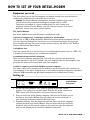
Equipment you need . . . . . . . . . . . . . . . . . . . . . . . . . . . . . . . . . .3
Setting Up . . . . . . . . . . . . . . . . . . . . . . . . . . . . . . . . . . . . . . . . . .3
How to Use Your Intele-Modem
4
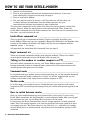
Intele-Menu command set . . . . . . . . . . . . . . . . . . . . . . . . . . . . . .4
Hayes command set . . . . . . . . . . . . . . . . . . . . . . . . . . . . . . . . . . .4
Talking to the modem vs. another computer or TTY . . . . . . . .4
Command mode . . . . . . . . . . . . . . . . . . . . . . . . . . . . . . . . . . . . . .4
On-line mode . . . . . . . . . . . . . . . . . . . . . . . . . . . . . . . . . . . . . . . .4
How to switch between modes . . . . . . . . . . . . . . . . . . . . . . . . . .4
Calling with Intele-Menu Commands
5
General procedure . . . . . . . . . . . . . . . . . . . . . . . . . . . . . . . . . . . .5
Step-by-step instructions . . . . . . . . . . . . . . . . . . . . . . . . . . . . . . .5
Special situations . . . . . . . . . . . . . . . . . . . . . . . . . . . . . . . . . . . . .6
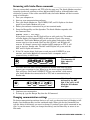
Answering with Intele-Menu commands . . . . . . . . . . . . . . . . . .7
Changing communication settings . . . . . . . . . . . . . . . . . . . . . . .7
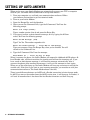
Setting Up Auto-Answer
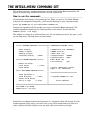
The Intele-Menu Command Set
8
9
How to use the commands . . . . . . . . . . . . . . . . . . . . . . . . . . . . . .9
What each command does . . . . . . . . . . . . . . . . . . . . . . . . . . . . .10
Telephone functions . . . . . . . . . . . . . . . . . . . . . . . . . . . . . . . . . .10
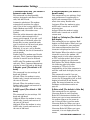
Communication settings . . . . . . . . . . . . . . . . . . . . . . . . . . . . . .11
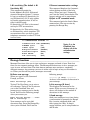
Message functions . . . . . . . . . . . . . . . . . . . . . . . . . . . . . . . . . . .12
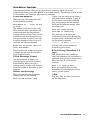
Auto-Answer functions . . . . . . . . . . . . . . . . . . . . . . . . . . . . . . .13
Calling with Hayes Commands
14
How to call another computer or a TTY . . . . . . . . . . . . . . . . . .14
How to answer a call from a computer or TTY . . . . . . . . . . . .15
How to change communication settings . . . . . . . . . . . . . . . . . .15
Setting up Auto-Answer . . . . . . . . . . . . . . . . . . . . . . . . . . . . . .15
Complete Hayes Commands
16
How to type commands . . . . . . . . . . . . . . . . . . . . . . . . . . . . . . .16
Default settings . . . . . . . . . . . . . . . . . . . . . . . . . . . . . . . . . . . . .16
Primary commands . . . . . . . . . . . . . . . . . . . . . . . . . . . . . . . . . .16
What each command means and how to use it . . . . . . . . . . . .17
Problems and Solutions
Appendices
21
22
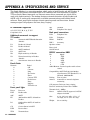
A - Specifications and Service . . . . . . . . . . . . . . . . . . . . . . . . . .22
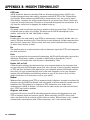
B - Modem Terminology . . . . . . . . . . . . . . . . . . . . . . . . . . . . . . .24
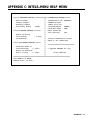
C - Intele-Menu Help Menu . . . . . . . . . . . . . . . . . . . . . . . . . . .25
D - ASCII Character Table . . . . . . . . . . . . . . . . . . . . . . . . . . . .26
CONTENTS • I