1
THE WAN PHYSICAL CONFIGURATION SCREEN
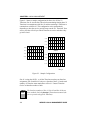
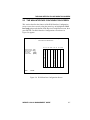
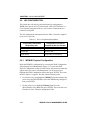
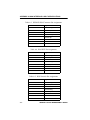
The WAN Physical Configuration screen displays the following
information for each WPIM:
WPIM 1-4
Displays configuration information for as many as four WPIMs.
Each BRIM-W6 supports two WPIMs. Some of Cabletron’s
products (e.g., the NBR-620 or the EMM-E6) will support two
BRIM-W6 modules providing connectivity for as many as four
WPIMs. Only one WPIM per BRIM-W6 can be active.
NOTE
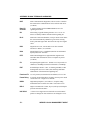
Type
Displays the WPIM type.
BRIM #
Displays the BRIM slot in which the WPIM resides.
Mode
Displays the WPIM mode. Toggles between Primary and Secondary. In a
device such as the BRIM-W6 where two WPIMs are utilized but only one
can be active at a given time, the second WPIM installed or recognized
defaults to Secondary.
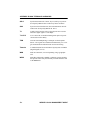
Active
Displays the status of the WPIM, Yes and No.
Interfaces
Displays the interfaces available to each WPIM.
2.1.2
WPIM-E1 Configuration Fields
The configuration fields displayed on the Physical Configuration screen
shown in Figure 2-1 vary depending on the type of WPIM. The examples
in this Local Management Guide cover the WPIM-E1. Each Cabletron
WPIM has a Local Management Guide that provides specific
configuration guidelines and examples.
WPIM-E1 LOCAL MANAGEMENT GUIDE
2-3