1
5. Ring Delay (Ring Trip Interface)
The ring delay is factory set to “Immediate Answer” (unit answers in less than one full ring). The ring delay can be
programmed from “Immediate Answer” (0) to 9 rings. Example: If ring delay is set to 1, unit will answer after one
full ring cycle.
Enter (0-9), #, 1, 1 to program ring delay for channel 1.
Enter (0-9), #, 1, 2 to program ring delay for channel 2.
Enter (0-9), #, 1, 3 to program ring delay for channel 3.
Enter (0-9), #, 1, 4 to program ring delay for programming port.
6. E & M Timing
The Beginning Of Message and End Of Message pulse width is factory set to 600msec. This may be programmed
from 100msec. (enter 1) to 900msec. (enter 9) for each channel.
Enter (0-9), #, 2, 1 to program E & M timing for channel 1.
Enter (0-9), #, 2, 2 to program E & M timing for channel 2.
Enter (0-9), #, 2, 3 to program E & M timing for channel 3.
7. Transfer Phone Numbers
The transfer phone numbers are disabled from the factory. When a transfer phone number is programmed, the
DVA-3003 will perform a hook switch flash transfer (dialing the programmed phone number after the channel
announcement has been played. Note: To disable the hook switch flash transfer for a channel, leave the 16 digit
field blank.
Enter up to 16 digits (1-9), #, 0, 1 to program a transfer phone number for channel 1.
Enter up to 16 digits (1-9), #, 0, 2 to program a transfer phone number for channel 2.
Enter up to 16 digits (1-9), #, 0, 3 to program a transfer phone number for channel 3.
8. Message Repeat
Each channel has the ability to repeat the announcement up to 99 times before disconnecting or transferring an
answered call. The factory default for the message repeat count is set to 01.
Enter 2 digits (01-99), #, 3, 1 to set the message repeat count for channel 1.
Enter 2 digits (01-99), #, 3, 2 to set the message repeat count for channel 2.
Enter 2 digits (01-99), #, 3, 3 to set the message repeat count for channel 3.
9. Changing Your Security Code
It is recommended that you change the security code from the “845464” factory setting to your own personal 6 digit
number. To change the security code, enter your 6 digits _ _ _ _ _ _ plus #,4,7.
Note: The security code can not include a ✱ or #.
Operation
After the DVA-3003’s announcements have been recorded and monitored, place the unit into the ANNOUNCE mode.
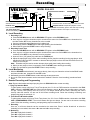
Use DIP switches 1, 2, and 3 on the front panel to select Ring Trip Interface or E & M mode for channels 1, 2 and 3.
These switches are only read when first powered up. Momentarily disconnect power after changing the DIP switches.
A. Ring Trip Interface
A standard C.O. line or PABX extension should be connected to the CO/PABX LINE input jack for that channel. The
DVA-3003 will answer after the programmed ring delay, play the announcement for the message repeat count,
perform a hook switch flash transfer if a number is programmed, or disconnect. The BUSY screw terminals provide a
contact closure during the announcement. If the caller hangs up during the announcement, the DVA-3003 will detect
the C.P.C. signal (if present) and disconnect that line. It is now immediately ready for the next incoming call.
B. 4 Wire E & M Interface:
The 600 OHM E & M jack provides a 600 ohm “Dry” output. Refer to the protocol timing specifications on page 3 and
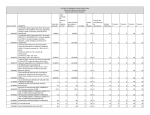
the PBX table on pages 4 and 5 for the control lead connections.
Single Channel Mode
The DVA-3003 may be configured as a single channel announcer with up to 12 minutes announcement time. In this mode
of operation, channels 2 and 3 are disabled, and channel 1 utilizes the combined digital announcement memory time of all
three channels. A stock DVA-3003 has a total of 3 minutes of single channel announcement memory. Viking model
ERAM-60 memory expansion chips can be installed to extend the announcement memory to a total of 12 minutes. Each
ERAM-60 chip will add one minute of announcement memory. To enable the single channel mode, set front panel
SINGLE CHANNEL DIP switch to ON, then momentarily disconnect power.
Product Support Line...(715) 386-8666
Fax Back Line...(715) 386-4345
Due to the dynamic nature of the product design, the information contained in this document is subject to change without notice. Viking
Electronics, its affiliates and/or subsidiaries assume no responsibility for errors and/or omissions contained in this information. Revisions of
this document or new editions of it may be issued to incorporate such changes.
6 Fax Back Doc # 127
Printed in the U.S.A.
ZF300720 Rev C