1
3. Operating Modes
3.1 Modes
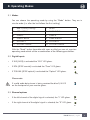
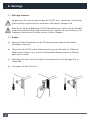
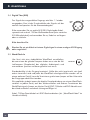
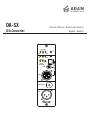
You can choose the operating mode by using the “Mode” button. They are in
circular order (i.e. after the last follows the first setting).
1. AES L (factory setting)
2. AES R
3. AES L WCLK
4. AES R WCLK
5. COAX L
6. COAX R
7. COAX L WCLK
8. COAX R WCLK
9. OPTICAL L
10. OPTICAL R
11. OPTICAL L WCLK
12. OPTICAL R WCLK
With the “Mode” button (operable with a pen or alike) you can set a certain
operating mode which can be a combination of the following possibilites.
-10dB -30dB
3.2 Digital Inputs
Att.
-0dB
-20dB
-40dB
-10dB -30dB
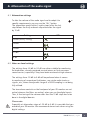
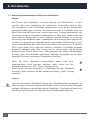
If XLR (AES3) is activated the “XLR” LED glows.
•
If RCA (SPDIF-coaxial) is activated the “Coax” LED glows.
•
If TOSLINK (SPDIF-optical) is activated the “Optical” LED glows.
Att.
XLR
Coax Optical
-0dB -20dB -40dB
Mode
-10dB -30dB
Mode
L
R Clock
Att.
XLR
Coax
ChannelOptical
-0dB -20dB -40dB
S/PDIF
L
R Clock
Coax
ChannelOptical
Mode
S/PDIF
L
R Clock
Channel AES3
S/PDIF
If a valid audio data stream is being received the blue D/A LED
on the frontpanel of your monitor glows.
AES3
-10dB -30dB
DIGITAL INPUTS
Please note:
DIGITAL INPUTS
XLR
DIGITAL INPUTS
•
Att.
3.3 Channel options
•
Word
-0dB Clock
-20dBIn -40dB
AES3
-10dB -30dB
XLR
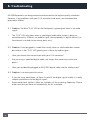
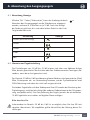
If the left channel of the digital signal is selected, the “L” LED glows.
If the right channel of the digital signal is selected, the “R” LED
L
R Clock
Coax
ChannelOptical
Word Digital
Clock In
glows.Thru
Att.
Mode
S/PDIF
Clock
S/PDIF
AES3
DA-SX Manual / english
AES3
Mode
DIGITAL INPUTS
L
R
Digital Channel
Thru
Optical
7
DIGITAL INPUTS
XLR
•
Coax
Word
Clock
-0dB Digital
-20dBIn -40dB
Thru