1
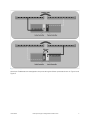
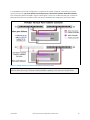
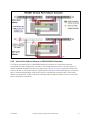
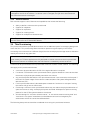
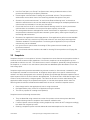
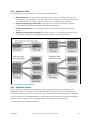
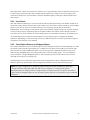
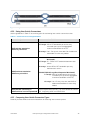
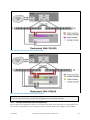
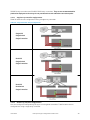
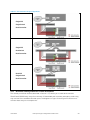
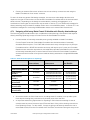
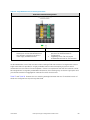
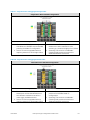
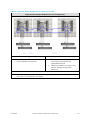
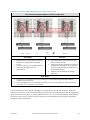
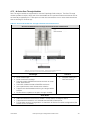
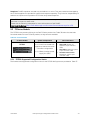
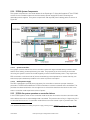
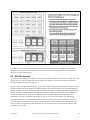
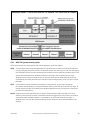
Figure 9 4110/6110 Vertical Port Failover Scenario
2.3.9
Controller Firmware
Each EqualLogic PS Series array runs a core operating system in firmware that provides all of the PS
Series features and functionality. The firmware version is defined using a version number and will be
updated from time to time as new features are added or for general maintenance improvements.
The firmware version number takes the following form: "X.Y.Z":
•
•
•
"X " is used to identify the "major" release number. This changes when there are very significant
changes in the features and functionality.
"Y" is the "minor" release number. This changes as new minor features or improvements in
existing features are made for a given major release.
"Z" denotes maintenance releases. This changes whenever a maintenance release level is
released to resolve any identified technical or usability issues.
2.3.9.1 Firmware Upgrade
Before beginning a firmware upgrade process, you must review the Release Notes for the firmware
update revision. The release notes will be included with the firmware update kit. All firmware update
kits are available at http://www.equallogic.com/support/ (Support ID required for login access). The
release notes contain the latest information and guidelines for:
•
•
•
Completing the upgrade with minimal potential for service disruption
Operating system and iSCSI initiator configuration settings that will minimize potential for I/O
disruption during the upgrade process
Latest updates to the supported firmware upgrade paths
June 2012
Dell EqualLogic Configuration Guide v13.2
15