1
INSTRUCTIONS & ACTIVITIES
INCLUDED IN THIS PACKAGE
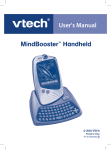
• VTech® Touch Tablet™
• 4 bonus activity cartridges: Geography Quiz, History Hints, Spanish Spelling and Story
Teller
• User's manual
• USB PC connection cable
• Desktop software & expansion activities CD-ROM
• Touch pen
INSTRUCTIONS & ACTIVITIES
WARNING:
All packing materials such as tape, plastic sheets, wire ties and tags are not part of
this product and should be discarded for your child’s safety.
GETTING STARTED
POWER SOURCE
The Touch Tablet™ operates on 4 “AA” size batteries (UM-3/LR6) or a VTech® 9V adaptor
(sold separately).
BATTERY INSTALLATION
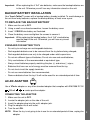
1. Make sure the unit is turned OFF.
2. Locate the battery cover on the bottom of the detachable screen and open it.
3. Insert 4 new “AA” batteries (UM-3/LR6) as illustrated.
RECHARGEABLE BATTERIES ARE NOT RECOMMENDED.
4. Close the battery cover.
NOTE: For best performance, remove all factory-installed batteries and use new, alkaline
batteries.
2