1
Asoka® User’s Guide
PlugLink® 9850 IP Camera PL9850-CMS
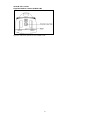
Mounting Bracket
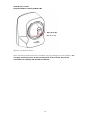
The camera can stand on a flat surface on its own or be mounted on a wall.
Depending on the positioning you want, you can attach the camera head to its stand
at two different points. Please see Chapter 4: “Placement Options” for more on
mounting your camera to the wall.
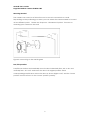
Figure 3-6: Mounting to the wall diagram
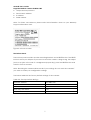
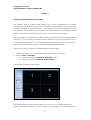
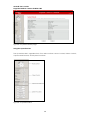
Pan/Tilt Operation
Pan/Tilt scan buttons automatically move the lens horizontally from -60° to 60° and
vertically from -45° to 45° and return the lens to its original position. Each
corresponding pan/tilt arrow moves the lens Up, Down, Right or Left, and the “home
position” button moves it to the “home” position (center).
9