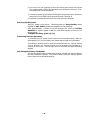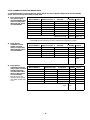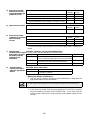
1
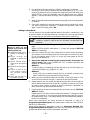
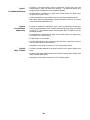
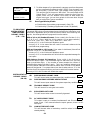
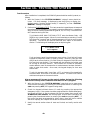
4. Press “0” (No).* The system will then
automatically display the descriptor for
zone 1.
* The procedure for adding custom words to
the built-in vocabulary will be found later
under “Adding Custom Words”.
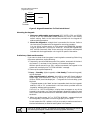
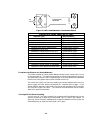
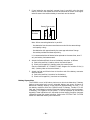
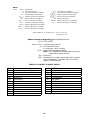
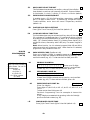
Summary Mode Display
Default Descriptor [
S ZN 0 1
ZO NE 0 1
Flashing Cursor (system is
ready for entry of word).
[
S ZN 0 1 A
Flashing Cursor
[
S ZN 0 1
B A CK
S ZN 0 1
BA CK
A
+
If a descriptor was not entered
previously for zone 1, the default
descriptor for zone 1 will be displayed.
Note that this a “summary mode”, and
that no entries can be made. Entries
can be made only when the display
contains a flashing cursor, which
signifies the “entry mode”.
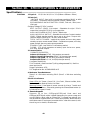
5. To delete or change the default
descriptor for zone 1, press * plus the
same zone number (01). This will
clear that descriptor and gain access to
the entry mode with flashing cursor,
allowing changes to be made.
NOTE: If you do not wish to change the
existing descriptor for zone 1, enter *
plus the next zone number for which
you wish to enter (or check) a
descriptor. A summary display for that
zone will appear. You must then press *
plus the same zone number again to
gain access to the entry mode (flashing
cursor) for that zone.
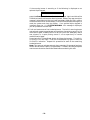
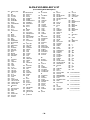
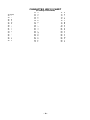
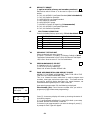
6. Press # plus 3-digit number for the
first word from the “Alpha Vocabulary
List”. Example: The descriptor that we
wish to enter for zone 1 is BACK
DOOR. From the list, BACK = 015.
Therefore, you would enter # 0 1 5.
Note: If you accidentally enter the
wrong word, simply press # plus the
correct 3-digit number for the word you
want.
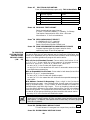
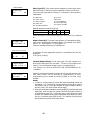
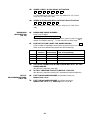
7. Press “6” to accept the selected
word and continue.
Note: If this is the only word you are
using for the descriptor, press “8”
instead of “6” to save that word in
memory, and then go to step 11.
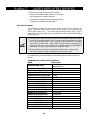
Flashing Cursor if “6” is
pressed (system is ready for
next word).
S ZN 0 1
BA CK
D OOR
+Flashing Cursor
– 35 –
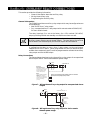
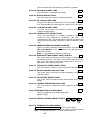
8. Enter the 3-digit number for the
next word. In our example, the word is
DOOR, whose number is “061”.
Enter # 0 6 1. This display will appear: