1
MultiCommManager User Guide
The Statistical Analyzer
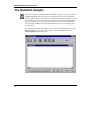
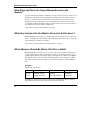
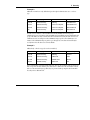
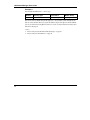
The Statistical Analyzer is a utility that analyzes and displays as graphs or reports events collected
by MultiCommManager and controller logs. You can analyze the event data in several different
ways, depending on the type of report desired. You can display the analyzed event data as pie charts
or bar graphs. You can create connection reports and log reports in ASCII or dBASEIII format for
import to a database. You can view a report in a text editor or send its contents to any Windows
printer. Using the scrollable, read-only, Statistical Analyzer text viewer, you can display, print, or
search any report.
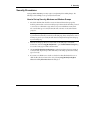
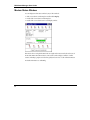
To run the Statistical Analyzer from Windows, double-click on the Statistical Analyzer icon in the
MultiCommManager program group or Start menu. To run it from the Manager, click the
Statistical Analyzer button on the toolbar.
14