1
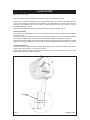
DESN 515480
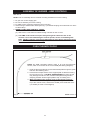
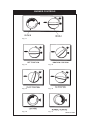
Fig. 9
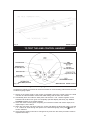
TO TEST THE AIMS CONTROL HANDSET
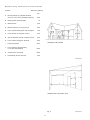
Fig. 10
DESN 515481
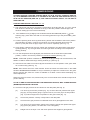
Handset to Base Unit Signal Check/Language Selection
Complete the following procedure to check the handset is communicating with the base unit and
to select language option.
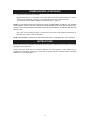
1. Switch on the power supply to the cooker. Immediately, switch the control knob on the base
unit back and forth between manual and AIMS setting until the blue neon flashes.
2. Immediately after neon starts to flash press and hold the + and - buttons together on the
handset until the blue neon goes out completely (handset display will briefly say ‘SERIAL
NUMBER FOUND’), then release buttons.
3. If the neon does not extinguish completely, but continues to flash with a faint output, then
repeat steps 1 and 2 above.
4. When the connection has been made, the screen will display the language options, use the
+ or - buttons to scroll through the options to the desired language, then press
button to
confirm selection.
5. If the language options need to be changed at any time then the whole procedure must be
repeated from step 1.
15