1
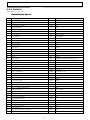
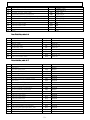
- Table of contents –
1. Install .............................................................................................................................. 1
1.1. Using this manual ..................................................................................................... 1
1.2. How to install ........................................................................................................... 1
1.2.1. Preparing to install............................................................................................ 1
1.2.2. Input customer information................................................................................ 2
1.2.3. Finishing installation ......................................................................................... 4
1.2.4. Operation ........................................................................................................ 4
2. Starting the program ......................................................................................................... 5
2.1. Setting environment.................................................................................................. 5
2.2. Setting communication .............................................................................................. 5
2.3. Setting file path ........................................................................................................ 6
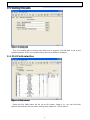
2.4. PLU Field selection .................................................................................................... 6
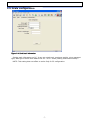
2.5. Scale configuration.................................................................................................... 7
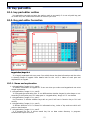
3. PLU editor ........................................................................................................................ 8
3.1. Basics of PLU editor................................................................................................... 8
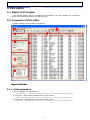
3.2. Componts of PLU editor ............................................................................................. 8
3.2.1. Field explaination.............................................................................................. 8
3.3. Programing PLU editor ..............................................................................................10
3.3.1. Opening new work in PLU editor ........................................................................10
3.3.2. Correct & add in PLU editor ...............................................................................10
3.3.3. Save & open PLU data ......................................................................................11
3.3.4. Dealing with Enter in PLU editor ........................................................................12
3.3.5. Searching data ................................................................................................12
3.3.6. Viewing PLU type .............................................................................................12
3.3.7. Upload PLU .....................................................................................................12
3.3.8. Downloading PLU .............................................................................................12
3.3.9. Deleteing PLU..................................................................................................13
3.4. PLU editor reference .................................................................................................14
4. Discount..........................................................................................................................16
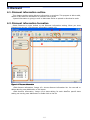
4.1. Discount information outline......................................................................................16
4.2. Discount information formation..................................................................................16
4.2.1. Edit discount information components ................................................................17
4.3. Instruction ..............................................................................................................17
4.3.1. Starting discount .............................................................................................17
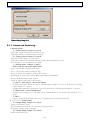
4.3.2. Setting discount ..............................................................................................17
4.3.3. Saving discount ...............................................................................................18
4.3.4. Upload data ....................................................................................................18
4.3.5. Download data ................................................................................................19
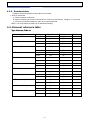
4.4. Discount reference table ...........................................................................................19
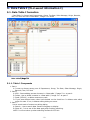
5. Data Table I (PLU assist information I) ................................................................................20
5.1. Data Table I formation ..............................................................................................20
5.1.1. Table 1 Componets ..........................................................................................20
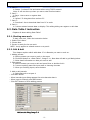
5.2. Data Table I instruction.............................................................................................21
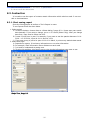
5.2.1. Starting new work ...........................................................................................21
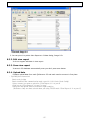
5.2.2. Edit & Add ......................................................................................................21
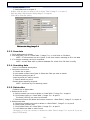
5.2.3. Save data .......................................................................................................22
5.2.4. Searching data ................................................................................................22
5.2.5. Delete data .....................................................................................................22
5.2.6. upload data.....................................................................................................23
5.2.7. Download .......................................................................................................23
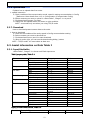
5.3. Assist information on Data Table I ..............................................................................23
5.3.1. Input filed table...............................................................................................23
5.3.2. Precautions .....................................................................................................24
6. Table2.............................................................................................................................25
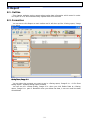
6.1. Outline ...................................................................................................................25
6.2. Formation ...............................................................................................................25
-ii-