1
Software and Operating System Requirements for Collector Machines
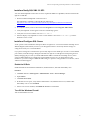
Install and Verify SQL XML 3.0 SP3
You must install SQLXML 3.0 SP3. This version is required in addition to SQLXML4, which is installed with
SQL Server 2008 R2.
1. Download and install SQLXML 3.0 Service Pack 3.
The application is available as a download from Microsoft at
http://www.microsoft.com/downloads/en/details.aspx?FamilyID=51d4a154-8e23-47d2-a033764259cfb53b.
2. To verify the version, in the Control Panel click Programs and select Programs and Features.
3. Verify that SQLXML 3.0 SP3 appears in the list of installed programs.
4. Verify the exact version number is at least 3.30.3457.0.
5. If the list displays only SQLXML 3.0 or the version number is not at least 3.30.3457.0, you must
install the correct version.
Install and Configure SQL Server
VCM operates with a Standard or Enterprise edition of SQL Server. You must install the 64-bit SQL Server
2008 R2, English (United States) version on your designated Collector and verify that the settings are
configured correctly for a VCM installation.
If you plan to change the communication port used by SQL from the default port of 1433 to a nonstandard
port number, make the changes during the installation of SQL Server and SQL Server Reporting Services
(SSRS). Changing the port after you install SSRS disables SSRS communication with SQL Server, which
causes an SSRS validation error during the VCM installation process. If you change the port after
installation, you must configure additional SSRS settings to repair the configuration. For assistance, contact
VMware Technical Support.
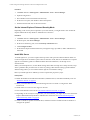
Enable the IIS Role
Enable the IIS Role and enable the ISAPI Filters, ISAPI Extensions, and .NET Extensibility roles.
Procedure
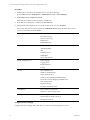
1. Click Start and select All Programs > Administrative Tools > Server Manager.
2. Expand Roles.
3. Click Web Server (IIS).
4. In the Role Services pane, verify that the ISAPI Filters role, ISAPI Extensions role, and the .NET
Extensibility role are set to Installed.
5. If these roles are not installed, click Add Role Services to install them.
Turn Off the Windows Firewall
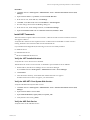
Turn off the Windows firewall.
VMware, Inc.
21