1
vCenter Chargeback User’s Guide
3
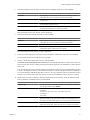
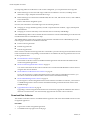
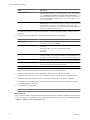
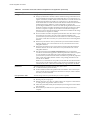
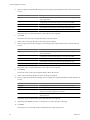
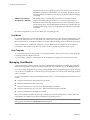
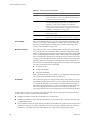
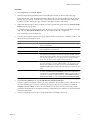
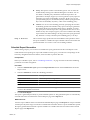
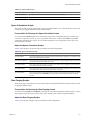
You can choose to collect the system event logs.
The Application log and System log is collected.
4
Enter the number of stand-alone data collector instances (not embedded) installed on the same machine.
5
If you have any standalone data collector instance running, you must provide the path of each such data
collector installation.
Troubleshooting Issues in vCenter Chargeback
VMware provides troubleshooting tips that enable you to fix or workaround some of the issues that might
occur when using vCenter Chargeback.
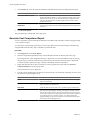
Changed Timezone Setting Is Not Reflected
vCenter Chargeback uses the timezone set on the machine. In the case of a cluster installation, the timezone
set on the machine on which the load balancer service is running is used.
Problem
After the timezone is changed on the machine, the corresponding change is not reflected in vCenter
Chargeback.
Solution
u
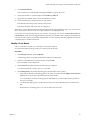
Restart the vCenter Chargeback service for this change to be reflected.
Changes to Chargeback Hierarchy Are Not Reflected in the Concurrent UserSessions
Multiple users can access the application simultaneously. Changes made by a user are visible in concurrent
user-sessions.
Problem
Creation, deletion, and renaming of a chargeback hierarchy by a user are not automatically reflected in the
concurrent user-sessions. Any other change to the chargeback hierarchy, such as adding or deleting an entity,
might not reflect immediately in the concurrent user-sessions.
Solution
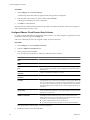
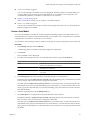
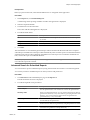
1
Log out from vCenter Chargeback.
2
Log in again to vCenter Chargeback.
The changes made in the concurrent user sessions are reflected in vCenter Chargeback.
3
Refresh the hierarchy to view the changes made to the hierarchy in the concurrent user sessions.
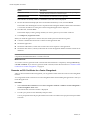
You can refresh a chargeback hierarchy by clicking the refresh button next to the chargeback hierarchy or
by loading another chargeback hierarchy and then reloading the required chargeback hierarchy.
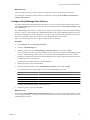
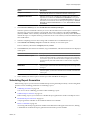
Changes to the vCenter Server Hierarchy Are Not Reflected in vCenter
Chargeback
Changes made to the vCenter Server hierarchy are not reflected in vCenter Chargeback immediately.
Problem
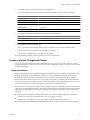
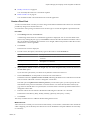
Any change made to the vCenter Server hierarchy is not reflected in vCenter Chargeback immediately.
134
VMware, Inc.