1
Chapter 10 Troubleshooting vCenter Chargeback
3
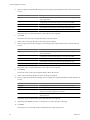
If you are using SQL Server for the vCenter Server database and using the port number of the named
database instance to connect to it, ensure that the port is a dedicated or static port for the database instance.
In SQL Server, the default configuration is to use dynamic ports for named database instances. You must
modify it to use dedicated ports. You must also configure the database named instance with the formerly
configured port number. If you configure the database named instance with a different static port, ensure
that you make the necessary changes in vCenter Chargeback so that the connection to the vCenter Server
database is restored.
4
If you are using SQL Server or SQL Express for the vCenter Server database, ensure that the TCP/IP
protocol is enabled for the vCenter Server database.
The TCP/IP protocol is enabled by default. You can use the SQL Server Configuration Manager to check
whether the TCP/IP protocol is enabled for the database.
Use the SQL Server Surface Area Configuration tool to ensure that the SQL Server Browser Service and
Database Engine Service & Remote Connections services are running.
Unable to Email Report
Although the report is generated and can be successfully archived or exported, the email report operation fails.
Problem
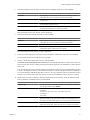
vCenter Chargeback fails to send the report through email. The following error might be displayed:
Check if the email settings are properly configured. If not, configure them before sending an email.
Cause
Probable causes for the failure of the email report operation are:
n
The SMTP server is not configured.
n
The SMTP server is not reachable.
n
A third-party application is blocking vCenter Chargeback from sending email.
Solution
1
Check whether the SMTP server is configured in the application.
If the SMTP server is configured, then an email address is displayed in the Email Setting section of the
General page of the Settings tab.
2
Check whether the SMTP server is reachable over the network.
3
Check whether any third-party application, such as an anti-virus application, is blocking vCenter
Chargeback from sending emails.
If there is such an application running and has the option of excluding some applications from being
blocked, include the application tomcat6.exe in the excludes list.
Unable to Fetch the Primary Group of a LDAP User
Only the groups and users defined under the specified DN in the Active Directory hierarchy can be viewed
from and added to vCenter Chargeback.
Problem
Although you can view an LDAP user added to vCenter Chargeback, you are unable to add the primary group
of the LDAP user to the application.
VMware, Inc.
143