1
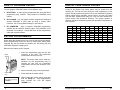
seconds). Press the [PRI] key again to
change the duration from 225 seconds to
zero.
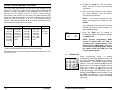
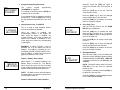
1. Keypad Programming Password
PROG
Edit-000000
password
The
current
keypad
‘PASSWORD’ is displayed.
programming
Press the [CLR] key to set the Time-Out
Timer duration to zero.
If no change is needed, press the [FCN] key
to advance to the next field.
Press the [ENT] key to store the changed
setting and advance to the next field.
A new password can be entered by pressing
number keys. Press the [ENT] key to store
the new password and advance to the next
field.
Press the [FCN] key to advance to the next
field if no change is needed.
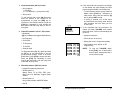
2. Global Options One: 1-12345678
PROG
1-12345678
GBL options
This is a group of eight individual options
that can be enabled or disabled.
When an Option is enabled, the
corresponding number in the display will
flash. When the Option is disabled, the
number is steady. If you wish to change the
Option from enabled to disabled or vice
versa, press the number key corresponding
to that Option.
EXAMPLE: If Option 4 (Priority 1 Lock) is
disabled, the 4 in the display will not be
flashing. If the [4] key is pressed, the 4 in
the display will flash, signifying that Priority 1
Lock is enabled. A subsequent press of the
[4] key will disable Priority 1 Lock.
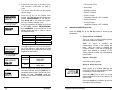
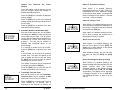
Option 1: Battery Saver Inhibit
PROG
1-12345678
GBL OPTIONS
When Option 1 is enabled (flashing), the
Battery Saver is turned off. The Battery
Saver should be turned off only for getting
proper voltage readings during service or for
systems requiring fast squelch attack time.
NOTE: BK Radio current drain and battery
life specifications are based on performance
with the battery saver on.
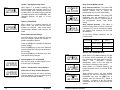
6. Scan Delay Time
PROG
SCN
2.0 sec
scan delay
After the Time-Out Timer is set, the ‘SCAN
DELAY’ time is displayed.
Press the [PRI] key to increase the scan
delay time by .5 seconds, up to 7.5 seconds.
Press the [PRI] key again to change the time
from 7.5 seconds to 0.
Press the [CLR] key to reset the scan delay
time to 0.
Press the [ENT] key to store the changed
setting and advance to the next field.
Press the [FCN] key to advance to the next
field if no change is needed.
7. Backlight Duration
PROG
6 sec
BL DURATION
After the Scan Delay is set, the display will
show the current Backlight Duration setting.
Available settings are LITE OFF, 1 SEC ON,
1-second increments up to 6 SEC ON, and
LITE ON.
NOTE: Excessive battery drain will result if
LITE ON is set and used for extended
periods of time.
If no change is needed, press the [FCN] key
to advance to the next field.
Press the [CLR] key to set backlight duration
to zero and display LITE OFF.
Option 2: Reserved For Future Options
10
BK Radio
Keypad Programming Manual
15