1
HOW TO PROGRAM RADIOS
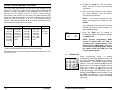
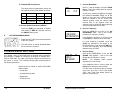
DIGITAL CODE GUARD VALUES
You can program GPH-CMD radios in three different ways:
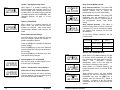
Codes for the Digital Code Guard system may be chosen from the
following list. This can be done during the code programming of the
system. Usually systems using direct unit to unit transmission (systems
without mobile relays, repeaters, remote control, etc) may use codes
from the table. Systems with relays etc. may use code variations for
system control and operational efficiency. The system operator or
engineer should be consulted regarding the operational requirement on
such systems.
A. BY KEYPAD A radio can be programmed with its keypad and a
programming plug, LAA0701. That procedure is described in this
manual.
B. BY CLONING You can transfer a radio’s programmed settings to
another GPH-CMD or GPH radio by using a cloning cable,
LAA0700. See "Cloning Radio Settings" in this manual.
C. BY COMPUTER
With a computer, GPH-CMD programming
software and an LAA0725 interface cable. That procedure is not
described in this manual. Contact BK Radio for the programming
cable and required software.
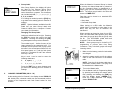
KEYPAD PROGRAMMING
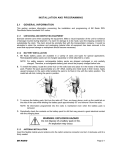
Some radios are shipped with a door covering the keypad and display.
Before programming, remove the door by removing the battery pack,
engaging the door just below the speaker grill, and sliding the door
downward. Replace the battery pack.
023
025
026
031
032
043
047
051
054
065
071
072
073
074
114
115
116
125
131
132
134
143
152
155
156
162
165
172
174
205
223
226
243
244
245
251
261
263
265
271
306
311
315
331
343
346
351
364
365
371
411
412
423
431
432
445
464
465
466
503
506
516
532
546
565
606
612
624
627
631
632
654
662
664
703
712
723
731
732
734
743
754
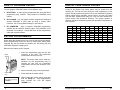
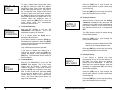
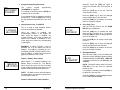
Make sure the battery pack is charged.
Master
Switch
1. Insert the programming plug into the side
connector of the radio. The push-button
master switch will be on the top.
NOTE: The cloning cable can be used as a
substitute for the programming plug by
inserting the end with the push-button
master switch into the side connector of the
radio.
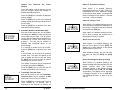
2. Select a channel group to be programmed.
Programming
Plug
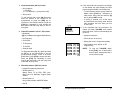
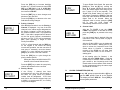
3. Press and hold the master switch.
PSWRD-******
4. While holding the master switch, press and
hold the [FCN] key. After approximately
three seconds the LCD will display
’PSWRD-******‘.
2
BK Radio
Keypad Programming Manual
23