1
Description
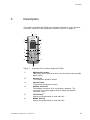
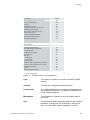
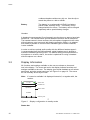
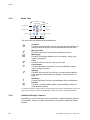
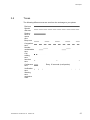
The top row is used for icons giving the user information for signal strength,
missed call, new message, time and battery status. This row is always visible.
Header bar
The next row displays the current date, headset connection, Bluetooth
connection, phone lock, and so on.
Text field
The next rows (Active area) are used for information such as the name of the
system to which the cordless telephone is connected to. A user identity provided
from the system and/or an Owner ID can also be displayed if configured in the
Settings menu. This is also the area for pop up text for example, missed calls
or to confirm an action. The network name, for example System A, as in Figure
3 on page 16, indicates that the system is in contact with system A.
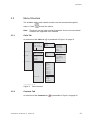
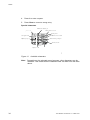
Soft key bar
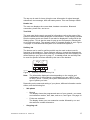
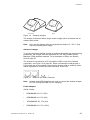
The bottom row is used for soft keys which can be used as short cuts for
functions in the telephone. There are three soft keys, located just beneath the
display and the functions of each soft key is indicated by text in the display just
above the keys, see Figure 4 on page 17. In standby mode, the soft keys can
be used for specific functions defined by the user of the handset.
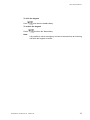
List
003
Call
Soft keys
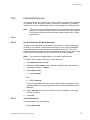
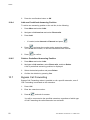
Figure 4
Note:
Soft key Call and soft key List
The information displayed varies depending on the version and
configuration of the exchange, and whether you use a DECT or an
IP DECT phone. Consult your system administrator to find out which
type of phone you have.
Depending on the state and setting of your phone, different information can be
shown, see the following list:
•
•
Idle phone
−
Normal
The display shows the programmed name of your network, your name
and extension number, time, date, and so on, see Figure 3 on page 16.
−
Follow-me activated
The display shows your own extension number followed by a > and
the extension number diverted to.
Outgoing call
1424-EN/LZT 103 092 Uen A1 2008-10-27
17