1
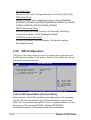
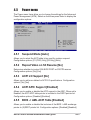
OnBoard VT6410 RAID Controller [Enabled]
Allows you to enable or disable the onboard VIA® VT6410 RAID controller.
Configuration options: [Disabled] [Enabled]
OnBoard IEEE 1394 Controller [Enabled]
Allows you to enable or disable the onboard IEEE 1394 controller.
Configuration options: [Disabled] [Enabled]
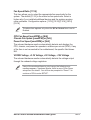
OnBoard LAN [Enabled]
Allows you to enable or disable the onboard LAN controller. Configuration
options: [Disabled] [Enabled]
3Com® 3C940 does NOT support S5 Wake-On-LAN function under
DOS mode or Window® ME™.
OnBoard LAN Boot ROM [Disabled]
Allows you to enable or disable the option ROM in the onboard LAN
controller. This item appears only when the Onboard LAN item is set to
Enabled. Configuration options: [Disabled] [Enabled]
OnBoard Floppy Controller [Enabled]
Allows you to enable or disable the floppy disk controller. Configuration
options: [Disabled] [ Enabled]
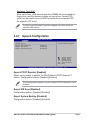
Serial Port1 Address [3F8/IRQ4]
Allows you to select the Serial Port1 base address. Configuration options:
[Disabled] [3F8/IRQ4] [3E8/IRQ4] [2E8/IRQ3]
Serial Port2 Address [2F8/IRQ3]
Allows you to select the Serial Port2 base address. Configuration options:
[Disabled] [2F8/IRQ3] [3E8/IRQ4] [2E8/IRQ3]
Parallel Port Address [378]
Allows you to select the Parallel Port base addresses. Configuration
options: [Disabled] [378] [278] [3BC]
Parallel Port Mode [ECP]
Allows you to select the Parallel Port mode. Configuration options:
[Normal] [Bi-directional] [EPP] [ECP]
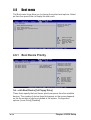
ECP Mode DMA Channel [DMA3]
Configuration options: [DMA0] [DMA1] [DMA3]
ASUS P4P800 Deluxe motherboard user guide
4-21