1
16
ST70 Pilot Controller Reference Guide
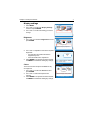
Wind Trim
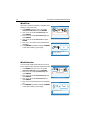
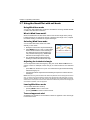
1. Press MENU, then use < and > to scroll to
Autopilot Calibration and press ENTER.
2. Use < and > to scroll to Vessel Settings and
press ENTER.
3. Use < and > to scroll to Sailboat Settings and
press ENTER.
4. Use < and > to scroll to Wind Trim and press
ENTER.
5. Use < and > to increase or decrease the auto
tack delay.
6. Press ENTER to accept the change or CANCEL
to exit without making any changes.
Sailboat Settings
Wind Trim
Press ENTER to select.
D10853-1
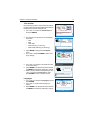
Wind Trim controls the sensitivity of the pilot when
steering in wind vane mode.
Wind Trim
5
Press ENTER to select.
D10852-1
Set the response to wind
i direction changes
Wind Selection
Wind Selection
Press ENTER to select.
D10855-1
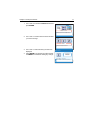
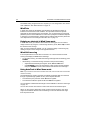
1. Press MENU, then use < and > to scroll to
Autopilot Calibration and press ENTER.
2. Use < and > to scroll to Vessel Settings and
press ENTER.
3. Use < and > to scroll to Sailboat Settings and
press ENTER.
4. Use < and > to scroll to Wind Selection and
press ENTER.
5. Use < and > to switch between True and Apparent.
6. Press ENTER to accept the change or CANCEL
to exit without making any changes.
Sailboat Settings
Wind Selection
True
i
Select wind source.
Press ENTER to select.
D10854-1
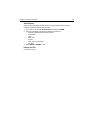
You can specify whether the wind source is to be
true or apparent when steering in wind vane mode.